


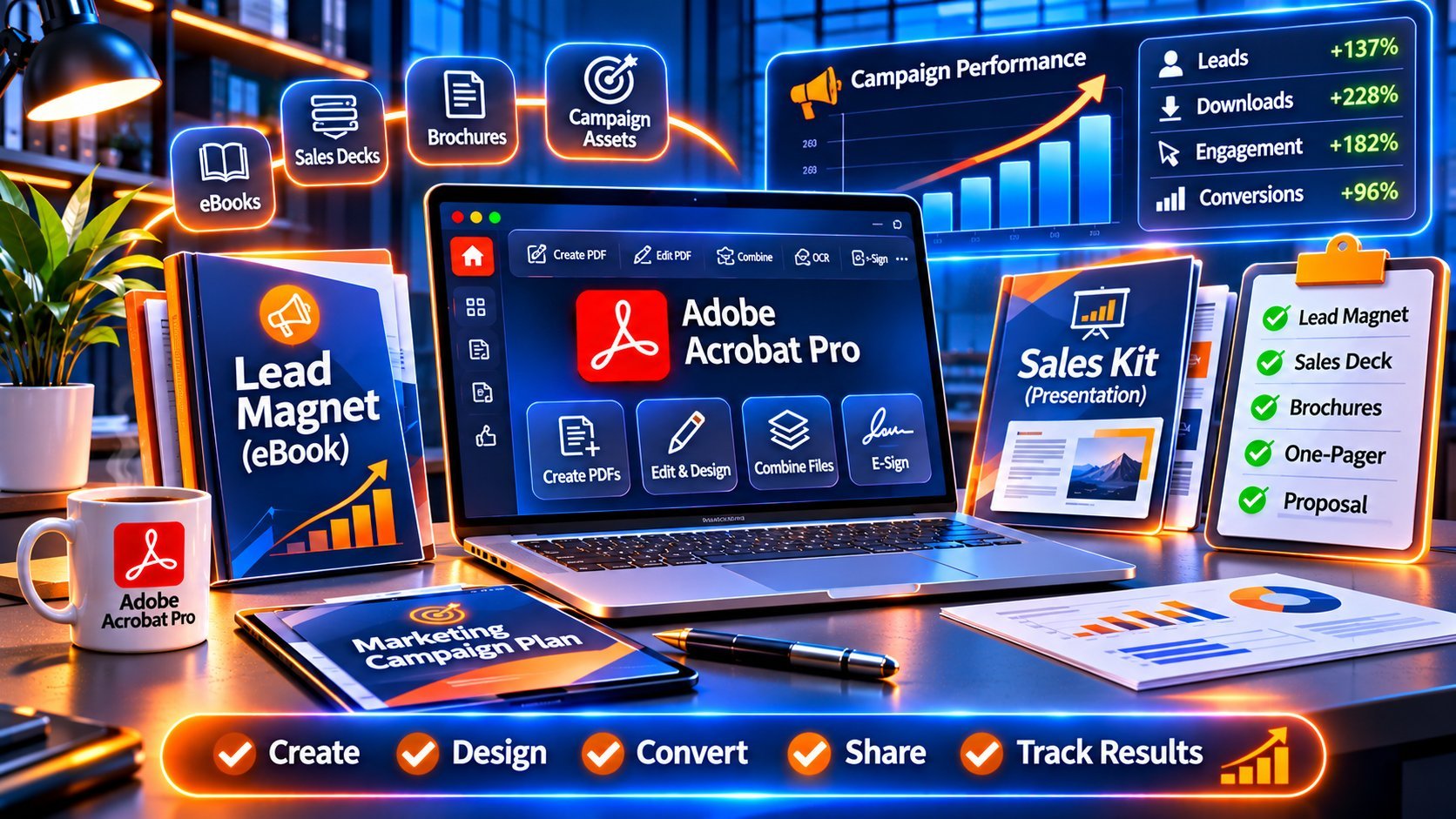
Every marketing team runs on PDFs. Your lead magnets are PDFs. Your sales one-pagers, case studies, media kits, pricing sheets, proposals, whitepapers, and event brochures are PDFs. When a prospect downloads your ebook or a sales rep forwards your case study to a decision-maker, that PDF is your brand in their inbox.
And yet most marketing teams treat PDF software as an afterthought. Designers export from InDesign or Canva, someone spots a typo, the file goes back to design, the deadline slips, the file is 40 MB and bounces from the prospect’s email server, the form fields don’t work on mobile, and nobody can tell which version is final.
Adobe Acrobat Pro fixes that entire workflow. It lets marketers edit final PDFs without reopening design files, build fillable lead-capture forms, compress heavy collateral for email, assemble sales kits in minutes, protect pricing documents, and review content with comments everyone can see.
The problem? Adobe wants every seat on a monthly subscription. For a five-person marketing team, that’s a recurring line item that never ends—and it grows every time you hire.
This buyer’s guide shows marketing managers, content teams, and growth marketers how to buy Adobe Acrobat Pro with a one-time lifetime license, which version fits a marketing workflow, and how the software pays for itself through faster production and better-converting assets.
👉 Buy Adobe Acrobat Pro DC 2025 Lifetime License for Your Marketing Team – One-Time Purchase →
Browse all options: Adobe Acrobat Pro Lifetime Licenses | All Adobe Software
Why Marketing Teams Should Buy Adobe Acrobat Pro
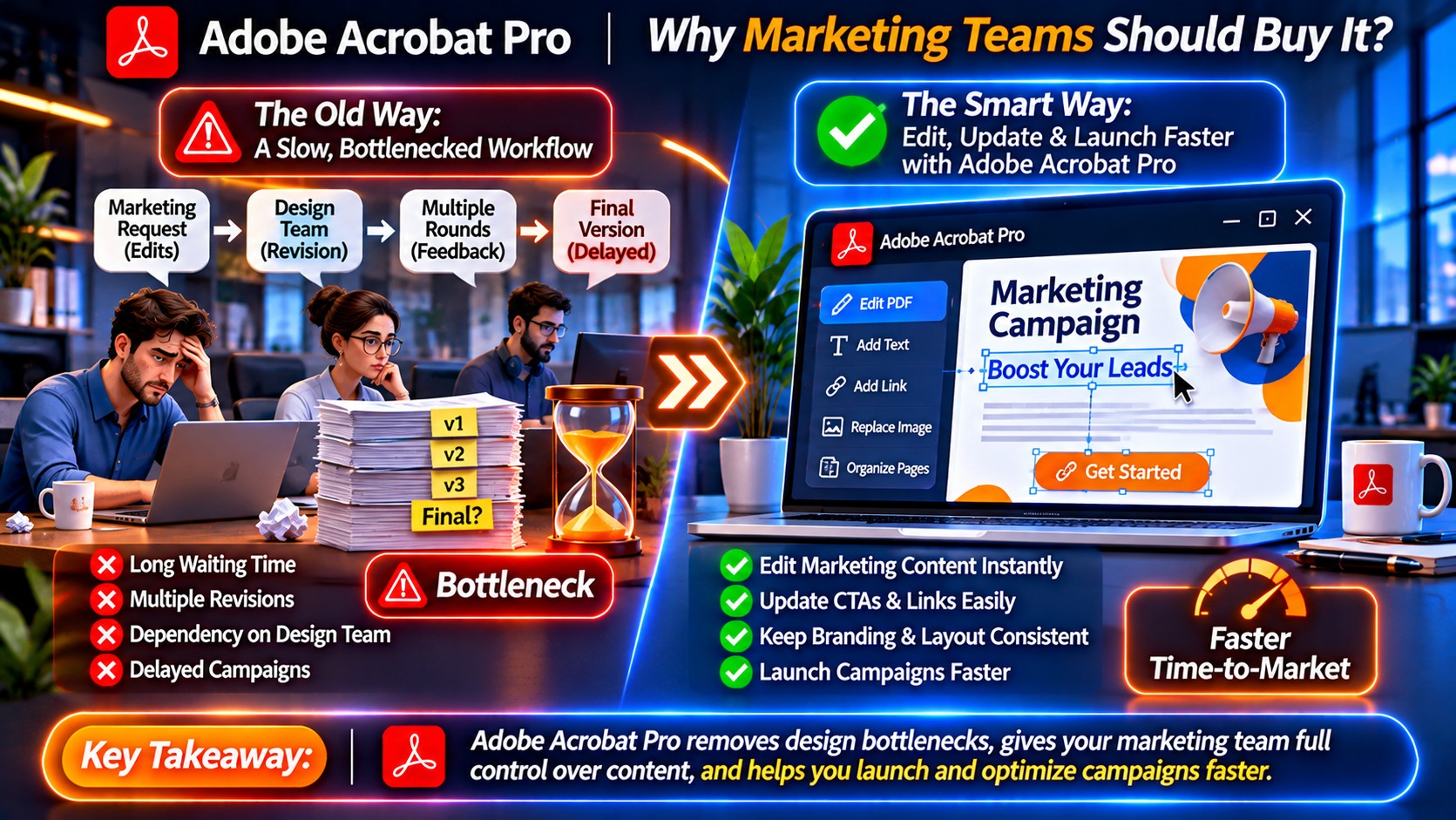
The Hidden Cost of “Just Export It as a PDF”
Most marketing teams create PDFs in three places: design tools (InDesign, Illustrator, Photoshop, Canva), office tools (Word, PowerPoint), and web-to-PDF exports. What they lack is a tool to manage the PDF after it’s created. That gap shows up as:
- Design bottlenecks: Every small text change goes back to a designer’s queue.
- Bloated files: A 30-page ebook with high-resolution images weighs 45 MB—too big for most email attachments and slow to load on mobile.
- Broken lead capture: Static PDFs with “email us to learn more” instead of fillable forms.
- Version chaos: “Final_v3_REAL_final.pdf” circulating in Slack.
- Leaked pricing: Internal pricing sheets forwarded to competitors because nothing restricts copying or printing.
- Slow sales enablement: Reps manually assembling decks, case studies, and spec sheets for every prospect.
Each of these costs hours every week. Adobe Acrobat Pro removes most of them.
What Adobe Acrobat Pro Gives a Marketing Team
✅ Edit final PDFs directly – fix typos, update stats, swap images, change CTAs without reopening source files
✅ Build fillable forms – lead capture, event registration, surveys, quote requests
✅ Compress intelligently – shrink large collateral while keeping images sharp
✅ Combine files into sales kits – case study + one-pager + pricing in a single branded PDF
✅ Add links and bookmarks – clickable CTAs, table of contents, navigation
✅ Comment and review – stakeholders mark up one shared file instead of emailing edits
✅ Protect sensitive documents – passwords and permissions on pricing and partner materials
✅ Convert PDFs to Word/PowerPoint – repurpose old whitepapers and decks quickly
✅ Compare versions – see exactly what changed between drafts
✅ Add watermarks, headers, and footers – consistent branding across every asset
The Smart Marketing Move: Buy a Lifetime License Instead of Renting
Why Subscriptions Hurt Marketing Budgets
Marketing budgets are scrutinized every quarter. Recurring software subscriptions are often the first thing finance flags—and the easiest to cut, which leaves your team without tools mid-campaign.
With Adobe’s subscription model:
- ❌ Every new hire adds another recurring charge
- ❌ Costs never stop, even when campaigns slow down
- ❌ Price increases are outside your control
- ❌ A lapsed payment or budget freeze cuts off access immediately
- ❌ After several years, you’ve paid many times over and own nothing
Why a Lifetime License Fits Marketing Teams
A perpetual (lifetime) license is a one-time purchase. You own that version of Adobe Acrobat Pro permanently.
- ✅ One budget approval, not a recurring line item
- ✅ Predictable cost per seat when the team grows
- ✅ No access interruption during budget freezes
- ✅ Transfer to new computers when you replace hardware
- ✅ Works offline after activation
- ✅ Significant savings compared with years of subscription fees
KeyUpMart currently offers special pricing and limited-time discounts on genuine Adobe Acrobat Pro lifetime licenses, which makes the one-time option even more attractive for teams buying multiple seats.
👉 See Current Offers on Adobe Acrobat Pro Lifetime Licenses →
Which Adobe Acrobat Pro Version Should Marketing Teams Buy?
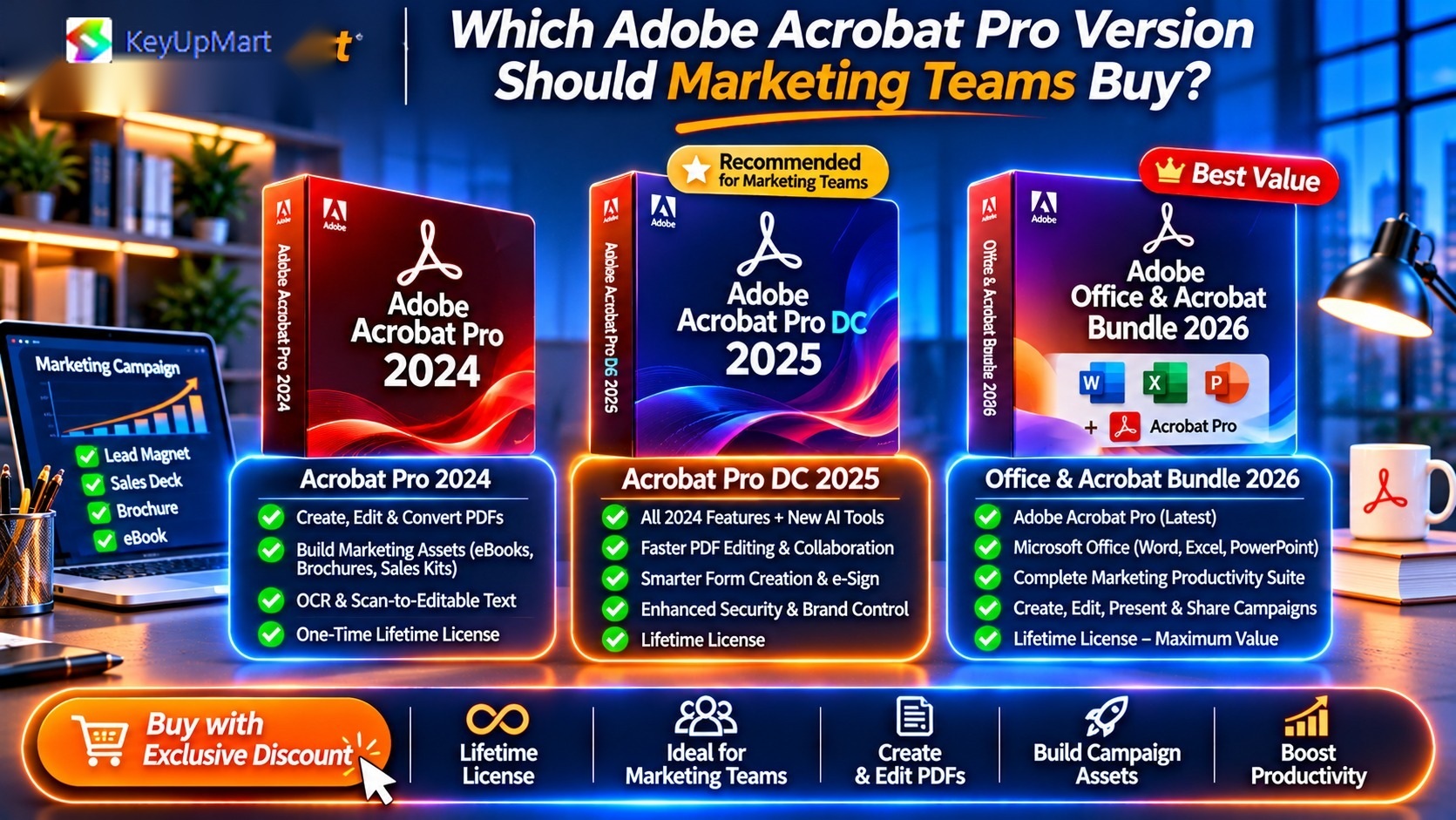
KeyUpMart carries several perpetual versions. Here’s how they map to marketing needs.
Best for Most Marketing Teams: Adobe Acrobat Pro DC 2025
Why marketers choose DC 2025: – AI-powered tools that speed up editing and document review – Smooth performance on large, image-heavy collateral – Strong compression for email-friendly lead magnets – Long relevance window, so you won’t need to buy again soon
Best for: Content teams, demand-gen teams, agencies, and anyone producing PDF assets weekly.
Newest Option: Adobe Acrobat Pro 2026
Why consider 2026: The newest perpetual version available, ideal for teams that want the longest possible lifespan from a single purchase.
Best for: Teams standardizing on one version for the long term.
Best Value: Adobe Acrobat Pro 2024
Why marketers choose 2024: All the core marketing workflows—editing, forms, compression, combining, comments, protection—at a very affordable one-time price.
Best for: Small teams, startups, and marketers who need dependable tools without the latest AI features.
For Mac-Based Creative Teams: Adobe Acrobat Pro 2022 for Mac
Many marketing and design teams work on Mac. Windows licenses don’t activate on macOS, so Mac users need a Mac license.
Best Bundle for Marketing Ops: Office 2024 Pro Plus + Acrobat 2024 Pro
Marketing teams live in PowerPoint, Excel, and Word as much as in PDFs. This bundle combines two lifetime licenses in one purchase.
👉 Buy the Microsoft Office 2024 Pro Plus + Adobe Acrobat 2024 Pro Lifetime Bundle →
Not sure which to pick? Read our detailed comparison: Adobe Acrobat Pro 2024 vs DC 2025: What Is New and Is the Upgrade Worth It
10 Marketing Workflows Adobe Acrobat Pro Speeds Up
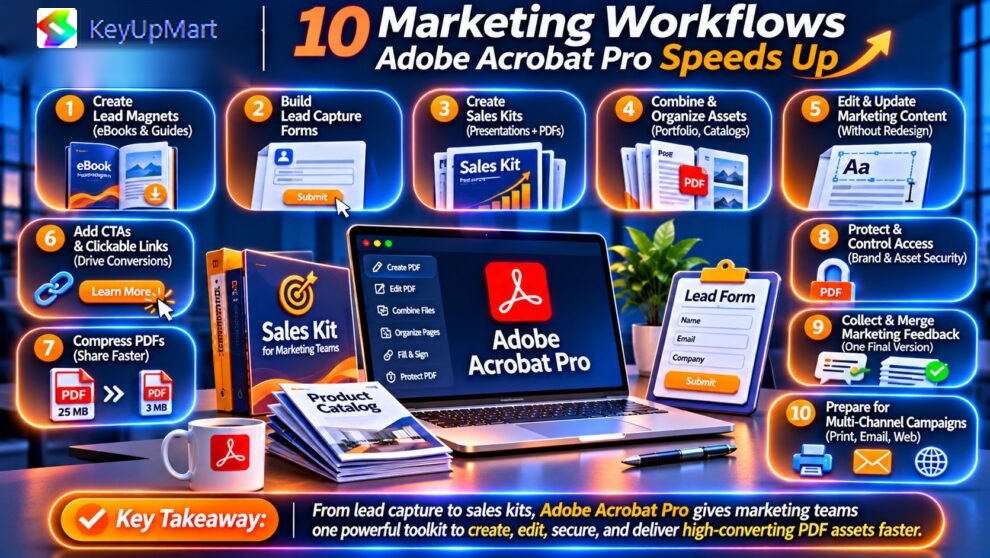
Workflow #1: Build Lead Magnets That Actually Capture Leads
Without Acrobat Pro: Your ebook is a static PDF. Readers finish it with no way to take the next step except going back to your website.
With Acrobat Pro: – Add clickable CTA buttons linking to demo pages, pricing, or booking calendars – Insert fillable forms (assessment quizzes, checklists, worksheets) that readers complete inside the PDF – Add bookmarks and a linked table of contents so readers jump to what matters – Include UTM-tagged links so traffic from the PDF shows up correctly in your analytics
Result: Your lead magnet becomes a conversion asset, not a dead end.
Workflow #2: Fix Typos Without Reopening Design Files
Without Acrobat Pro: A sales director spots a wrong statistic on page 14. The file goes back to the design queue. Two days later, you get v4.
With Acrobat Pro: Open the PDF, select Edit PDF, correct the number, save. Two minutes.
You can also replace images, update a phone number in the footer, change a CTA URL, or swap an outdated logo directly in the final file.
Result: Designers focus on new creative work instead of endless revision cycles.
Workflow #3: Compress Heavy Collateral for Email and Mobile
Without Acrobat Pro: A 45 MB brochure bounces from prospect inboxes and takes forever to open on mobile.
With Acrobat Pro: Use Optimize PDF or Reduce File Size to shrink the file dramatically while keeping images presentation-quality. Choose different settings for screen viewing versus print.
Result: Faster downloads, fewer bounced emails, better mobile experience—and a better landing-page conversion rate when the gated asset loads instantly.
For a full walkthrough, see our guide: How to Compress Large PDF Files with Adobe Acrobat Without Losing Quality.
Workflow #4: Assemble Sales Kits in Minutes
Without Acrobat Pro: A rep emails five separate attachments: a deck, two case studies, a spec sheet, and a pricing page. The prospect opens one.
With Acrobat Pro: Use Combine Files to merge PDFs, Word docs, PowerPoint slides, and images into one branded sales kit with a cover page, bookmarks, and consistent page numbers.
Result: One professional file that’s easy to forward internally to the buying committee.
Workflow #5: Create Event and Webinar Registration Forms
Use Prepare Form to turn any designed PDF into a fillable form—registration, sponsorship requests, booth applications, speaker submissions. Acrobat automatically detects many form fields, and you can add text fields, checkboxes, dropdowns, and signature fields.
Result: Cleaner data, fewer back-and-forth emails, and a more professional event experience.
Workflow #6: Run Faster Content Reviews
Without Acrobat Pro: Five stakeholders send edits in five emails, some contradicting each other.
With Acrobat Pro: Everyone comments directly on the same PDF using sticky notes, highlights, and text markup. Reviewers see each other’s comments, and you resolve them in one place.
Result: Review cycles shrink from days to hours.
Workflow #7: Protect Pricing Sheets and Partner Materials
Pricing documents, partner playbooks, and roadmap decks shouldn’t be easy to copy or edit. Acrobat Pro lets you: – Require a password to open – Restrict printing, editing, or copying text – Add “Confidential” watermarks – Remove hidden metadata before external distribution
Result: Fewer leaks and more control over sensitive go-to-market materials.
Workflow #8: Repurpose Old Content
Your best-performing whitepaper from two years ago only exists as a PDF. Acrobat Pro converts it back to an editable Word or PowerPoint file so you can refresh the data, rewrite sections, and republish.
Learn more: How to Convert PDF to Word, Excel and PowerPoint with Adobe Acrobat.
Result: Faster content production and more value from existing assets.
Workflow #9: Compare Draft Versions Instantly
Legal or leadership sent back “a few changes” to your annual report? Use Compare Files to highlight every addition, deletion, and formatting change between two versions.
Result: No missed edits and no manual line-by-line checking.
Workflow #10: Keep Brand Consistency Across Every Asset
Add consistent headers, footers, page numbers, watermarks, and backgrounds across batches of PDFs. Use Action Wizard to apply the same steps to an entire folder of files at once.
Result: Every asset your team sends looks like it came from the same brand.
ROI Example: What Acrobat Pro Saves a Marketing Team
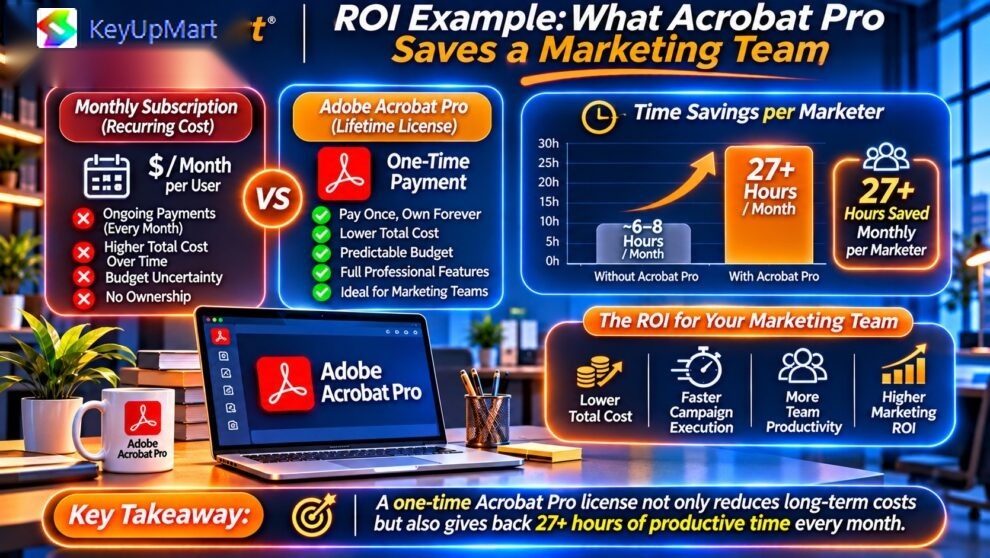
Here’s an illustrative example for a five-person marketing team. Adjust the hours to match your own workflow.
| Task | Hours/Month Without Acrobat Pro | Hours/Month With Acrobat Pro | Hours Saved |
|---|---|---|---|
| Small text/image fixes on final PDFs | 10 | 2 | 8 |
| Compressing and re-exporting large files | 4 | 1 | 3 |
| Assembling sales kits | 6 | 1.5 | 4.5 |
| Collecting and consolidating review feedback | 8 | 3 | 5 |
| Rebuilding old content from scratch | 6 | 2 | 4 |
| Building forms and registration documents | 4 | 1 | 3 |
| Total | 38 | 10.5 | 27.5 |
At an internal cost of $50/hour, 27.5 hours saved equals roughly $1,375 in recovered team time every month. Because a lifetime license is a one-time purchase, the savings keep accumulating every month after the investment is recovered.
How to calculate your own ROI: 1. Estimate the hours your team spends on PDF-related tasks each month. 2. Estimate how much of that time Acrobat Pro removes (often 50–70%). 3. Multiply hours saved by your team’s hourly cost. 4. Compare the yearly value with the one-time license cost.
For a broader breakdown, see: Adobe Acrobat Pro: Lifetime License vs Subscription
Acrobat Pro vs Design Tools: Do Marketers Need Both?
A common question: “We already use Canva or Photoshop—why buy Acrobat Pro?”
Because they do different jobs:
| Tool | Best For | Not Built For |
|---|---|---|
| Adobe Photoshop | Image editing, retouching, visuals for campaigns | Multi-page PDF editing, forms, compression, review |
| Canva | Quick social graphics, simple layouts, templates | Editing final PDFs from other sources, security, forms |
| Adobe Acrobat Pro | Editing, assembling, compressing, securing, reviewing PDFs | Creating graphics from scratch |
Most high-performing marketing teams use a design tool to create assets and Acrobat Pro to finalize, distribute, and manage them.
Build your full creative stack: – Adobe Photoshop Lifetime and Subscription Options – Adobe Creative Cloud All Apps – Canva Pro Subscriptions – Microsoft Office for Windows
If you’re deciding on Photoshop licensing for your designers, read: Adobe Photoshop: Lifetime License vs Subscription.
Buying for a Team: What Marketing Managers Should Know
One License per User
Each Adobe Acrobat Pro license is for one user on one active computer. A five-person team needs five licenses. Licenses can be deactivated and moved to a new computer when hardware is replaced.
Match the Operating System
Windows licenses work on Windows; Mac licenses work on Mac. Check what each team member uses before ordering.
Standardize on One Version
Mixing versions across a team can create small differences in features and menus. Choosing one version for everyone simplifies training and support.
Keep a License Register
Track who has which license key, the version, the computer it’s activated on, and the purchase date. This makes onboarding, offboarding, and hardware refreshes painless.
Ask About Multi-License Purchases
If you’re buying several seats, contact KeyUpMart support to ask about current offers for multiple licenses.
Where to Buy Adobe Acrobat Pro for Your Marketing Team
KeyUpMart sells genuine Adobe Acrobat Pro lifetime licenses with instant digital delivery.
Why marketing teams buy from KeyUpMart: – ✅ Genuine licenses activated through Adobe – ✅ Instant email delivery—start working the same day – ✅ Special discounts and limited-time offers on lifetime licenses – ✅ Multiple versions for Windows and Mac – ✅ Customer support for installation and activation – ✅ One-time purchase—no recurring subscription
Available Adobe Acrobat Pro lifetime licenses: – Adobe Acrobat Pro DC 2025 – Recommended for most marketing teams – Adobe Acrobat Pro 2026 – Newest version, longest lifespan – Adobe Acrobat Pro 2024 – Best value – Adobe Acrobat Pro 2022 for Mac – For Mac-based teams – Office 2024 Pro Plus + Acrobat 2024 Pro Bundle – Complete marketing ops toolkit
Browse everything: Adobe Acrobat Pro Collection | All Adobe Products
Concerned about buying safely? Read: Adobe Acrobat Pro Lifetime Features Explained.
Common Mistakes Marketing Teams Make When Buying PDF Software
Mistake #1: Buying Only for the Designers
Designers create assets, but marketers, sales enablement, and content managers edit, assemble, and send them. If only designers have Acrobat Pro, every small change still lands in the design queue. Give Acrobat Pro to the people who finalize and distribute content.
Mistake #2: Choosing a Subscription by Default
Many teams sign up for monthly plans without comparing the total cost over three to five years. For tools your team will use every week for years, a one-time lifetime license is usually the more economical choice—especially when current discounts are available.
Mistake #3: Buying From Unverified Sellers
Unusually cheap keys from unknown marketplaces can fail to activate or stop working later. Buy from a retailer that offers genuine licenses, clear support, and activation help.
Mistake #4: Ignoring the Operating System
A Windows license won’t activate on a Mac. Check every team member’s computer before ordering, and choose the Mac version where needed.
Mistake #5: Buying an Outdated Version to Save a Little
The cheapest version may lack the performance and features your team needs for large, image-heavy collateral. For active marketing teams, Adobe Acrobat Pro DC 2025 or Adobe Acrobat Pro 2026 offers the best balance of capability and lifespan.
Mistake #6: Not Training the Team on Key Workflows
Acrobat Pro only saves time if people use its features. Spend one short session showing the team how to edit PDFs, compress files, combine sales kits, build forms, and run comment reviews. That single hour often unlocks most of the ROI.
Frequently Asked Questions: Buying Adobe Acrobat Pro for Marketing
Q1: Can Adobe Acrobat Pro create interactive PDFs with clickable buttons?
A: Yes. You can add links, buttons, bookmarks, and form fields. Readers can click CTAs that open landing pages, booking pages, or email links directly from the PDF.
Q2: Can I edit a PDF that was designed in InDesign or Canva?
A: Yes. Acrobat Pro lets you edit text, replace images, and adjust layout elements in most exported PDFs. For major layout redesigns, the original design file is still the better place to work, but small fixes are fast in Acrobat.
Q3: Will compressing a PDF ruin image quality?
A: Not if you choose the right settings. Acrobat Pro lets you control image resolution and compression, so you can keep visuals sharp for screen viewing while dramatically reducing file size.
Q4: Can I collect lead information through a PDF form?
A: Yes. You can build fillable forms with text fields, checkboxes, and dropdowns. Readers can complete and return them. For automated lead capture into your CRM, most teams still gate the download with a website form and use the PDF form for worksheets, quote requests, or event registrations.
Q5: Do we need one license per team member?
A: Yes. Each license covers one user on one active computer. You can transfer a license to a new computer by deactivating it on the old one.
Q6: Is a lifetime license really cheaper than a subscription?
A: Over time, yes. A subscription charges you every month or year for as long as you use it. A lifetime license is a one-time purchase, so after the initial investment there are no ongoing fees. Over several years, the savings are significant—especially across multiple seats.
Q7: Do lifetime licenses get updates?
A: You receive security updates and fixes for the version you buy. Major new versions require a new purchase. That’s why many teams choose a newer version like DC 2025 or 2026 to maximize lifespan.
Q8: Should we buy Acrobat Pro or Creative Cloud All Apps?
A: If your team needs Photoshop, Illustrator, InDesign, and Premiere, Creative Cloud All Apps may make sense for designers. For marketers who mainly finalize and manage PDFs, a standalone Acrobat Pro lifetime license is usually the more economical choice. Many teams combine both: Creative Cloud for designers, Acrobat Pro lifetime licenses for marketers and sales enablement.
Q9: Can Acrobat Pro protect our pricing sheets from being copied?
A: Yes. You can password-protect documents and restrict printing, editing, and copying. You can also add watermarks such as “Confidential – Prepared for [Company Name].”
Q10: How quickly can we start using it after purchase?
A: KeyUpMart delivers license keys by email shortly after purchase. Download, install, activate, and your team can start working the same day.
Final Verdict: Should Your Marketing Team Buy Adobe Acrobat Pro?
If your team produces lead magnets, sales collateral, proposals, reports, or event materials as PDFs—and almost every marketing team does—Adobe Acrobat Pro is one of the highest-impact tools you can buy.
It removes design bottlenecks, shrinks heavy files, turns static PDFs into interactive conversion assets, speeds up reviews, and protects sensitive documents. Buying a lifetime license means one budget approval instead of a recurring cost that grows with every hire.
Our recommendation: – Most marketing teams: Adobe Acrobat Pro DC 2025 Lifetime License – Longest lifespan: Adobe Acrobat Pro 2026 Lifetime License – Best value: Adobe Acrobat Pro 2024 Lifetime License – Mac teams: Adobe Acrobat Pro 2022 for Mac – Complete toolkit: Office 2024 Pro Plus + Acrobat 2024 Pro Bundle
👉 Buy Adobe Acrobat Pro Lifetime License for Your Marketing Team – Special Offers Available →
Related Articles
- Best PDF Software for Professionals: Why Businesses Choose Adobe Acrobat Pro
- Adobe Acrobat Pro Lifetime Features Explained
- How to Compress Large PDF Files with Adobe Acrobat
- How to Convert PDF to Word, Excel and PowerPoint
- Adobe Acrobat Pro Lifetime Features Explained
About KeyUpMart: KeyUpMart is a digital software retailer offering genuine lifetime licenses for Adobe, Microsoft, Autodesk, and other professional software, with instant email delivery and customer support.
Related posts:
 Buy Adobe Acrobat Pro vs Foxit PhantomPDF vs Nitro Pro: Which PDF Software Should You Buy? (2026 Comparison)
 Buy Adobe Acrobat Pro for Construction Teams: Bid Document & Blueprint Management (Complete 2026 Guide)
 How to Buy Adobe Acrobat Pro Without Monthly Subscription (Lifetime License Guide 2026)
 Buy Adobe Acrobat Pro for Freelancers: Best Lifetime License for Contract Work, Proposals & Client Documents (2026 Guide)