


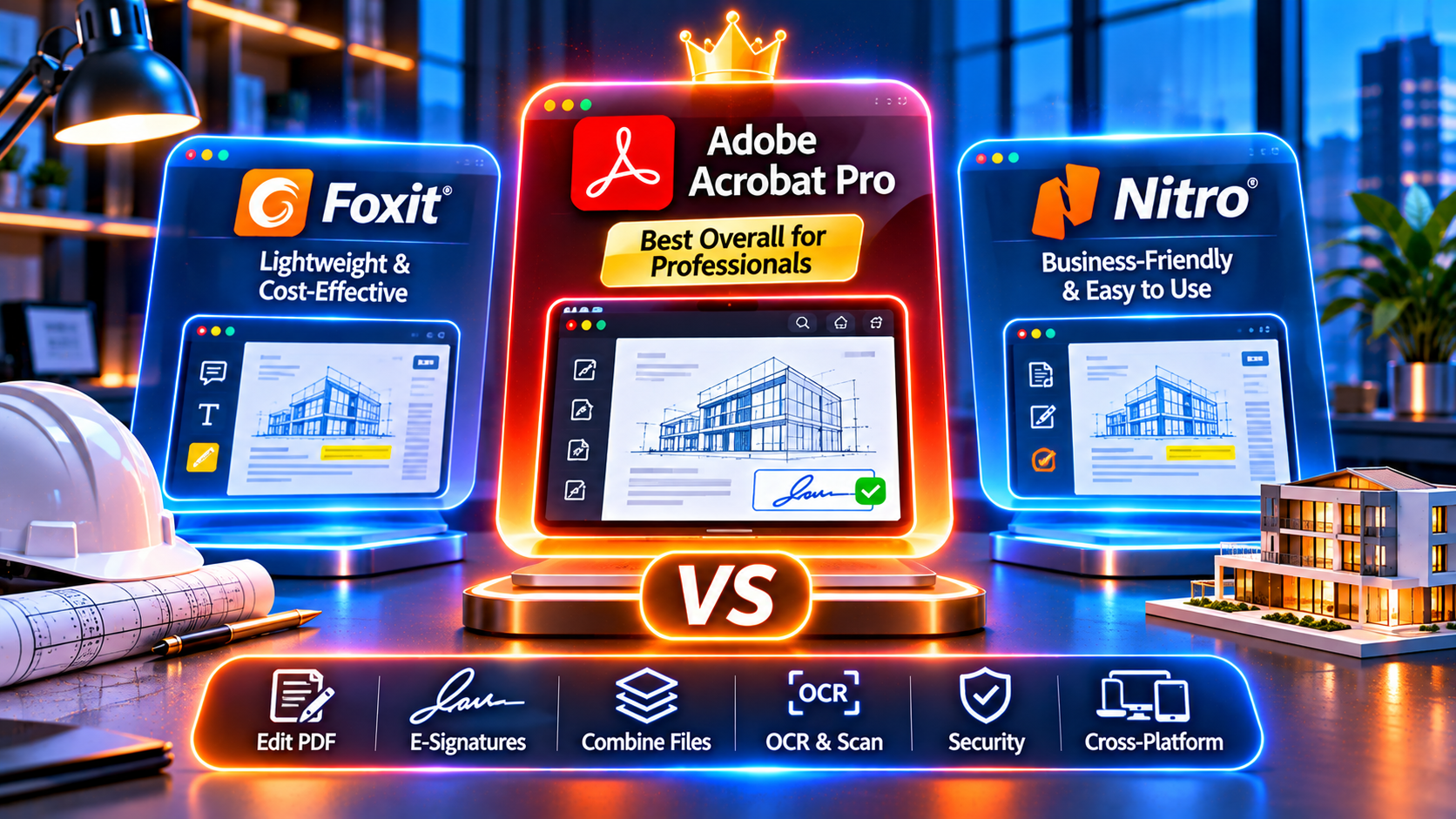
You need professional PDF software. You’ve narrowed it down to the three industry leaders: Adobe Acrobat Pro, Foxit PhantomPDF, and Nitro Pro. But which one should you actually buy?
All three let you edit, convert, sign, and compress PDFs. All three offer lifetime licenses (buy once, own forever). All three claim to be “the best.” But they’re not equal.
Adobe Acrobat Pro dominates the market (70%+ market share) for a reason—but is it worth the premium when Foxit and Nitro cost less? Foxit promises “90% of Acrobat’s features at 50% of the price”—is that true? Nitro claims “faster performance and easier interface”—does it deliver?
This comprehensive buying guide compares Adobe Acrobat Pro vs Foxit PhantomPDF vs Nitro Pro across every dimension that matters: features, performance, compatibility, support, long-term value, and which professionals should buy each one. We’ll help you make the smartest purchase decision based on your specific needs and budget.
Ready to buy the right PDF software? Let’s compare.
👉 Buy Adobe Acrobat Pro DC 2025 Lifetime License – Industry Standard, Most Powerful →
Browse all versions: Adobe Acrobat Pro Lifetime Licenses | All Adobe Software
Quick Answer: Which PDF Software Should You Buy?
Before we dive into details, here’s the quick recommendation:
Buy Adobe Acrobat Pro if:
- ✅ You need industry-standard reliability (legal, medical, financial work)
- ✅ You work with clients who use Adobe (document compatibility matters)
- ✅ You need advanced features (OCR, redaction, accessibility, forms)
- ✅ You want longest software lifespan (Adobe supports versions 7+ years)
- ✅ You can afford the best tool (worth the premium for professionals)
Best for: Lawyers, accountants, architects, designers, enterprises, government contractors
Buy Foxit PhantomPDF if:
- ✅ You need 80-90% of Acrobat’s features at lower cost
- ✅ You work in small business or team environment (good collaboration tools)
- ✅ You want familiar interface (similar to Acrobat, easy learning curve)
- ✅ You need solid OCR and editing (not cutting-edge, but competent)
Best for: Small businesses, consultants, freelancers on budget, team workflows
Where to buy: Foxit official website, authorized resellers
Buy Nitro Pro if:
- ✅ You need basic-to-intermediate PDF work (edit, convert, sign)
- ✅ You want simplest interface (easiest to learn, cleanest design)
- ✅ You’re on a tight budget (usually cheapest of the three)
- ✅ You don’t need advanced features (basic OCR, no complex forms, limited redaction)
Best for: Students, individual users, light business use, simple document workflows
Where to buy: Nitro official website, authorized resellers
Our overall recommendation for professionals: Adobe Acrobat Pro 2024 or DC 2025 (best value, most reliable, longest lifespan).
Let’s prove why.
Side-by-Side Comparison: Adobe Acrobat Pro vs Foxit PhantomPDF vs Nitro Pro
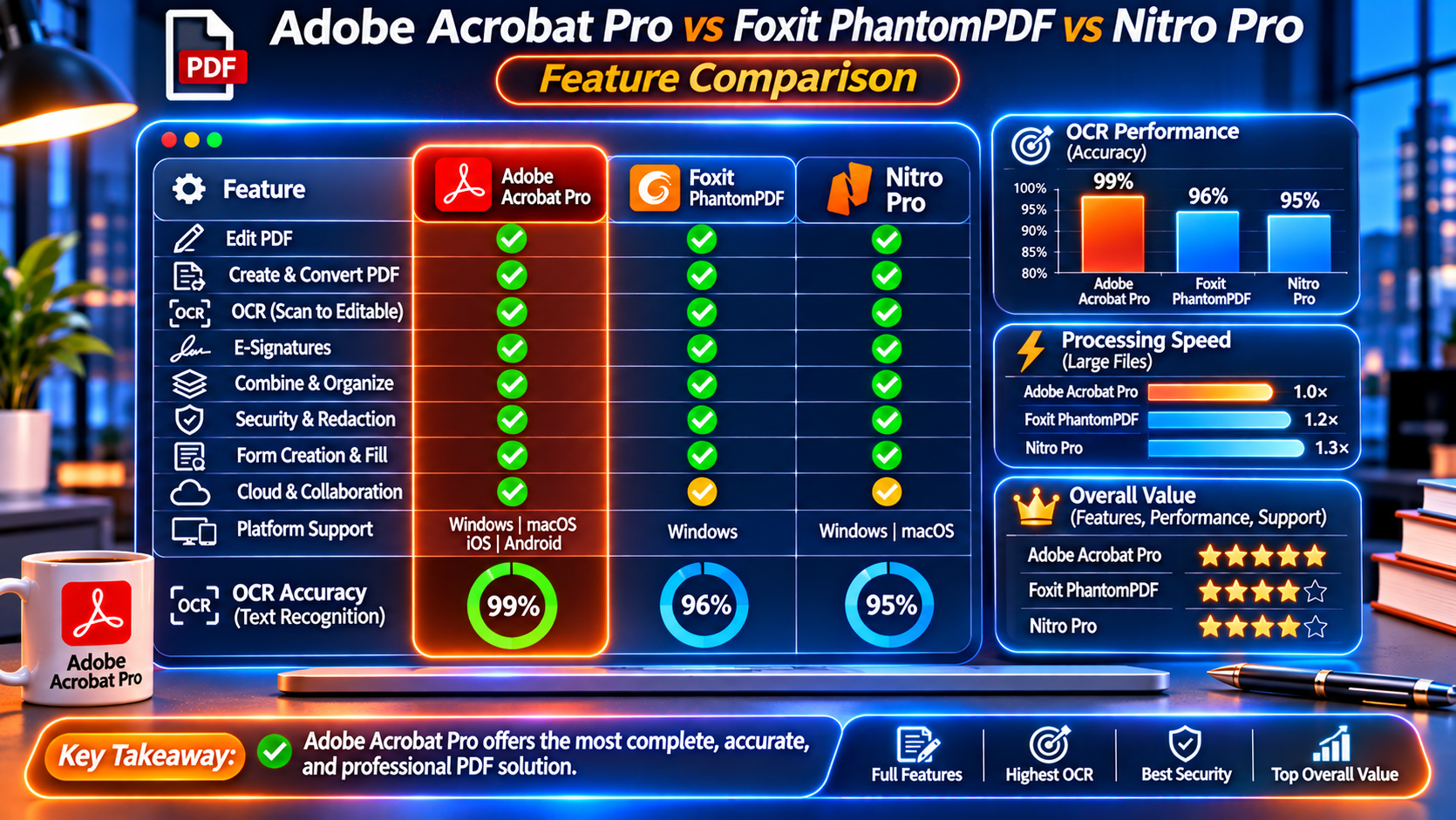
Here’s a comprehensive comparison table:
| Feature | Adobe Acrobat Pro | Foxit PhantomPDF | Nitro Pro |
|---|---|---|---|
| Market Share | 70%+ (industry standard) | ~15% | ~10% |
| Pricing (Lifetime) | Mid-to-premium | Mid-range | Budget-friendly |
| OCR Accuracy | 98-99% (AI-enhanced) | 90-95% | 85-90% |
| OCR Languages | 40+ languages | 25+ languages | 20+ languages |
| Edit PDFs | ✅ Advanced (AI-assisted) | ✅ Good (manual) | ✅ Basic |
| Convert to Word/Excel | ✅ 95-98% accuracy | ✅ 85-90% accuracy | ✅ 80-85% accuracy |
| E-Signatures | ✅ Adobe Sign (advanced) | ✅ Built-in (good) | ✅ Built-in (basic) |
| Redaction | ✅ Professional (search & redact, verify) | ✅ Good (manual) | ⚠️ Basic (not for legal) |
| Fillable Forms | ✅ Advanced (auto-detect, JavaScript) | ✅ Good (manual creation) | ⚠️ Basic |
| Accessibility (508/WCAG) | ✅ AI auto-tagging (best in class) | ⚠️ Manual tagging | ⚠️ Limited tools |
| Batch Processing | ✅ Advanced (Action Wizard) | ✅ Good (batch commands) | ⚠️ Basic |
| Compare Documents | ✅ AI-powered (text + visual) | ✅ Good (text-based) | ⚠️ Basic |
| 3D PDF Support | ✅ Full support | ⚠️ Limited | ❌ No |
| PDF Compression | ✅ Smart (AI-optimized) | ✅ Good | ✅ Good |
| Combine Files | ✅ Advanced (bookmarks, TOC) | ✅ Good | ✅ Basic |
| Security (Encryption) | ✅ 256-bit AES | ✅ 256-bit AES | ✅ 256-bit AES |
| Cloud Integration | ✅ Document Cloud (seamless) | ✅ Foxit Cloud (good) | ⚠️ Limited |
| Mobile App | ✅ Full-featured (iOS/Android) | ✅ Good (iOS/Android) | ⚠️ Basic |
| Performance (Large Files) | ✅ Fast (optimized) | ✅ Moderate | ⚠️ Slow on 500+ pages |
| Customer Support | ✅ 24/7 (enterprise-grade) | ✅ Business hours (good) | ⚠️ Limited (email only) |
| Software Updates | ✅ 7+ years support | ✅ 5 years support | ⚠️ 3-4 years support |
| Industry Acceptance | ✅ Universal (legal, gov, finance) | ✅ Accepted (business) | ⚠️ Limited (casual use) |
| File Compatibility | ✅ 100% (creates standard) | ✅ 95% (Adobe-compatible) | ⚠️ 90% (some issues) |
| Learning Curve | ⚠️ Moderate (feature-rich) | ✅ Easy (familiar interface) | ✅ Easiest (simple design) |
| Best For | Professionals, enterprises | Small business, teams | Students, light users |
Where to buy Adobe Acrobat Pro: KeyUpMart Lifetime Licenses
Feature-by-Feature Deep Dive
Let’s examine the key differences that matter when you buy PDF software.
Feature #1: OCR (Optical Character Recognition)
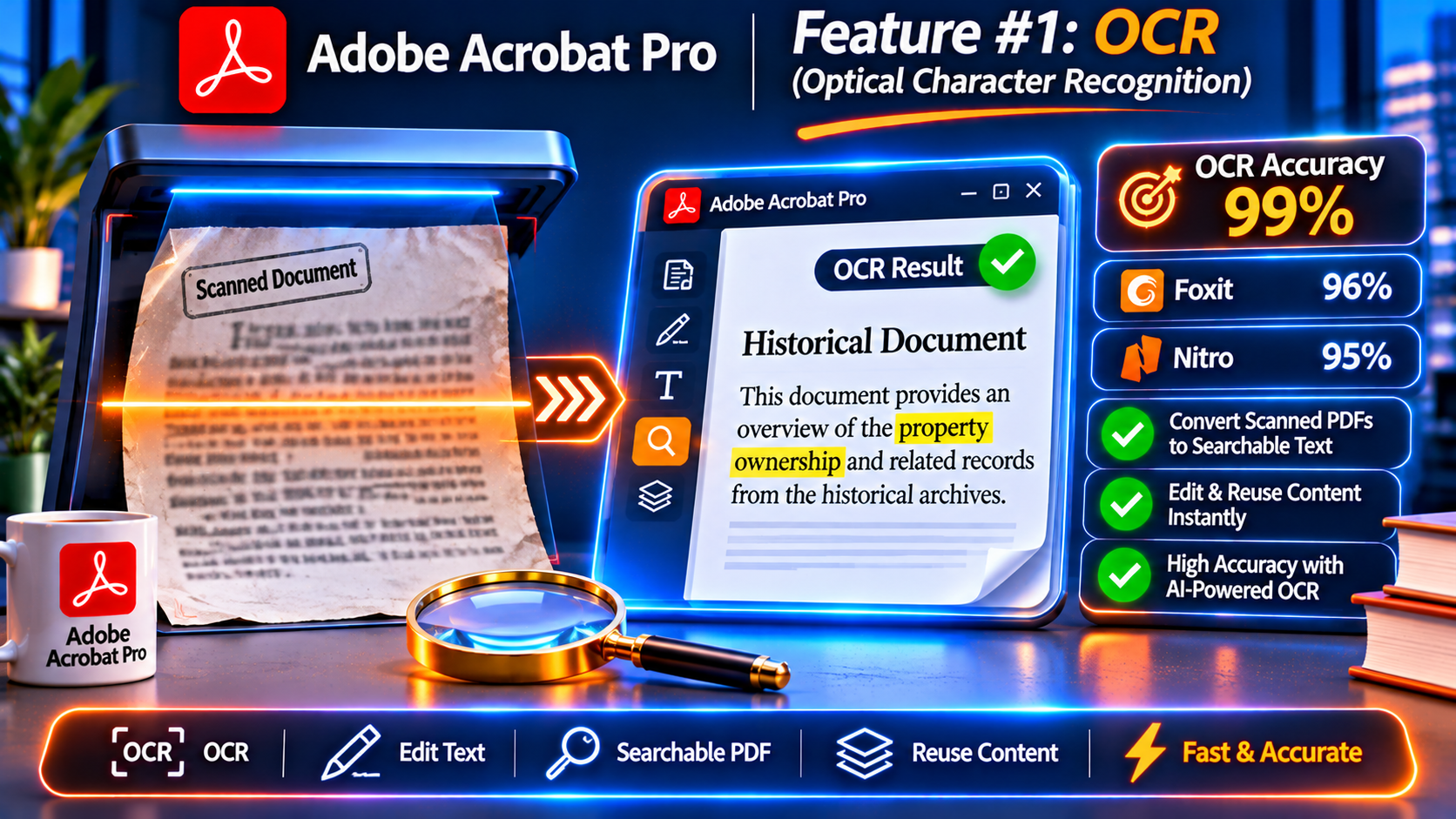
Why it matters: OCR turns scanned documents into searchable, editable text. Critical for legal discovery, accounting receipts, archived records.
Adobe Acrobat Pro: – Accuracy: 98-99% (AI-enhanced, best in class) – Handles: Handwriting, poor-quality scans, complex layouts – Languages: 40+ supported – Speed: Fastest (parallel processing) – Auto-detects: Language, orientation, document type – Searchable Image mode: Unique feature (keeps original scan visible, adds invisible text layer)
Foxit PhantomPDF: – Accuracy: 90-95% (good, not exceptional) – Handles: Clean scans well, struggles with handwriting – Languages: 25+ supported – Speed: Moderate – Basic auto-detection
Nitro Pro: – Accuracy: 85-90% (adequate for clean scans) – Struggles with: Handwriting, low-quality scans, complex layouts – Languages: 20+ supported – Speed: Slower than competitors – Manual setup required
Real-world impact:
Law firm processing 5,000-page discovery:
| Software | OCR Time | Errors | Manual Corrections |
|---|---|---|---|
| Adobe Acrobat Pro | 3 hours | 50-100 errors | 1-2 hours |
| Foxit PhantomPDF | 4 hours | 250-300 errors | 3-4 hours |
| Nitro Pro | 5.5 hours | 500-750 errors | 6-8 hours |
Winner: Adobe Acrobat Pro (saves 4-6 hours on this task alone).
If OCR is critical to your work, buy Adobe Acrobat Pro.
Feature #2: Edit PDFs
Adobe Acrobat Pro: – Content-aware editing (AI maintains formatting when you edit text) – Paragraph reflow (text automatically adjusts) – Font matching (AI finds closest match to original font) – Image editing (resize, rotate, replace, adjust) – Edit scanned PDFs (OCR first, then edit)
Foxit PhantomPDF: – Manual editing (formatting sometimes breaks) – Basic font matching (not always accurate) – Image editing (basic tools) – Edit scanned PDFs (works, but less smooth than Adobe)
Nitro Pro: – Basic editing (formatting often breaks) – Limited font matching (may not match original) – Image editing (very basic) – Edit scanned PDFs (struggles with complex documents)
Winner: Adobe Acrobat Pro (editing feels natural, maintains formatting).
Feature #3: Convert PDF to Word, Excel, PowerPoint
Adobe Acrobat Pro: – Accuracy: 95-98% (AI-powered, near-perfect on clean docs) – Tables preserved (almost perfectly) – Images positioned correctly (95%+ of the time) – Formatting intact (minimal manual cleanup needed)
Foxit PhantomPDF: – Accuracy: 85-90% – Tables preserved (mostly, some manual fixes) – Images positioned correctly (80-85%) – Formatting (requires cleanup)
Nitro Pro: – Accuracy: 80-85% – Tables (often break apart, require reconstruction) – Images (frequently mispositioned) – Formatting (significant cleanup needed)
Winner: Adobe Acrobat Pro (saves hours of manual reformatting).
Feature #4: Redaction (Critical for Legal, Medical, Financial)
Adobe Acrobat Pro: – ✅ Professional-grade redaction (permanently removes text) – ✅ Search & redact (find all SSNs, credit cards, phone numbers) – ✅ AI pattern detection (suggests items to redact) – ✅ Verification (double-checks for missed items) – ✅ Compliant (legal/medical standards)
Foxit PhantomPDF: – ✅ Good redaction (permanently removes text) – ✅ Search & redact (manual pattern entry) – ⚠️ No AI suggestions – ⚠️ Manual verification required
Nitro Pro: – ⚠️ Basic redaction (works, but not foolproof) – ⚠️ Limited search & redact – ❌ No pattern detection – ❌ No verification tools – ⚠️ Not recommended for legal/medical work
Winner: Adobe Acrobat Pro (only one safe for high-stakes redaction).
If you handle confidential documents (legal, medical, financial), you must buy Adobe Acrobat Pro.
Feature #5: Accessibility (508 Compliance, WCAG)
Why it matters: Government contractors, universities, healthcare must create accessible PDFs for screen readers.
Adobe Acrobat Pro DC 2025: – ✅ AI auto-tagging (tags entire documents automatically) – ✅ Reading order detection (AI determines correct order) – ✅ Compliance checker (verifies 508/WCAG compliance) – Time to tag 50-page document: 15-30 minutes (mostly review)
Foxit PhantomPDF: – ⚠️ Manual tagging (you add every tag yourself) – ⚠️ Manual reading order – ⚠️ Basic compliance checker – Time to tag 50-page document: 3-5 hours
Nitro Pro: – ❌ Very limited accessibility tools – ❌ Manual tagging only (tedious, error-prone) – ❌ No compliance checker – Time to tag 50-page document: 5-8 hours
Winner: Adobe Acrobat Pro DC 2025 (absolute game-changer for accessibility).
If you need 508/WCAG compliance, Adobe Acrobat Pro DC 2025 is the ONLY practical choice.
Feature #6: E-Signatures
Adobe Acrobat Pro: – ✅ Adobe Sign integration (industry-standard e-signature platform) – ✅ Legally binding (ESIGN Act, UETA, eIDAS compliant) – ✅ Advanced workflows (routing, reminders, expiration) – ✅ Audit trail (who signed when, IP address, timestamp) – ✅ Trusted globally (courts, enterprises accept)
Foxit PhantomPDF: – ✅ Built-in e-signature (legally binding) – ✅ Basic workflows (send, sign, track) – ✅ Audit trail (basic) – ✅ Accepted (business use)
Nitro Pro: – ✅ Built-in e-signature (legally binding) – ⚠️ Very basic (just signature field + send) – ⚠️ Limited tracking – ⚠️ Accepted for casual use
Winner: Adobe Acrobat Pro (enterprise-grade e-signatures).
Feature #7: Performance & Speed
Adobe Acrobat Pro DC 2025: – ✅ Fastest (optimized for large files) – Loading 500-page PDF: 1-2 seconds – Batch processing 100 files: 10-15 minutes – RAM usage: Efficient (600-800MB)
Foxit PhantomPDF: – ✅ Moderate speed – Loading 500-page PDF: 3-5 seconds – Batch processing 100 files: 20-30 minutes – RAM usage: Moderate (500-700MB)
Nitro Pro: – ⚠️ Slower (especially on large files) – Loading 500-page PDF: 6-10 seconds – Batch processing 100 files: 40-60 minutes – RAM usage: Higher (800-1000MB)
Winner: Adobe Acrobat Pro (noticeable speed advantage on large files).
Feature #8: Customer Support
Adobe Acrobat Pro: – ✅ 24/7 support (phone, chat, email) – ✅ Enterprise-grade (dedicated account managers for teams) – ✅ Extensive documentation (tutorials, forums, knowledge base) – ✅ Community support (millions of users)
Foxit PhantomPDF: – ✅ Business hours support (phone, chat, email) – ✅ Good documentation – ⚠️ Smaller community
Nitro Pro: – ⚠️ Email support only (no phone) – ⚠️ Slow response times (24-48 hours) – ⚠️ Limited documentation – ⚠️ Small community
Winner: Adobe Acrobat Pro (best support when you need help).
Price-to-Value Analysis: Which is the Best Deal?
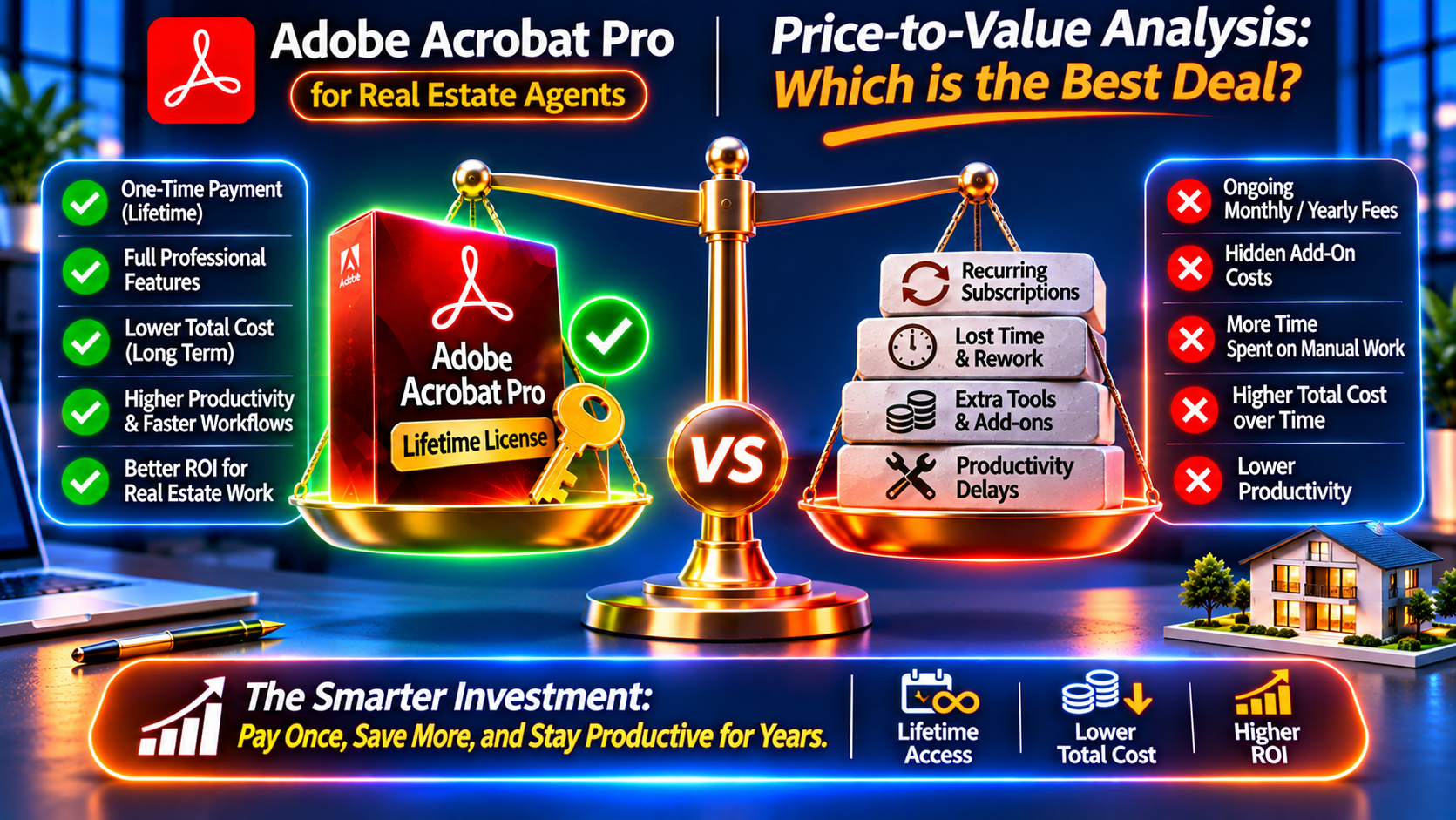
Let’s analyze which PDF software offers the best value when you buy a lifetime license.
Pricing Overview (Lifetime Licenses)
Adobe Acrobat Pro: – DC 2025: Premium investment – 2024: Mid-range investment – 2020: Budget-friendly option
Foxit PhantomPDF: – Typically 30-50% less than Adobe Acrobat Pro
Nitro Pro: – Typically 50-60% less than Adobe Acrobat Pro (cheapest option)
All available from authorized retailers with lifetime ownership.
Value-Per-Dollar Analysis (5-Year Timeline)
Let’s calculate value based on features you actually get:
| Software | Investment Level | Features Quality | Support Period | Value Rating |
|---|---|---|---|---|
| Adobe Acrobat Pro DC 2025 | Premium | ⭐⭐⭐⭐⭐ (100%) | 7+ years | ⭐⭐⭐⭐⭐ Excellent |
| Adobe Acrobat Pro 2024 | Mid-range | ⭐⭐⭐⭐⭐ (95%) | 5-6 years | ⭐⭐⭐⭐⭐ Excellent |
| Foxit PhantomPDF | Mid-lower | ⭐⭐⭐⭐ (75%) | 5 years | ⭐⭐⭐⭐ Good |
| Nitro Pro | Budget | ⭐⭐⭐ (50%) | 3-4 years | ⭐⭐⭐ Fair |
The Hidden Cost Trap
Cheaper software often costs MORE in the long run due to:
- Time wasted on inferior tools: – Nitro Pro’s poor OCR = 5 extra hours per 5,000-page project – At $75/hour = $375 in lost time per project – Do this 10 times/year = $3,750 in lost productivity
- Errors from less accurate tools: – Nitro Pro’s 85% OCR accuracy = 750 errors in 5,000 pages – Adobe Acrobat Pro’s 99% accuracy = 50 errors – 700 fewer errors to fix manually = hours saved
- Lack of critical features: – Nitro Pro can’t handle accessibility compliance – Hire contractor to tag 500-page document: $1,500-$3,000 – Adobe Acrobat Pro DC 2025 does it automatically: 30 minutes of your time
- Shorter software lifespan: – Nitro Pro supported 3-4 years → buy again sooner – Adobe Acrobat Pro supported 7+ years → one purchase lasts longer
The cheapest option is rarely the best value.
Our Value Recommendation
For professionals: Buy Adobe Acrobat Pro 2024 or DC 2025 – Highest quality features – Best long-term value – Industry acceptance – Reliable support
For small businesses on budget: Foxit PhantomPDF (80% of Acrobat’s power at lower cost)
For casual users only: Nitro Pro (if you only need basic editing/converting)
👉 Buy Adobe Acrobat Pro 2024 Lifetime License – Best Value for Professionals →
Who Should Buy Each PDF Software?
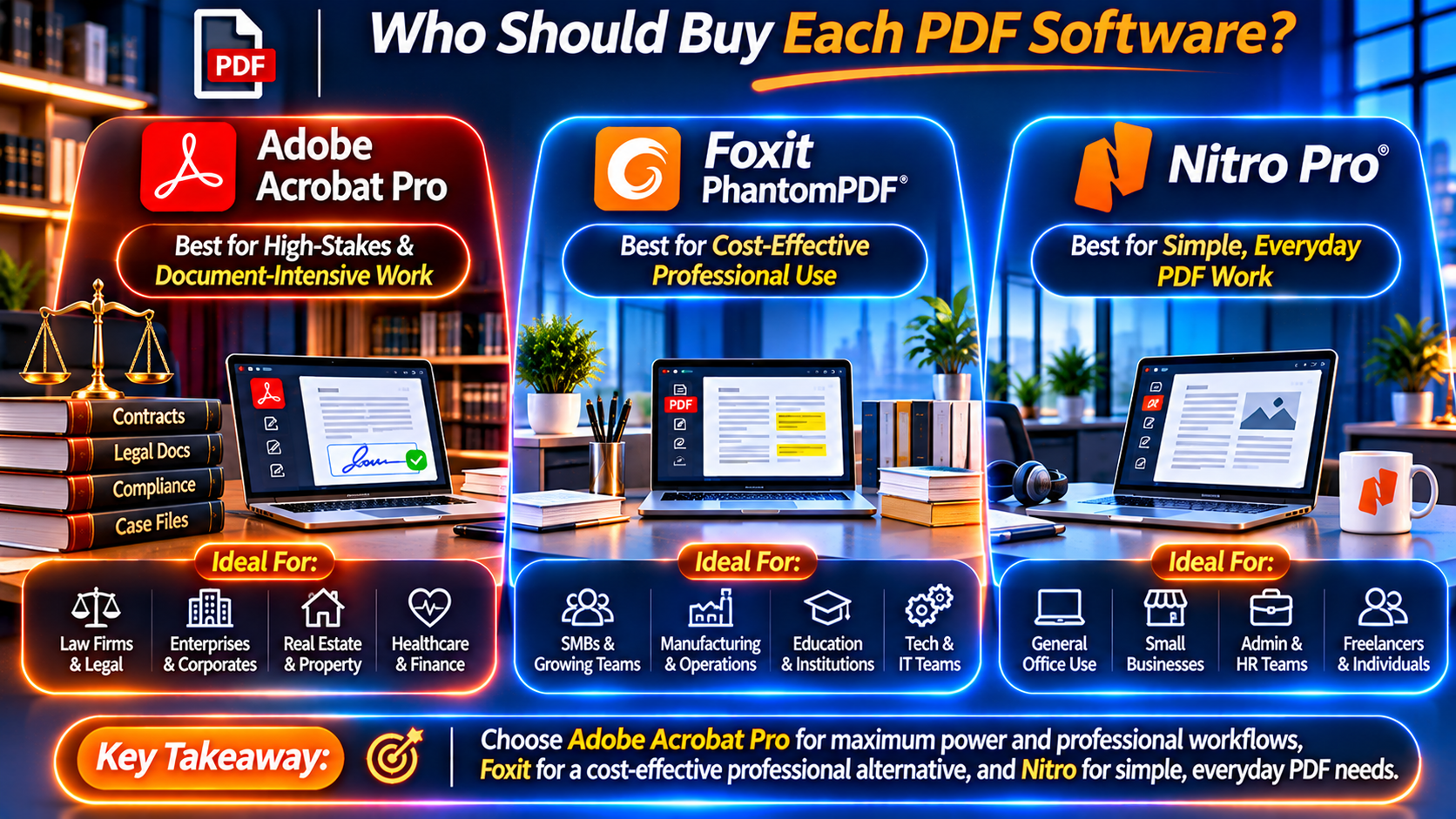
Buy Adobe Acrobat Pro If You Are:
✅ Legal professionals (redaction, Bates numbering, document comparison)
✅ Accountants/CPAs (accurate OCR for receipts, tax forms)
✅ Architects/Engineers (3D PDF support, large file handling)
✅ Graphic designers (advanced editing, color management)
✅ Healthcare providers (HIPAA compliance, redaction)
✅ Government contractors (508 accessibility required)
✅ Universities (accessibility compliance)
✅ Enterprise users (need industry-standard reliability)
✅ Anyone handling confidential documents
✅ Anyone needing 508/WCAG compliance
👉 Buy Adobe Acrobat Pro DC 2025 for Professionals →
Buy Foxit PhantomPDF If You Are:
✅ Small business owner (need good tools at lower cost)
✅ Consultant (80% of Acrobat’s features sufficient)
✅ Team workflows (good collaboration tools)
✅ Switching from Adobe (familiar interface, easy transition)
✅ Budget-conscious professional (can’t justify Adobe’s premium)
Where to buy: Foxit official website
Buy Nitro Pro If You Are:
✅ Student (basic PDF needs, tight budget)
✅ Individual user (light document work)
✅ Simple workflows (just edit/convert occasionally)
✅ Non-critical documents (no legal/medical/financial work)
Where to buy: Nitro official website
Feature Comparison by Industry
Legal Professionals: Buy Adobe Acrobat Pro
Why: – ✅ Redaction is foolproof (Foxit/Nitro not reliable enough for legal work) – ✅ Bates numbering (industry standard) – ✅ Document comparison (AI-powered, most accurate) – ✅ Universally accepted (courts, opposing counsel, clients)
Foxit/Nitro risk: One redaction failure = malpractice lawsuit (costs millions).
Adobe Acrobat Pro is non-negotiable for legal work.
Accountants: Adobe Acrobat Pro or Foxit
Why Adobe Acrobat Pro: – ✅ Best OCR (98-99% accuracy on receipts) – ✅ Accurate conversion (tax forms to Excel) – ✅ Redaction (protect client SSNs)
Why Foxit could work: – ✅ Good enough OCR for clean scans (90-95%) – ✅ Lower cost (budget-friendly for small firms)
Recommendation: Adobe Acrobat Pro 2024 (best value), Foxit if budget is very tight.
Real Estate Agents: Adobe Acrobat Pro
Why: – ✅ E-signatures trusted by all parties (Adobe Sign = industry standard) – ✅ Professional presentation (impress luxury clients) – ✅ Mobile sync (work from showings) – ✅ Fast performance (50-page listing packages)
Foxit/Nitro: Adequate, but Adobe = competitive advantage.
Designers/Creatives: Adobe Acrobat Pro
Why: – ✅ Best editing (content-aware, maintains formatting) – ✅ Color management (critical for print work) – ✅ Compress without quality loss (portfolios) – ✅ Integrates with Creative Cloud (Photoshop, Illustrator, InDesign)
Foxit/Nitro: Not built for design work.
Small Business (General): Foxit PhantomPDF
Why: – ✅ 80% of Acrobat’s features at lower cost – ✅ Good for contracts, invoices, proposals – ✅ Team collaboration tools – ✅ Familiar interface
Upgrade to Adobe if: Business grows, need advanced features, handle sensitive documents.
Where to Buy Adobe Acrobat Pro Lifetime License
Recommended: KeyUpMart
KeyUpMart offers genuine Adobe Acrobat Pro perpetual licenses at competitive prices:
✅ 100% authentic licenses (Adobe-activated)
✅ Instant delivery (email in 5-10 minutes)
✅ Competitive pricing (special offers available)
✅ 100% activation guarantee (replacement or refund if key doesn’t work)
✅ 24/7 support (installation help, troubleshooting)
✅ Transfer support (move to new computer)
Available versions:
- Adobe Acrobat Pro DC 2025 – Latest, AI-powered, best long-term investment
- Adobe Acrobat Pro 2024 ⭐ – Best value for most professionals
- Adobe Acrobat Pro 2020 – Budget-friendly option
Browse all options: Adobe Acrobat Pro Lifetime Licenses
Also explore: Adobe Photoshop | Microsoft Office | All Professional Software
Frequently Asked Questions: Adobe vs Foxit vs Nitro
Q1: Is Foxit PhantomPDF really “90% of Adobe Acrobat Pro at 50% of the price”?
A: Partially true, but misleading.
What Foxit does well (80-90% as good as Adobe): – Basic editing, converting, signing – Combining documents – Compression – Basic OCR (on clean scans)
What Foxit can’t match Adobe: – OCR accuracy (90-95% vs Adobe’s 98-99%) – Conversion accuracy (85-90% vs Adobe’s 95-98%) – Redaction (good, but not foolproof) – Accessibility (manual vs AI auto-tagging) – Performance (slower on large files) – Support lifespan (5 years vs Adobe’s 7+)
Verdict: Foxit is good value for non-critical work, but professionals should buy Adobe Acrobat Pro.
Q2: Can I switch from Adobe Acrobat Pro to Foxit or Nitro?
A: Yes, but with caveats.
Potential issues: – PDFs created in Adobe may not open perfectly in Foxit/Nitro (fonts, formatting issues) – Advanced features (forms with JavaScript, 3D PDFs) may not work – Clients/partners may send Adobe-specific files
If you switch: Keep Adobe Acrobat Pro installed for opening complex PDFs received from others.
Q3: Which is easier to learn: Adobe, Foxit, or Nitro?
A: – Easiest: Nitro Pro (simplest interface, fewest features) – Easy: Foxit PhantomPDF (similar to Adobe, familiar) – Moderate: Adobe Acrobat Pro (feature-rich, steeper learning curve)
But: Adobe’s complexity = more power. Once learned, it’s the most capable.
Q4: Can Nitro Pro handle professional legal/medical work?
A: No, not recommended.
Why: – Redaction not foolproof (risk of exposing confidential info) – OCR accuracy too low (85-90% = hundreds of errors in large documents) – No accessibility tools (can’t meet 508/WCAG requirements) – Limited support (if something goes wrong, you’re on your own)
For legal/medical/financial work, buy Adobe Acrobat Pro.
Q5: Do all three support lifetime licenses (perpetual)?
A: Yes. Adobe, Foxit, and Nitro all offer buy-once, own-forever licenses.
Where to buy: – Adobe Acrobat Pro: KeyUpMart – Foxit PhantomPDF: Foxit official website – Nitro Pro: Nitro official website
Q6: Can I buy one license and use it across multiple computers?
A: No. All three require one license per computer.
For teams: Volume licensing available (contact each vendor).
Q7: Which has the best mobile app?
A: – Best: Adobe Acrobat (full-featured, seamless sync) – Good: Foxit (solid mobile app) – Basic: Nitro (very limited mobile functionality)
Q8: Can I edit PDFs created in Adobe using Foxit or Nitro?
A: Mostly yes, but: – Simple PDFs (text, images): No problem – Complex PDFs (forms with JavaScript, 3D, advanced features): May not work – Fonts: May substitute (if original font not available)
Best compatibility: Adobe → Adobe.
Q9: Which is best for OCR (scanned documents)?
A: Adobe Acrobat Pro by far.
OCR accuracy: – Adobe: 98-99% – Foxit: 90-95% – Nitro: 85-90%
On a 5,000-page document: – Adobe: 50-100 errors – Foxit: 250-300 errors – Nitro: 500-750 errors
If OCR is critical, buy Adobe Acrobat Pro.
Q10: Is Adobe Acrobat Pro worth the premium over Foxit/Nitro?
A: Yes, for professionals.
Adobe Acrobat Pro pays for itself through: – ✅ Time saved (better OCR, faster performance) – ✅ Fewer errors (higher accuracy) – ✅ Avoiding disasters (foolproof redaction) – ✅ Meeting requirements (accessibility compliance) – ✅ Industry acceptance (clients/partners expect Adobe) – ✅ Longer lifespan (7+ years support vs 3-5 years)
For casual users: Foxit or Nitro may suffice.
Final Verdict: Which PDF Software Should You Buy?
After comparing Adobe Acrobat Pro vs Foxit PhantomPDF vs Nitro Pro across features, performance, value, and use cases, here’s the clear recommendation:
For Professionals: Buy Adobe Acrobat Pro 2024 or DC 2025
Why Adobe Acrobat Pro is worth the premium:
✅ Industry standard (70%+ market share, universally accepted)
✅ Most reliable (best OCR, conversion, redaction)
✅ Advanced features (AI auto-tagging, 3D PDF, advanced forms)
✅ Best support (24/7, enterprise-grade)
✅ Longest lifespan (7+ years, best long-term value)
✅ Professional credibility (clients expect Adobe)
Who should buy Adobe: – Lawyers, accountants, architects, designers, healthcare, government contractors, enterprises, anyone handling confidential documents
👉 Buy Adobe Acrobat Pro 2024 Lifetime License – Best Value for Professionals →
👉 Buy Adobe Acrobat Pro DC 2025 – Latest, AI-Powered →
For Small Businesses on Budget: Buy Foxit PhantomPDF
Why Foxit is a good middle ground:
✅ 80% of Adobe’s features at lower cost
✅ Good for business documents (contracts, invoices, proposals)
✅ Familiar interface (easy transition from Adobe)
✅ Solid collaboration tools
Who should buy Foxit: – Small businesses, consultants, freelancers on budget, team workflows
Where to buy: Foxit official website
For Casual Users Only: Buy Nitro Pro
Why Nitro is only for basic use:
✅ Cheapest option
✅ Simplest interface
✅ Adequate for basic editing/converting
Who should buy Nitro: – Students, individual users, light document work, non-critical documents
Where to buy: Nitro official website
Don’t Settle for Less. Buy the Best PDF Software Today.
For professionals, Adobe Acrobat Pro is the clear winner: – Industry-standard reliability – Advanced features that save hours per week – Longest software lifespan (best long-term value) – Universal acceptance (clients, courts, partners)
Choose your version:
- Adobe Acrobat Pro 2024 ⭐ – Recommended for most professionals (best value)
- Adobe Acrobat Pro DC 2025 – Latest features, AI-powered, best long-term investment
- Adobe Acrobat Pro 2020 – Budget-friendly option
Browse all options: Adobe Acrobat Pro Lifetime Licenses
Build your professional toolkit: Adobe Photoshop | Microsoft Office for Business | Windows 11 Pro | All Software
Related Articles
- Adobe Acrobat Pro 2020 vs 2024 vs DC 2025: Which Version Should You Buy? – Detailed Adobe version comparison.
- Where to Buy Genuine Adobe Acrobat Pro Lifetime License: Safe Retailers Guide – Find trusted retailers, avoid scams.
- Adobe Acrobat Pro for Small Business Owners: Is It Worth the Investment? – Calculate your specific ROI.
- Buy Adobe Acrobat Pro for Freelancers: Best Lifetime License – For independent professionals.
- 10 Adobe Acrobat Pro Features That Pay for Themselves – See time/money savings per feature.
Stop settling for inferior PDF tools. Buy Adobe Acrobat Pro lifetime license and get the industry-standard software professionals rely on.
👉 Buy Adobe Acrobat Pro Lifetime License – Special Offers Available
About KeyUpMart: KeyUpMart helps professionals maximize productivity while minimizing software costs. We specialize in lifetime licenses for Adobe, Microsoft, Autodesk, and other professional software. Thousands of businesses and professionals trust KeyUpMart for their software needs. All purchases include instant delivery, 100% activation guarantee, and 24/7 customer support.
Related posts:
 Adobe Acrobat OCR How to Convert Scanned PDFs into Editable Searchable Text
 Adobe Acrobat Pro for Small Business Owners: Is It Worth the Investment? (ROI Calculator 2026)
 Adobe Acrobat Pro for Legal Professionals: Redaction, Bates Numbering & E-Signatures (Complete 2026 Guide)
