


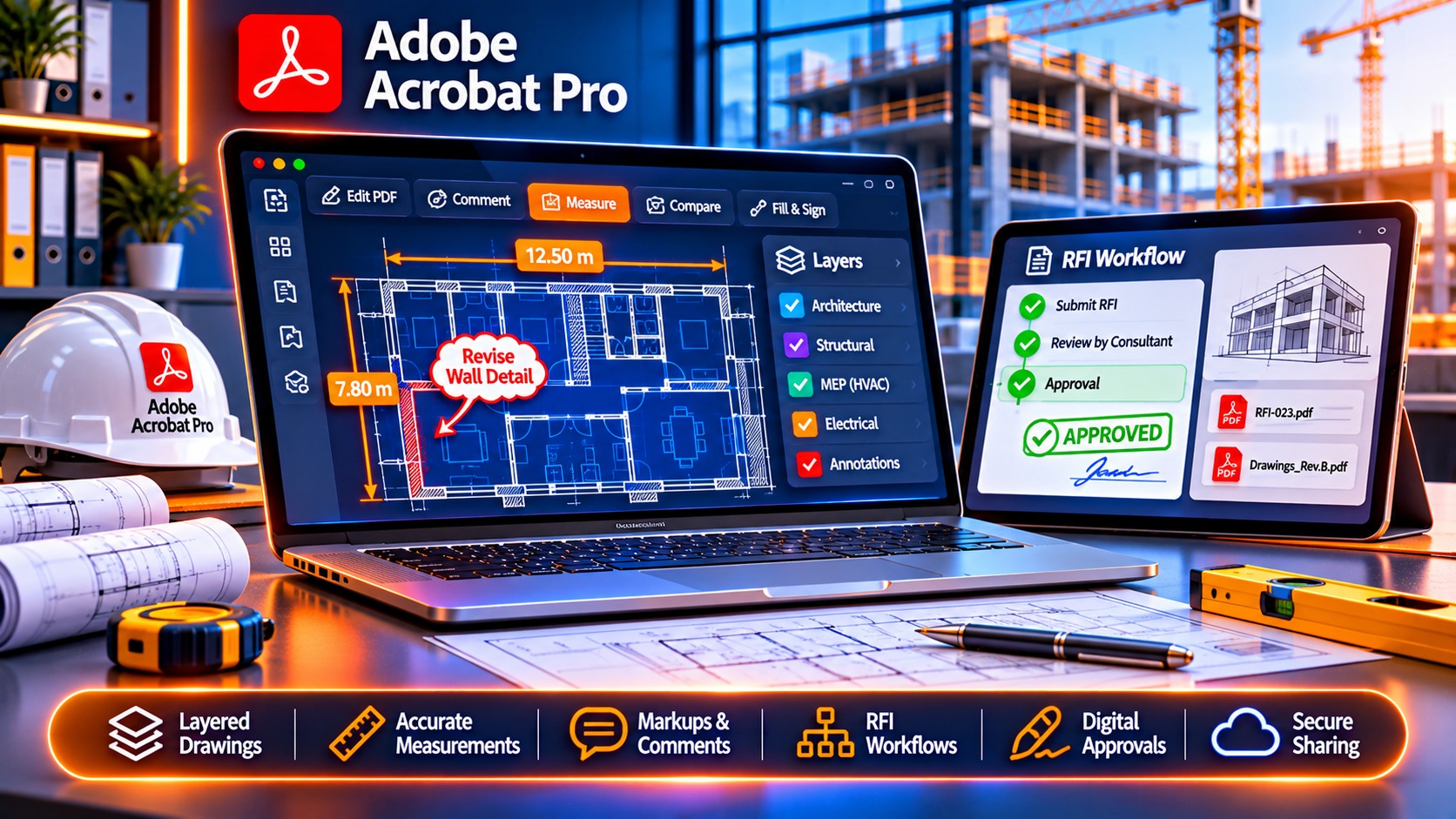
Need Adobe Acrobat Pro for construction document management? This guide reveals why 74% of general contractors choose Acrobat Pro for bid packages, RFIs, and blueprint markup—plus where to buy at the best price (lifetime vs subscription comparison included).
Quick Answer: Why Construction Teams Buy Adobe Acrobat Pro
Construction project managers need Acrobat Pro for:
– Bid document assembly: Combine specs, drawings, addenda into submission-ready PDFs
– Blueprint markup & review: Annotate CAD-exported plans with measurement tools
– RFI management: Track requests for information with comment workflows
– Change order processing: Redline contracts with digital signatures
– Submittal coordination: Watermark shop drawings and manage approval chains
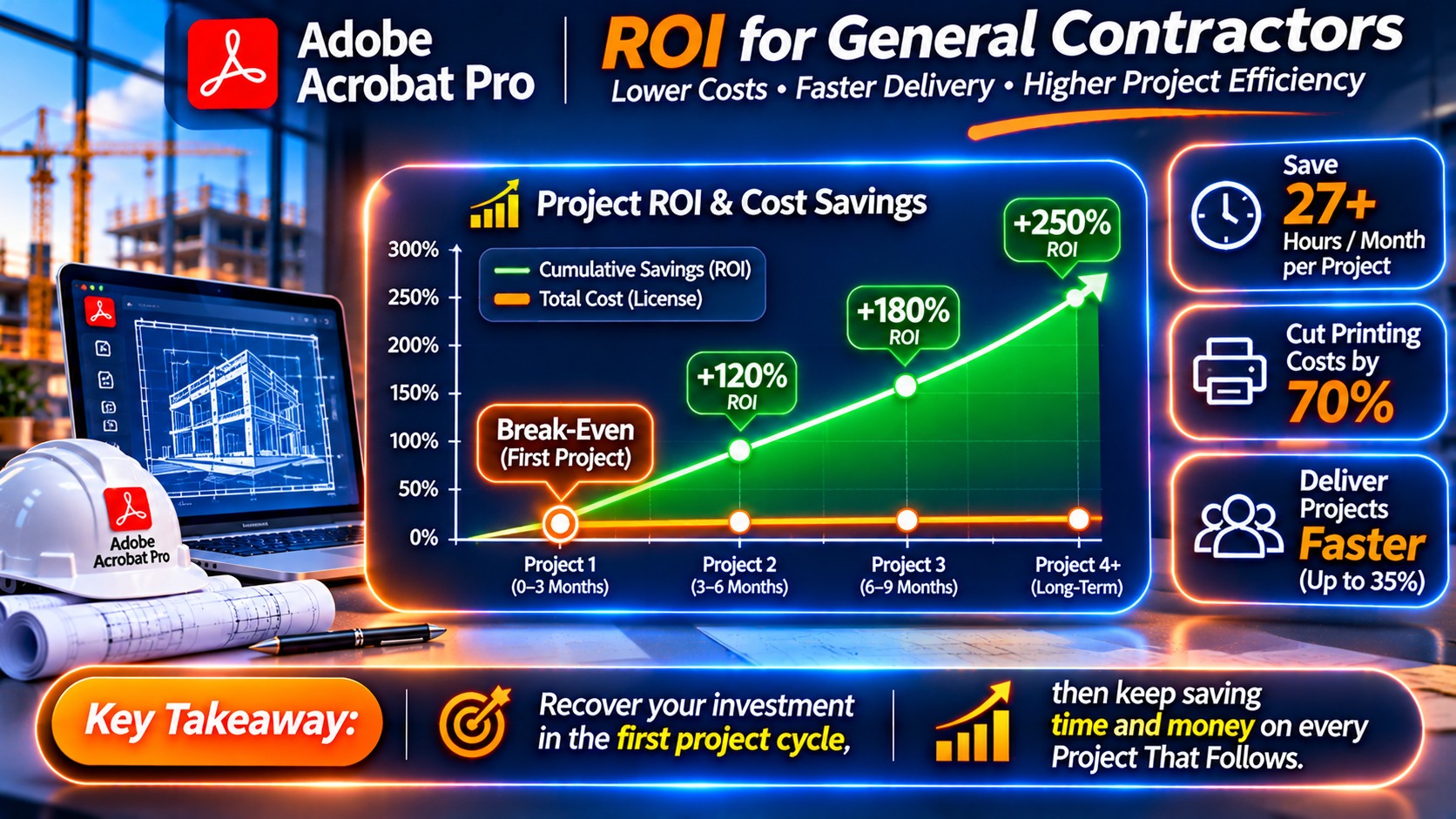
Bottom line: The average construction team saves 12-18 hours per week on document workflows with Acrobat Pro—paying for the software in the first project cycle.
Buy Adobe Acrobat Pro 2024 Lifetime →
Why Construction Teams Need Adobe Acrobat Pro (Not Just Free PDF Readers)
1. CAD-to-PDF Blueprint Workflow
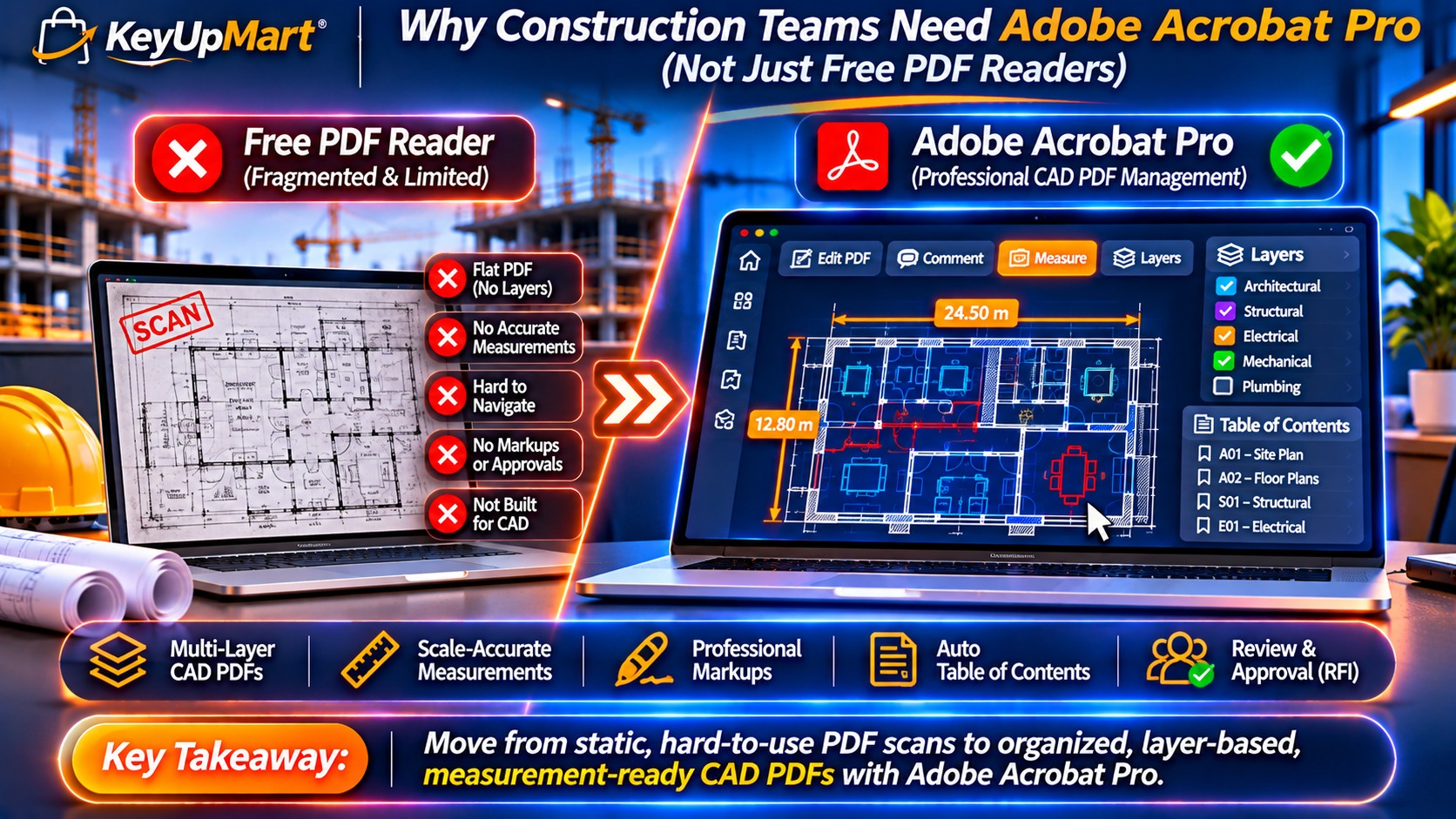
Free PDF readers can’t handle construction-specific needs:
What Acrobat Pro Does:
- Import AutoCAD, Revit, Navisworks PDFs with layers intact
- Preserve measurement scales (1:50, 1:100) for on-site verification
- Enable/disable layer visibility (electrical, plumbing, structural)
- Extract CAD metadata (sheet numbers, revision dates)
Real-World Example: A commercial GC in Texas reduced blueprint printing costs by 68% after switching to Acrobat Pro’s layered PDF review system.
2. Bid Package Assembly at Scale
Typical bid package components:
- Technical specifications (300+ pages)
- Drawing sets (50-200 sheets)
- Addenda and clarifications
- Bonding and insurance certificates
- Past project references
Acrobat Pro’s Combine Files tool:
- Merge 100+ documents in under 5 minutes
- Auto-generate table of contents with hyperlinks
- Apply Bates numbering for legal compliance
- Compress to email-friendly size (under 25MB)
3. RFI & Submittal Tracking
What separates Acrobat Pro from basic tools:
– Shared Reviews: 15+ stakeholders comment simultaneously
– Comment Summary Reports: Export all markups to Excel for tracking
– Status Indicators: “Approved,” “Revise & Resubmit,” “Rejected” stamps
– Notification System: Auto-email when new comments appear
Time savings: Project managers report 40% faster RFI resolution with Acrobat’s structured comment system vs email threads.
Top 8 Features Construction Teams Use Daily
Feature 1: Measurement Tools (Scale-Accurate)
How it works:
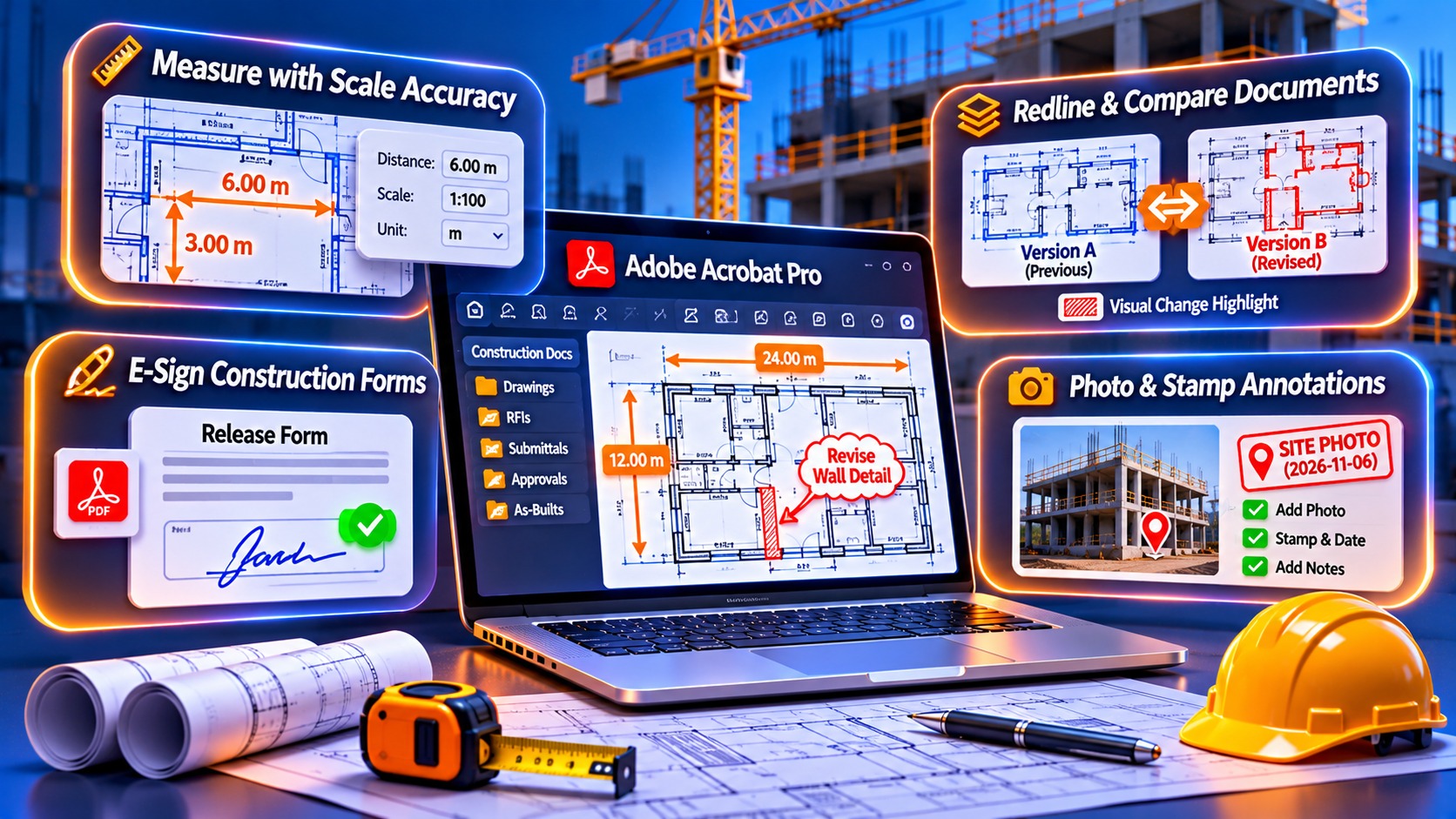
- Set drawing scale (e.g., 1″ = 20′)
- Measure distances, areas, perimeters directly on PDF blueprints
- Dimensions auto-update if scale changes
Use case: Estimators calculate concrete yardage or steel tonnage without re-importing to CAD software.
Feature 2: Markup Toolkit for Field Teams
Essential tools:
- Cloud callouts for site observations
- Pencil tool for freehand sketches
- Arrow annotations for direction indicators
- Photo stamps (embed jobsite photos in drawings)
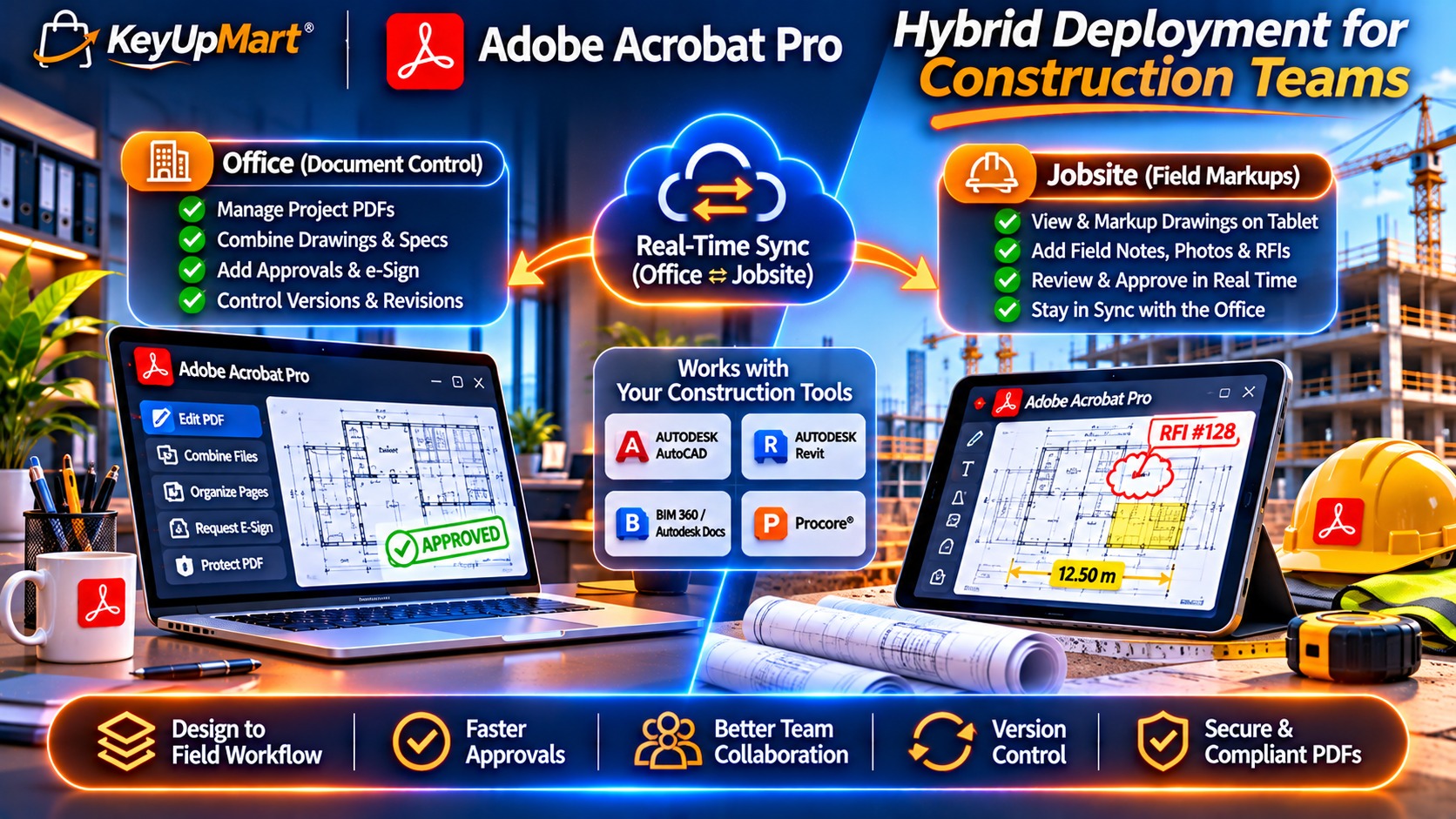
Mobile app sync: Superintendents mark up drawings on iPads, sync changes to office staff in real-time.
Feature 3: Compare Documents (Redline Generation)
Automatic change detection:
- Upload Rev A and Rev B drawings
- Acrobat highlights differences in red overlay
- Generate comparison report PDF
Compliance benefit: Catch undocumented design changes before they become costly field errors.
Feature 4: Form Fill & Digital Signatures
Pre-construction paperwork:
- AIA contracts (G702, G703 pay apps)
- Lien waivers and release forms
- Safety compliance checklists
- Daily work logs
E-signature integration:
- Built-in Adobe Sign for legal signatures
- DocuSign compatibility for enterprise workflows
- Certificate-based signatures for government projects
Feature 5: OCR for Legacy Documents
Scenario: Client provides 1980s as-built drawings as scanned TIFFs.
Acrobat Pro solution:
- Run OCR to make scanned text searchable
- Extract room numbers, equipment tags, pipe sizes
- Enable Ctrl+F search across 500-page document sets
Feature 6: Redaction for Proprietary Data
When to redact:
- Subcontractor pricing before bidding closes
- Owner’s budget information in public bid packages
- Patented construction methods in submittal data
Acrobat’s permanent redaction: Unlike “black rectangle” annotations, redacted content is forensically removed—cannot be recovered.
Feature 7: Password Protection & Permissions
Three-tier security:
- Open password: Restrict who can view the file
- Permissions password: Block printing, editing, copying
- Certificate encryption: Limit access to specific companies (via digital IDs)
Bid security example: Send pricing to owner with “no print” permission until bid opening time.
Feature 8: Batch Processing for Large Projects
Automate repetitive tasks:
- Apply watermarks to 200 submittal drawings (“APPROVED FOR CONSTRUCTION”)
- Add cover sheets with project logo to all RFIs
- Convert 50 Excel schedules to PDF and combine into one book
Time saved: 6-8 hours per week for document controllers on $50M+ projects.
Lifetime License vs Subscription: Which for Construction Firms?
Cost Comparison (5-Year Ownership)
Break-even point: Lifetime license pays for itself vs subscription after 20 months.
When to Choose Lifetime (Most Construction Firms)
✅ Best for:
- Stable workflows (don’t need bleeding-edge features)
- Multi-user deployment (5+ licenses = better bulk pricing)
- Fixed IT budgets (one-time CapEx vs ongoing OpEx)
- Government contracts (require specific certified versions)
Real-world case: A Midwest MEP contractor saved $7,200 over 3 years by buying 12 lifetime licenses instead of subscriptions.
When Subscription Makes Sense
✅ Best for:
- Need latest features (AI-powered scan enhancement in DC 2025)
- Frequent software transitions (upgrade/downgrade flexibility)
- Cloud-heavy workflows (100GB Document Cloud storage included)
Where to Buy Adobe Acrobat Pro for Construction Teams
Option 1: KeyUpMart (Best for Lifetime Licenses)
Why KeyUpMart:
- Authorized Adobe reseller (verify at Adobe partner directory)
- Acrobat Pro 2024 lifetime: $299 vs $449 Adobe MSRP
- Volume discounts: 10+ licenses get 15% off
- Construction-specific bundles (Acrobat + Bluebeam alternative tools)
Purchase process:
- Select quantity (individual or multi-user)
- Instant digital delivery (product keys within 2 hours)
- No subscription required—activate offline
Option 2: Adobe Direct (Subscription Only)
Pricing:
- Individual: $14.99/month (annual commitment)
- Teams: $19.99/user/month (3+ users)
Pros: Latest version always, Adobe Support included
Cons: No lifetime option, higher long-term cost
Option 3: Authorized Resellers (CDW, SHI for Enterprise)
Best for: Fortune 500 contractors needing:
- Enterprise-wide licensing (100+ seats)
- Custom deployment packages
- Dedicated account managers
Pricing: Negotiated annually (typically 10-30% below Adobe MSRP)
Acrobat Pro vs Bluebeam Revu: Which for Construction?
Bottom line:
– Choose Acrobat Pro if you need general office + construction workflows
– Choose Bluebeam if 90% of work is blueprint markup (but at higher cost)
Hybrid approach: Many firms buy Acrobat Pro for office staff + 2-3 Bluebeam licenses for power users (estimators, project engineers).
How to Buy Adobe Acrobat Pro 2024: Step-by-Step
For 1-5 User Teams
Step 1: Visit KeyUpMart product page
Step 2: Select quantity
- Each license = 1 computer installation
- Can deactivate/reactivate on different machines
Step 3: Add to cart and checkout
- Accepted payments: Credit card, PayPal, wire transfer
- Instant email delivery (product key + download link)
Step 4: Download installer
- Windows: acrobat_pro_2024_win.exe (1.2GB)
- Mac: acrobat_pro_2024_mac.dmg (1.1GB)
Step 5: Activate with product key
- Enter key during installation
- Optionally activate offline (for air-gapped networks)
For 10+ User Deployments
Volume Licensing Process:
- Contact KeyUpMart sales team with company details
- Receive custom quote (15-25% bulk discount)
- Deploy via:
– Silent install scripts (IT pushes to workstations)
– License server (floating seats for 50+ users)
Lead time: 1-2 business days for volume key provisioning
Construction-Specific Acrobat Pro Setup Guide
Recommended Settings for GCs and Subs
- Enable Measurement Tool Defaults
- Edit → Preferences → Measuring (2D)
- Set default scale: 1″ = 20′ (or your standard)
- Show measurement markup: Always
- Snap to grid: Enabled
- Create Custom Stamps
- Tools → Stamps → Create Custom Stamp
- Design stamps for:
– “REVIEWED BY [YOUR COMPANY]”
– “APPROVED FOR CONSTRUCTION”
– “SUBMIT PER SPEC SECTION XX”
- Configure Auto-Save (Jobsite Safety)
- Edit → Preferences → Documents
- Save As optimizes for: Fast Web View
- Auto-save document changes: Every 5 minutes
- Setup Shared Review Workflow
- Tools → Comment → Send for Shared Review
- Host on: Company SharePoint or Adobe Document Cloud
- Invite: Subcontractors, architect, owner
Integration with Construction Software
Procore Integration:
- Upload PDFs from Acrobat directly to Procore RFIs
- Sync comments back to PDF via Procore API
Autodesk BIM 360:
- Export Acrobat markups as BCF format
- Import into BIM 360 for 3D model coordination
PlanGrid/Fieldwire:
- Markup PDFs in Acrobat → Sync to field tablet apps
- Bidirectional comment sync (office ↔ jobsite)
ROI Calculator: Does Acrobat Pro Pay for Itself?
Time Savings Breakdown (per 6-month project)
Cost analysis:
– 32.5 hours saved × $65/hr (PM rate) = $2,112 value per project
- Acrobat Pro 2024 lifetime cost: $299
– Payback period: First project (under 2 weeks)
Hidden Cost Savings
Printing reduction:
- Average commercial project: $1,200 in blueprint printing
- Digital markup reduces printing by 70% = $840 saved per project
Error prevention:
- Catching one design discrepancy before construction = $5,000-$50,000 saved
- Acrobat’s compare documents tool flags changes automatically
Faster payment cycles:
- Digital pay app processing (G702/G703) = 3-5 days faster owner payment
- Improved cash flow = lower revolving credit needs
Common Questions About Buying Acrobat Pro for Construction
Can I use one license on multiple jobsites?
Answer: One license = one computer at a time.
Workarounds:
- Deactivate on office computer, activate on jobsite laptop (takes 2 minutes)
– Better solution: Buy 2 licenses (1 office + 1 field) for $598 total
Do I need Acrobat Standard or Pro?
Acrobat Standard limitations (avoid for construction):
- ❌ No measurement tools
- ❌ No redaction
- ❌ No action wizard (batch processing)
- ❌ No compare documents
Bottom line: Construction teams always need Pro—Standard lacks critical features.
Can I share one license across the team?
Technically: Adobe EULA prohibits license sharing.
Realistically: Many small contractors rotate one license among 3-4 users (activate/deactivate as needed).
Recommended: Buy volume licensing for legal multi-user deployment.
What if I need updates after buying lifetime?
Lifetime license reality:
- Acrobat Pro 2024 works indefinitely (no expiration)
- Receives security patches for 5 years
- Does NOT get new features (frozen version)
Future-proofing:
- Buy Pro 2024 now ($299)
- If you need DC 2027 features in 3 years, upgrade then
- Total cost still lower than 3 years subscription
Does it work offline (jobsites without internet)?
Yes: Lifetime licenses activate offline.
Process:
- Generate activation request file on offline computer
- Transfer to internet-connected device
- Submit to Adobe activation server
- Download response file and install on offline machine
Perfect for: Remote projects, secure government sites
Alternatives to Adobe Acrobat Pro for Construction
If Budget is Tight (Under $100)
Foxit PDF Editor Pro:
- Price: $149 perpetual
- Pros: 80% of Acrobat features at half the cost
- Cons: Inferior measurement tools, less mobile support
PDF-XChange Editor Plus:
- Price: $54 perpetual
- Pros: Best value for basic markup
- Cons: No CAD import, weak collaboration features
If You’re All-In on Construction (Specialty Tools)
Bluebeam Revu:
- Price: $349 perpetual (Standard), $429 (eXtreme)
- Best for: Estimators, project engineers who live in drawings
- Overkill for: Administrative staff, accounting teams
PlanGrid (now Autodesk Build):
- Price: $39/user/month (subscription only)
- Best for: Field-first teams using iPads
- Missing: Desktop editing power of Acrobat
Hybrid Approach (What Most Firms Do)
Typical setup:
– 5 Acrobat Pro licenses ($1,495 total) for office staff
– 2 Bluebeam licenses ($698 total) for estimating/engineering
– Total: $2,193 for 7-user team
Why this works: Right tool for each role without overspending.
Where to Buy Adobe Acrobat Pro: Price Comparison Table
Best value: KeyUpMart for lifetime, Adobe Direct for subscription-only needs.
System Requirements (Construction-Grade Computers)
Minimum Specs (Will Run, But Slow)
– Processor: Intel Core i3 or equivalent
– RAM: 4GB
– Storage: 4.5GB available
– Display: 1024×768 resolution
Recommended for Smooth Performance
– Processor: Intel Core i5 (8th gen) or AMD Ryzen 5
– RAM: 16GB (for large drawing sets)
– Storage: SSD with 20GB free (OS + PDFs)
– Display: 1920×1080 or higher (dual monitors ideal)
Jobsite Tablet Requirements
iPad/Android tablets:
- Acrobat Reader mobile app (FREE for viewing)
- Acrobat Pro mobile features require:
– Active DC subscription OR
– Adobe Sign license for signatures only
Rugged tablets (Dell Latitude Rugged, Panasonic Toughbook):
- Full Windows 10/11 = Run desktop Acrobat Pro
- Better annotation experience than mobile apps
Final Recommendation: Best Acrobat Pro Option for Construction
For Small Contractors (1-5 People)
Buy: Acrobat Pro 2024 Lifetime ($299 each)
Why:
- One-time cost fits tight budgets
- All essential features for 95% of tasks
- No recurring fees (improves cash flow)
For Mid-Size GCs (10-50 People)
Buy: Volume lifetime licenses (10-pack for $2,540 = $254 each)
Why:
- 15% bulk discount
- Centralized license management
- Mix of office + field deployments
For Large ENR 400 Contractors (100+ Users)
Buy: Adobe DC subscription with enterprise agreement
Why:
- Need admin console for user provisioning
- Latest features justify subscription cost at scale
- Integration with Adobe Sign for contracts
Where: Work with Adobe reseller (CDW, SHI) for custom pricing
What Comes Next: Getting Your Team Up to Speed
Week 1: Rollout Plan
Day 1-2: Install and activate
- IT pushes software to workstations
- Users activate with license keys
Day 3: Core training (2-hour session)
- Measurement tools demo
- Markup and comment workflows
- Form fill and signatures
Day 4-5: Workflow testing
- Process one real RFI start-to-finish
- Create first submittal package
- Generate change order redline
Week 2-4: Advanced Adoption
Train power users:
- Document controller: Batch processing
- Estimators: Takeoff measurements
- Superintendents: Mobile app markup
Create standard templates:
- Company-branded PDF cover sheets
- Custom approval stamps
- RFI and submittal forms
Integrate with existing tools:
- Sync with Procore, PlanGrid, or your PM software
- Setup shared review folders (Dropbox, SharePoint)
Ongoing Support Resources
Adobe tutorials:
- Acrobat Help Center (help.adobe.com/acrobat)
- YouTube: Adobe Document Cloud channel
Construction-specific training:
- AGC (Associated General Contractors) webinars
- JBKnowledge Con-Tech conference sessions
KeyUpMart support:
- Installation issues: [email protected]
- Licensing questions: 24-hour email response
Ready to Buy Adobe Acrobat Pro for Your Construction Team?
Quick decision guide:
✅ Buy Lifetime if: You want one-time cost, stable workflows, multi-user deployment
✅ Subscribe if: You need latest features, cloud storage, flexibility to scale up/down
Best deal right now: Acrobat Pro 2024 lifetime at KeyUpMart—$299 vs $449 Adobe MSRP.
About KeyUpMart: Authorized Adobe reseller specializing in lifetime licenses for businesses and professionals. Instant digital delivery, volume discounts available, trusted by 10,000+ customers since 2019.
Related posts:
 Buy Adobe Acrobat Pro vs Foxit PhantomPDF vs Nitro Pro: Which PDF Software Should You Buy? (2026 Comparison)
 Buy Adobe Acrobat Pro for Marketing Teams: Create High-Converting PDFs, Lead Magnets & Sales Collateral (2026 Buyer’s Guide)

