




A practical comparison for buyers choosing between two lifetime Windows editions
Choosing between Adobe Acrobat Pro 2024 and Acrobat Pro DC 2025 is not only a question of release year. The better choice depends on the PDF work you do, the Windows version you use, whether you need AI assisted workflows, how much you value collaboration and whether the license terms match your device and upgrade expectations.
This guide compares the two editions in practical terms. It covers PDF editing, conversion, OCR, forms, signatures, redaction, performance, AI features, collaboration, compatibility and lifetime license limits. It also explains when staying with Acrobat 2024 makes sense and when Acrobat DC 2025 is worth the extra cost.
Quick Verdict
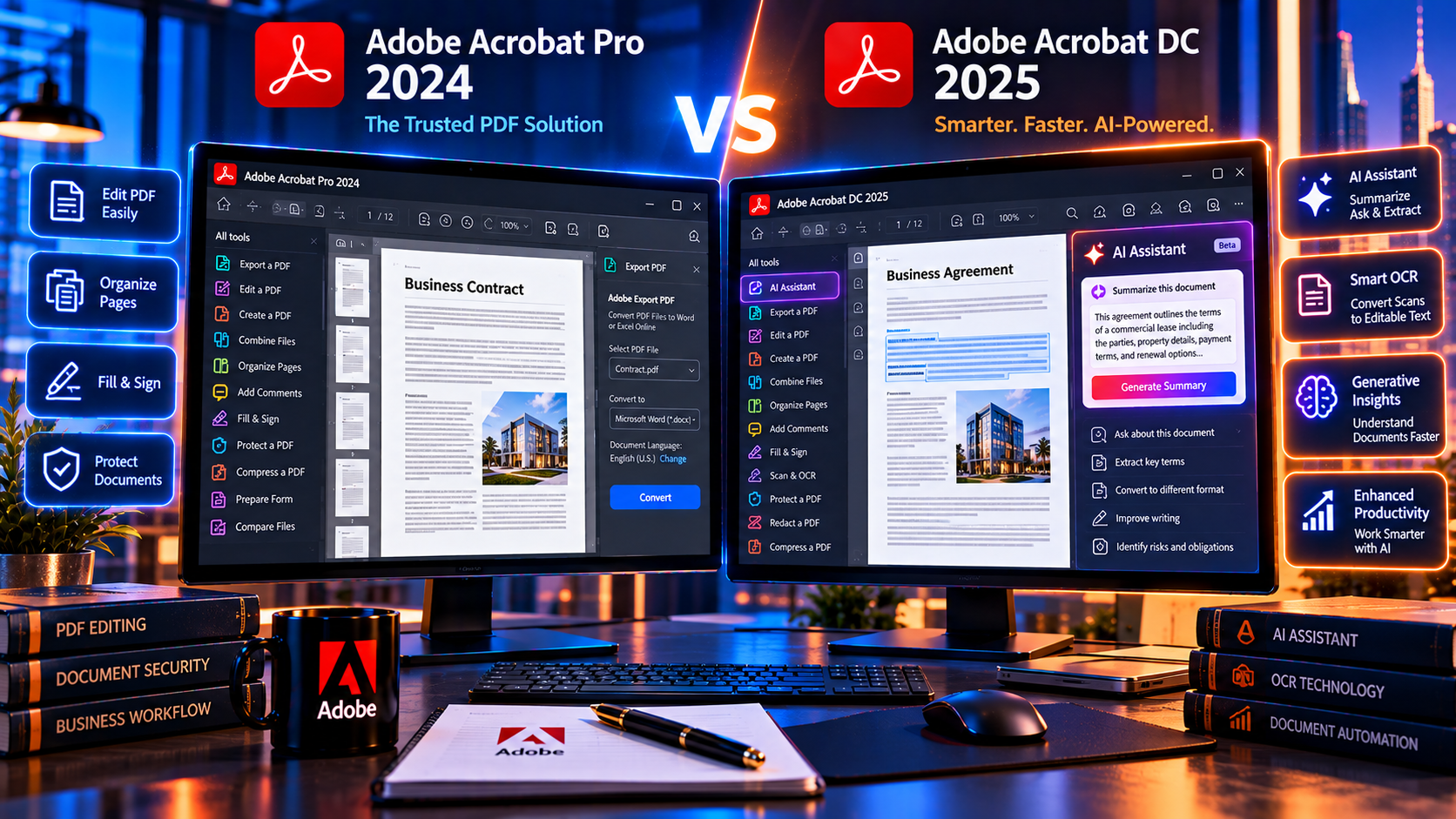
Acrobat Pro 2024 is a sensible option for a user who needs dependable desktop PDF tools, OCR, file conversion, forms, signatures and redaction on one supported Windows computer. Acrobat DC 2025 is the stronger choice for a buyer who wants the newer AI focused workflow, smarter document assistance, newer OCR capabilities and the feature set presented for the later release.
The upgrade is worth considering when those newer capabilities will save time every week. It is less compelling when you mainly open, edit, merge, convert, sign and secure ordinary PDFs and already have a stable 2024 workflow. A newer version is not automatically better if it does not solve a real problem for you.
Acrobat Pro 2024 at a Glance
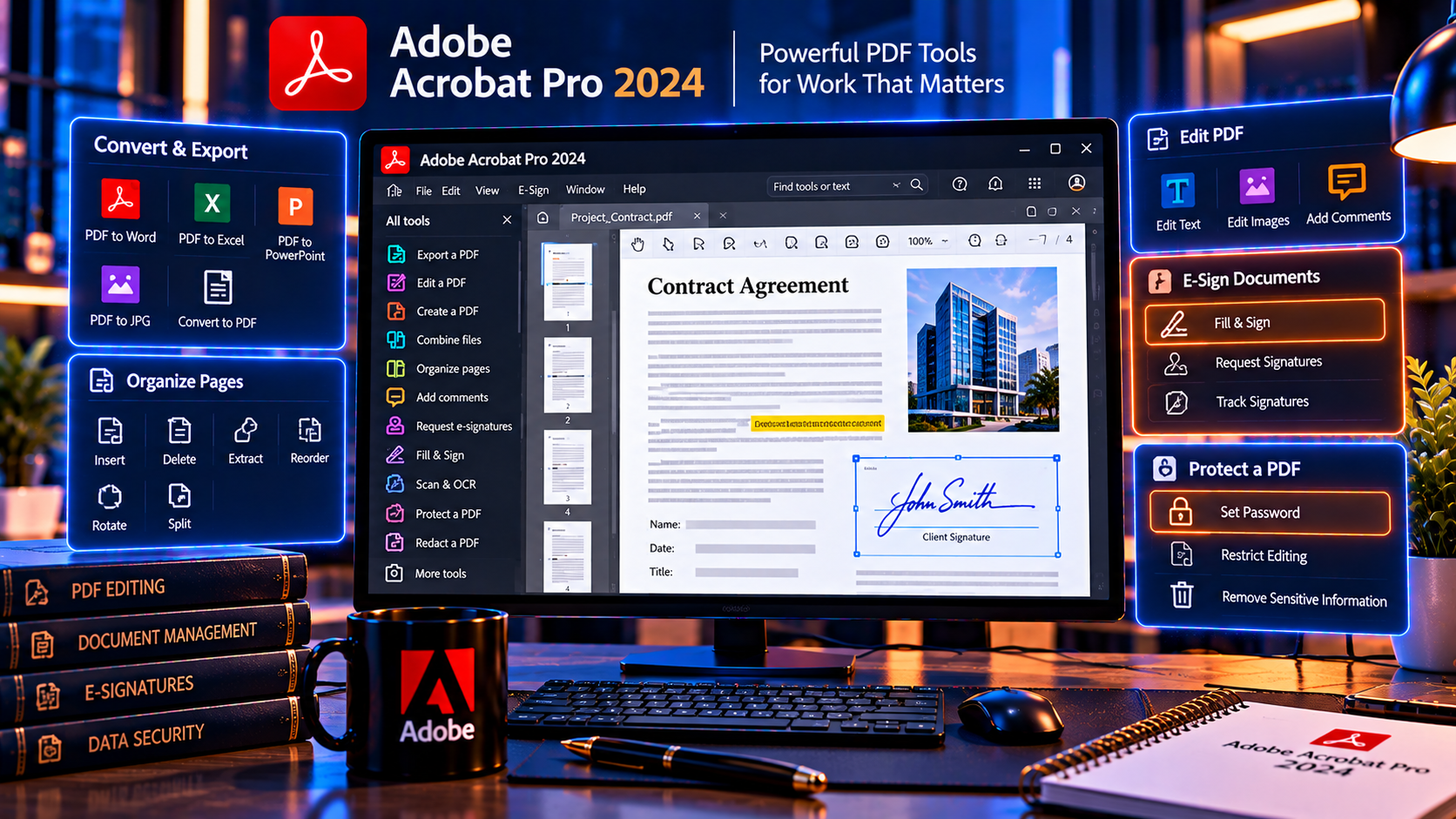
The KeyUpMart Acrobat Pro 2024 listing describes a Windows lifetime edition with one device, global availability and a 30 day refund policy. Its feature description focuses on mature desktop PDF work: creating PDFs, editing text and objects, converting files, OCR, signing, password protection, redaction, form creation, batch processing and file comparison.
The same listing highlights improvements in text recognition, layout detection, conversion accuracy, preflight tools, performance and interface clarity. These capabilities make 2024 a practical fit for users who want a fixed edition with broad professional PDF coverage without paying for every new release.
- Strong core tools for editing, creating, converting and organizing PDFs.
- OCR for turning scanned documents into searchable or editable text.
- Security tools including password protection, permissions and redaction.
- Forms, electronic signatures, batch processing and document comparison.
- A Windows focused license with clearly stated device and validity details on the product page.
What Acrobat DC 2025 Adds
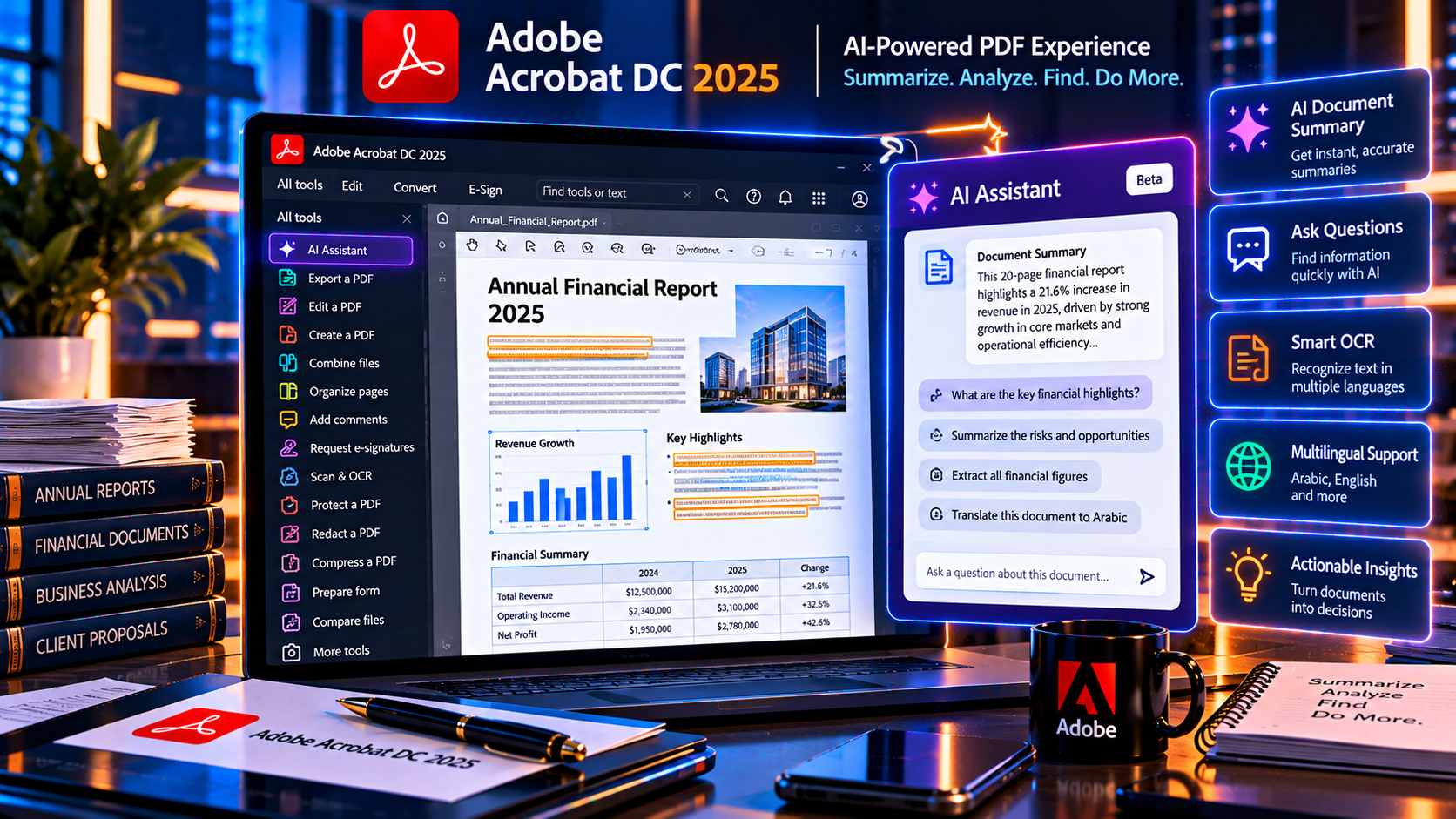
The KeyUpMart Acrobat Pro 2025 listing positions the edition as an AI powered Windows release. It describes AI document assistance for questions and summaries, smart OCR, collaboration features, a modern interface and enhanced security. The page also lists a one device lifetime license and a 30 day refund policy.
These are the areas most likely to influence an upgrade decision:
- AI assistance for asking questions about a PDF, generating summaries and organizing information.
- Smarter OCR for complex layouts, tables and multilingual documents, subject to the quality of the source scan.
- Collaboration and commenting workflows for teams reviewing documents together.
- Performance improvements such as faster startup, smoother scrolling and reduced memory use as described by the listing.
- A newer interface direction that may be more comfortable for users who spend long hours reading and reviewing PDFs.
- Security and redaction features that continue the professional document protection workflow.
AI and cloud connected features deserve a specific check before purchase. Availability can depend on the exact edition, account entitlement, region, internet connection and Adobe service requirements. Treat the product page description as a starting point and confirm the current terms if a feature is essential to your work.
Feature Comparison
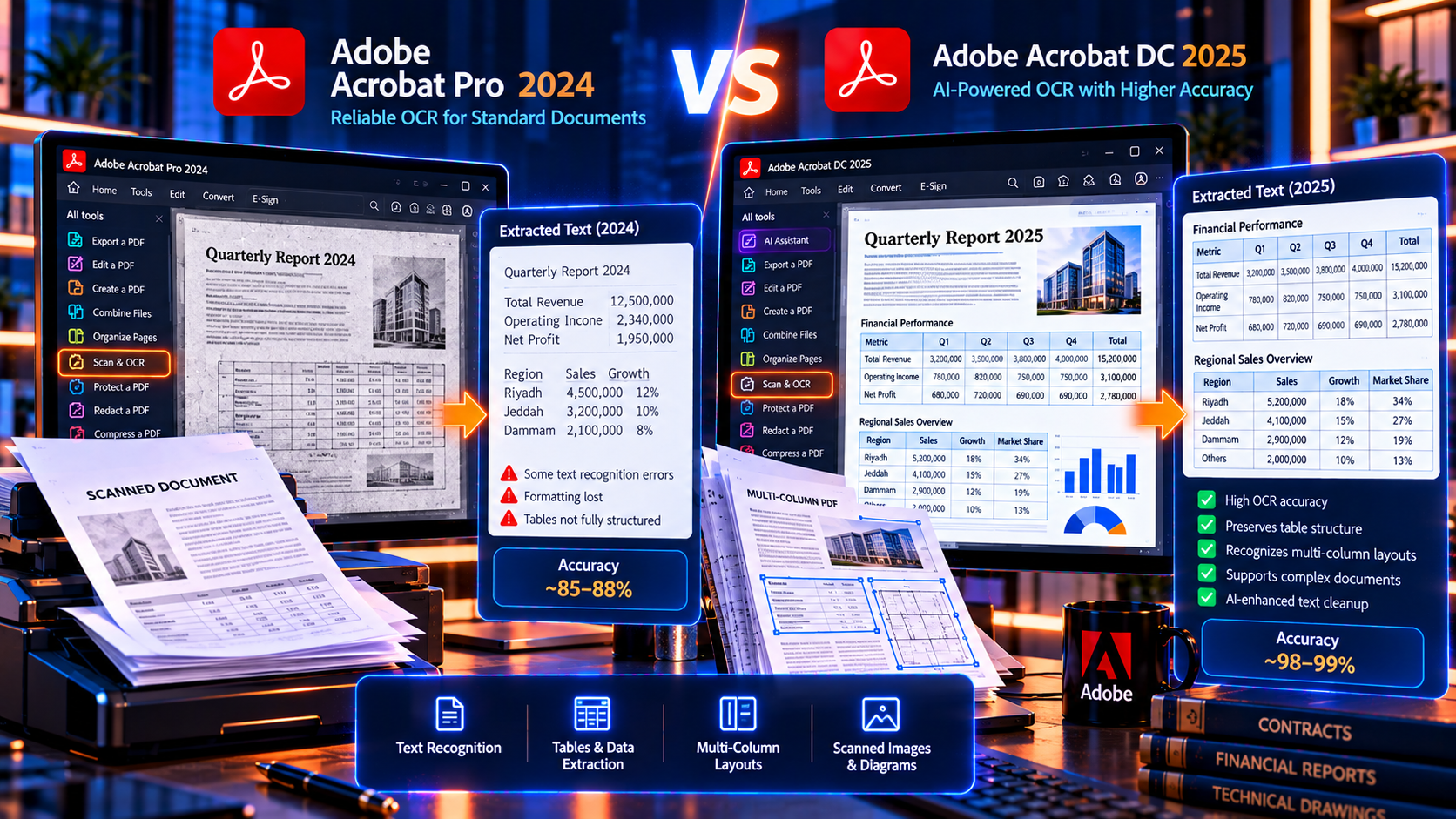
PDF editing and creation
Both editions are aimed at professional PDF work. You can expect the core workflow to include creating PDFs, editing text and images, arranging pages, combining files and converting common Office formats. For a buyer who rarely uses AI or team review, the day to day editing difference may be smaller than the version number suggests.
OCR and scanned documents
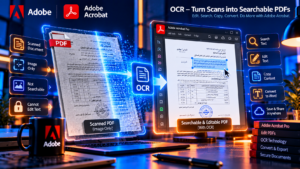
Acrobat Pro 2024 already includes OCR for scanned files, along with improvements to recognition and layout handling described on its product page. The 2025 listing emphasizes smarter OCR, tables, complex layouts and multilingual support. If you process invoices, forms, archives or scanned contracts every day, better recognition can justify the newer edition, but scan quality still controls the result.
AI document assistance
The main upgrade story is the AI focused workflow described for 2025. Summaries and question answering can reduce the time needed to locate information in long PDFs. They should support human review rather than replace it, especially for legal, financial, medical or confidential documents. Acrobat 2024 remains the better value when this type of assistance is not part of your workflow.
Signing and forms
Both product descriptions include form and signing capabilities. If you only need to fill, sign, send or create ordinary PDF forms, 2024 may be enough. Check the exact limits for sending signatures, cloud storage, recipients and online services because desktop license features and subscription services are not always identical.
Security and redaction
Both editions are presented with password protection, permissions and redaction tools. Redaction must still be applied and verified correctly; a newer release does not make an unsafe black-box overlay secure. Organizations should test the edition against their own privacy, retention and document release process.
Collaboration
The 2025 listing highlights live collaboration and shared review, while the 2024 page focuses more on desktop editing and batch work. If multiple people need to comment, review or coordinate on the same PDF, investigate how the collaboration feature works, whether it requires an Adobe account and whether it is included in the license you are buying.
Compatibility and Device Limits
The KeyUpMart pages identify both products as Windows editions and list one device. The 2024 page states compatibility with Windows 10 and 11, while the 2025 page emphasizes Windows 10 and 11 with stronger focus on current Windows updates. This matters if you are buying for a Mac, a managed business fleet or more than one computer.
- Confirm that your operating system is supported before purchasing.
- Check whether the license can move to a replacement PC or is tied to the first activated device.
- Do not assume a Windows lifetime license includes Mac, iOS or Android access.
- Ask whether online features require an Adobe account or an active service entitlement.
- Check system requirements if you work with large scans, batch conversions or AI assisted processing.
If you need Windows, Mac, mobile and web access, compare the appropriate official Acrobat plan instead of treating a one device lifetime edition as a multi-platform subscription.
Lifetime License Limits You Should Understand
A lifetime license normally means continued use of the named edition, not unlimited upgrades. Before comparing prices, separate these ideas:
- Lifetime use means the license period for the purchased version, subject to its terms.
- A major version upgrade may require a new purchase unless the listing explicitly includes it.
- Security fixes, compatibility updates and new features are different types of updates.
- Cloud storage, mobile access, online signature sending and AI services may have separate requirements.
- A product key for one device is not the same as a team license or an enterprise deployment right.
This distinction is especially important when comparing a 2024 lifetime offer with a 2025 lifetime offer. You are choosing a defined software edition, not purchasing a promise that every future Acrobat feature will remain included.
Who Should Choose Acrobat Pro 2024
Acrobat Pro 2024 is likely the better value for these users:
- Freelancers who need dependable editing, conversion, OCR, forms, signatures and redaction on one Windows PC.
- Small businesses with stable PDF workflows and no immediate need for AI document assistance.
- Users who prefer a fixed interface and want to avoid paying for features they will not use.
- Teams that already tested their current software and need predictable compatibility.
- Buyers who want a lower upfront price while keeping professional desktop PDF tools.
Who Should Choose Acrobat DC 2025
The 2025 edition is more compelling for these users:
- Professionals who review long PDFs and would benefit from summaries or document questions.
- Users who process complex scans, multilingual documents or tables and want newer OCR capabilities.
- Teams that need shared review, commenting or collaboration workflows.
- Users moving to a newer Windows environment who want the later release and its stated performance improvements.
- Buyers who expect to use newer features often enough to recover the price difference through saved time.
Do not choose 2025 solely because it says AI powered. Confirm that the AI features are available in the exact license and workflow you plan to use, and avoid sending confidential documents to connected services without reviewing your organization’s privacy rules.
Is the Upgrade Worth It
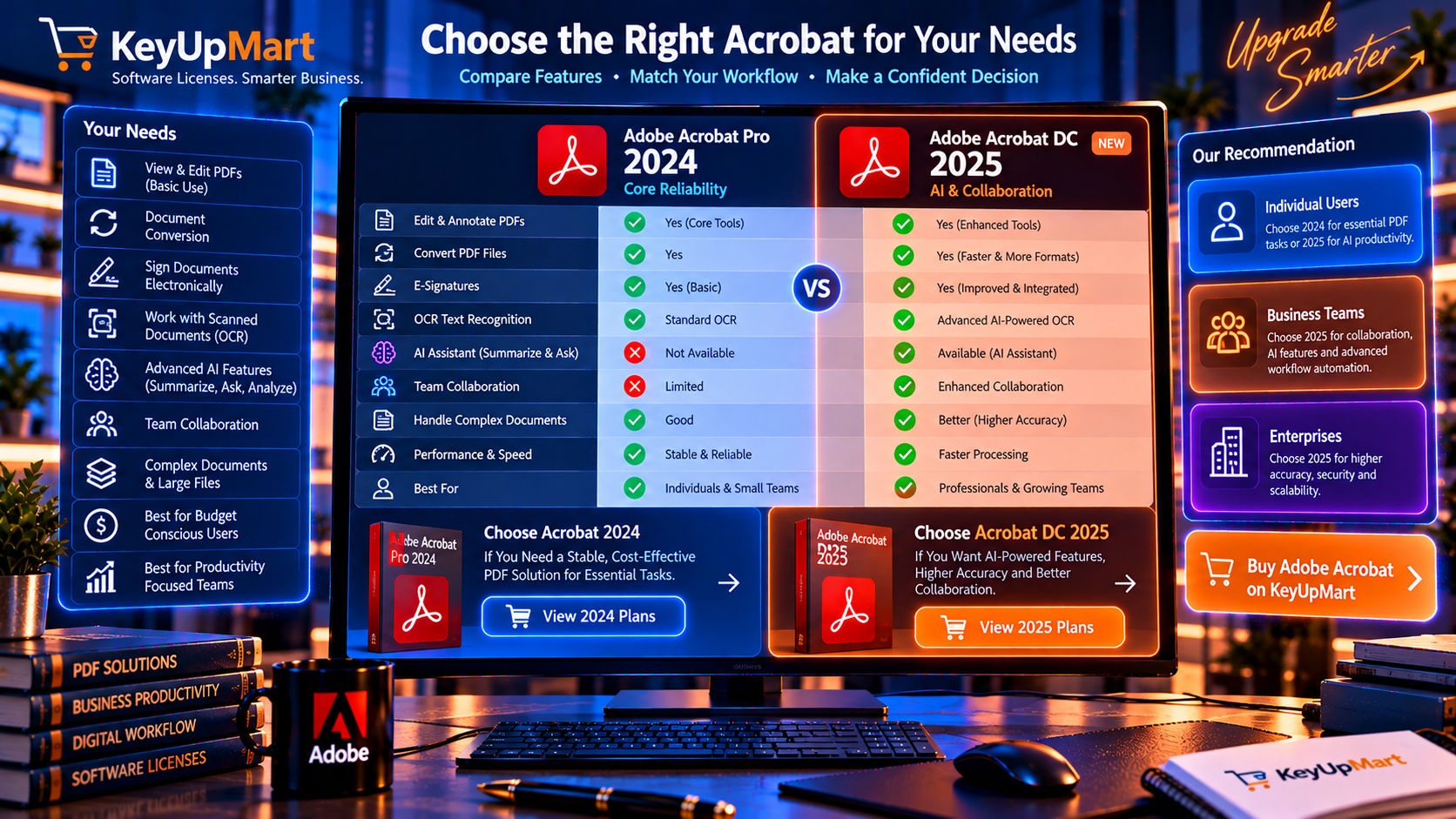
The upgrade is worth it when one of the newer capabilities changes your daily work. For example, a legal researcher who summarizes long case files, a finance team that processes complex scanned reports or a review team that collaborates on PDFs may gain measurable value from 2025.
The upgrade is probably not necessary when your workflow is limited to editing text, converting documents, combining pages, filling forms, signing files, applying passwords and redacting selected content. Acrobat 2024 already covers those common professional tasks according to the product description.
Use a simple test: list three tasks you perform every week, then ask whether 2025 completes them faster, more accurately or with fewer external tools. If the answer is no, buy 2024 or keep the version you already own. If the answer is yes, compare the price difference with the time and risk saved.
How to Choose Before You Buy
- Write down the PDF tasks that matter most: conversion, OCR, redaction, signatures, forms, comparison or collaboration.
- Decide whether AI assistance is essential, useful or irrelevant to your workflow.
- Confirm Windows version, device count, region and activation method.
- Read the product specifications instead of relying only on the product title.
- Check the seller refund process and save the terms before payment.
- Verify that online and cloud connected features are included or understand what they require.
- Choose 2025 only when its newer capabilities justify the additional cost.
Current Product Options
You can compare the two version specific listings here: Adobe Acrobat Pro 2024 for Windows and Adobe Acrobat Pro DC 2025 for Windows AI Powered.
If you need broader device access or recurring services, compare the Adobe Acrobat Pro one year subscription option and the current official plan information before deciding.
Check the exact price, availability, supported operating system, device limit and refund terms at the time of purchase. Product pages and software requirements can change, so the current listing should control the final buying decision.
Frequently Asked Questions
Is Acrobat Pro 2025 better than Acrobat Pro 2024
It is newer and the product listing emphasizes AI assistance, smarter OCR, collaboration and performance improvements. It is better for users who need those capabilities. Acrobat 2024 can be the better value for stable desktop editing, conversion, OCR, forms, signing and security work.
Does Acrobat 2025 include AI features
The KeyUpMart 2025 listing presents it as an AI powered edition with document assistance and smart OCR. Confirm the exact feature availability, account requirements, internet needs and privacy terms for the license before relying on AI in a professional workflow.
Can I use a lifetime license on more than one computer
The product pages for these listings state one device. Do not assume that one purchase covers multiple computers or operating systems. Ask the seller about transfer and replacement device rules before buying.
Does Acrobat 2024 still support OCR and redaction
Yes. The 2024 product description includes OCR, redaction and other professional PDF tools. Verify the exact installed edition and test a representative document if those features are critical.
Should I upgrade from Acrobat 2024 to DC 2025
Upgrade when the AI, OCR, collaboration or performance improvements solve a real recurring problem. Stay with 2024 when it already handles your work reliably and the newer features would not change your productivity.
Does buying Acrobat 2025 guarantee future upgrades
No. A lifetime license generally refers to continued use of the named version. Future major releases and connected services should be treated as separate questions unless the seller explicitly includes them in writing.
Conclusion
Acrobat Pro 2024 remains a capable choice for professional desktop PDF work, while Acrobat DC 2025 is aimed at buyers who want newer AI assistance, OCR improvements, collaboration and the later feature set. The correct choice depends on your tasks, not simply the release year.
For most buyers, the decision is straightforward: choose 2024 for reliable core PDF work at a lower cost, and choose 2025 when its newer capabilities will be used often enough to justify the difference. Confirm the Windows compatibility, one device limit, activation method, online feature requirements and refund terms before completing the purchase.
If the newer workflow fits your needs, review Adobe Acrobat Pro DC 2025 for Windows AI Powered Lifetime License and verify the current specifications before ordering.