




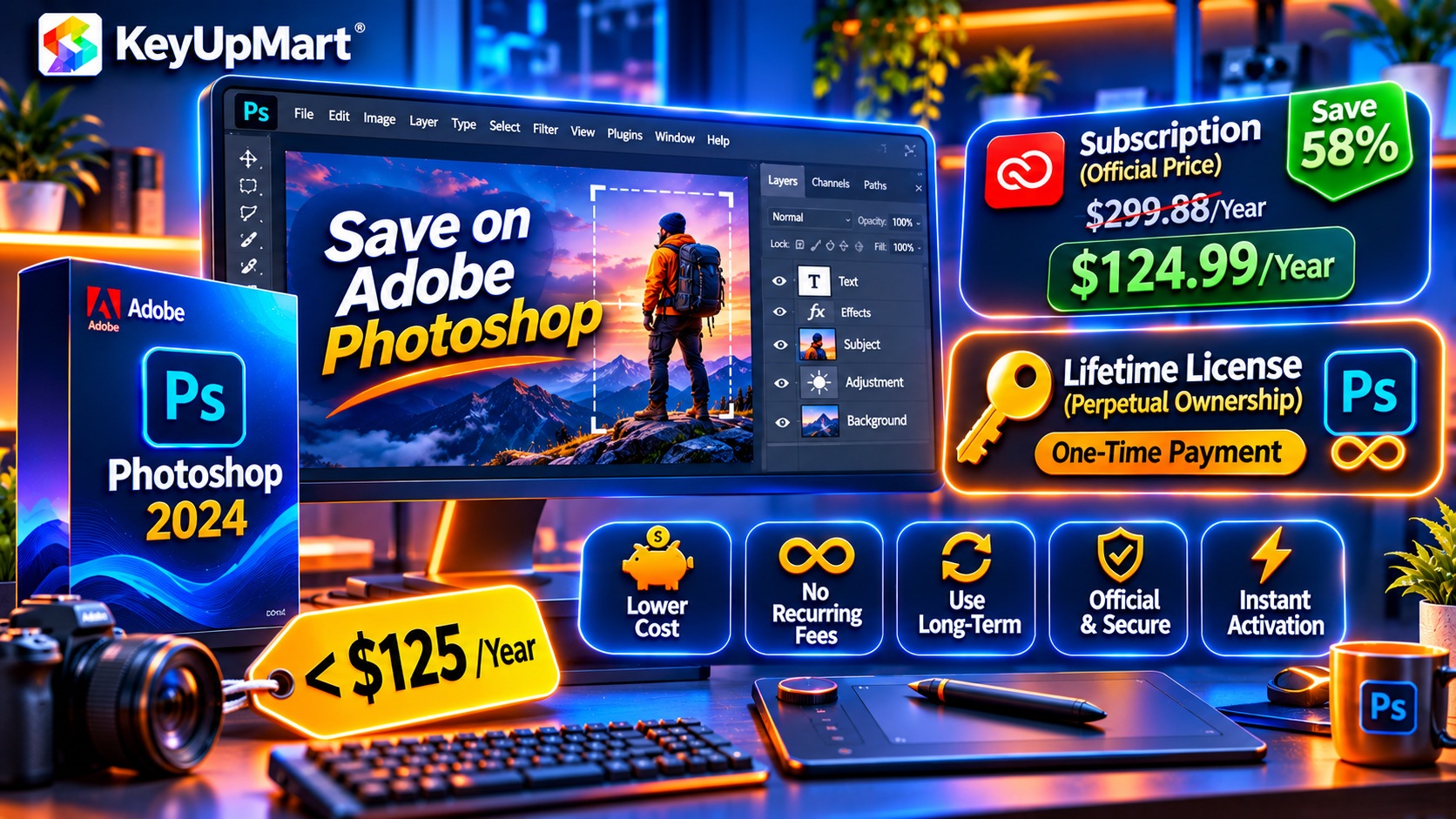
Want Adobe Photoshop at the lowest possible price? This guide reveals 7 legitimate ways to get Photoshop for under $125 (some as low as $7.99/month), exposes the fake “discount code” scams, and shows you exactly which purchasing method saves the most money based on your usage pattern (student, freelancer, or hobbyist).
Quick Answer: Cheapest Way to Get Photoshop (November 2026)
7 legitimate options from cheapest to most expensive:
- Photoshop Express (Mobile): FREE – Basic editing on phone/tablet
- Student discount: $7.99/month ($96/year) – 60% off All Apps bundle
- Photography Plan: $9.99/month ($120/year) – Photoshop + Lightroom
- Black Friday deal: ~$10/month first year ($120) – Seasonal promotion
- Photoshop 2024 lifetime: competitive price — check the product page – No recurring fees
- Single App subscription: $22.99/month ($276/year) – Photoshop CC only
- All Apps bundle: $59.99/month ($720/year) – 20+ Adobe programs
Bottom line: Students get the best deal ($96/year for All Apps). Non-students should buy Photography Plan ($120/year) or a lifetime license (check KeyUpMart for current price).
Method 1: Adobe Photoshop Express (FREE) – Mobile Only
What You Get
Platform: iOS, Android (mobile apps only)
Features included:
- Basic editing (crop, rotate, straighten)
- Filters and effects (15+ presets)
- Text overlays (limited fonts)
- Simple retouching (blemish removal, red-eye fix)
- Social media presets (Instagram, Facebook sizes)
What’s missing:
- ❌ No layers or masks
- ❌ No desktop version
- ❌ Can’t edit RAW files
- ❌ Limited resolution (exports at 2MP max on free tier)
Who It’s For
✅ Perfect for:
- Casual Instagram editors
- Quick photo fixes on phone
- Beginners learning basics
❌ Not sufficient for:
- Professional work
- Complex compositions
- Print-quality output
Download: Search “Photoshop Express” in App Store / Google Play (free with ads).
Method 2: Student Discount (CHEAPEST for Eligible Users)
Pricing
Adobe Creative Cloud All Apps:
- Regular: $59.99/month ($720/year)
– Student: $19.99/month first year ($240/year)
– Student: $7.99/month after (if you reverify eligibility annually)
What’s included:
- Photoshop CC (latest version)
- Lightroom, Illustrator, Premiere Pro, After Effects (20+ apps)
- 100GB cloud storage
- Adobe Fonts (unlimited)
- Adobe Stock (10 free assets/month)
Eligibility Requirements
Who qualifies:
- ✅ K-12 students (age 13+)
- ✅ College/university students (any major)
- ✅ Teachers and faculty (K-12 and higher ed)
- ✅ School administrators and staff
Verification process:
- Visit Adobe.com/students
- Click “Get student discount”
- Enter school email address (.edu domain)
- Upload student ID or register via SheerID (third-party verification)
- Receive discount code within 1-2 business days
Verification alternatives (if no .edu email):
- Current class schedule screenshot
- School ID card photo
- Transcript showing enrollment
How Long It Lasts
First year: $19.99/month (60% off)
After first year: Renews at $7.99/month IF you re-verify student status annually.
If you don’t re-verify: Jumps to full $59.99/month (so set a calendar reminder!).
After graduation: Keep subscription but price increases to regular rate ($59.99/month or cancel).
ROI for Students
Value breakdown:
- All Apps retail: $720/year
- Student price: $96/year (after first year)
– Savings: $624/year (87% discount)
Worth it even if you only use Photoshop (regular Photoshop alone = $22.99/month = $276/year, so you’re getting 19 extra apps for less money).
Verify Student Eligibility →
Method 3: Photography Plan ($9.99/month) – Best Value for Most Users
What You Get
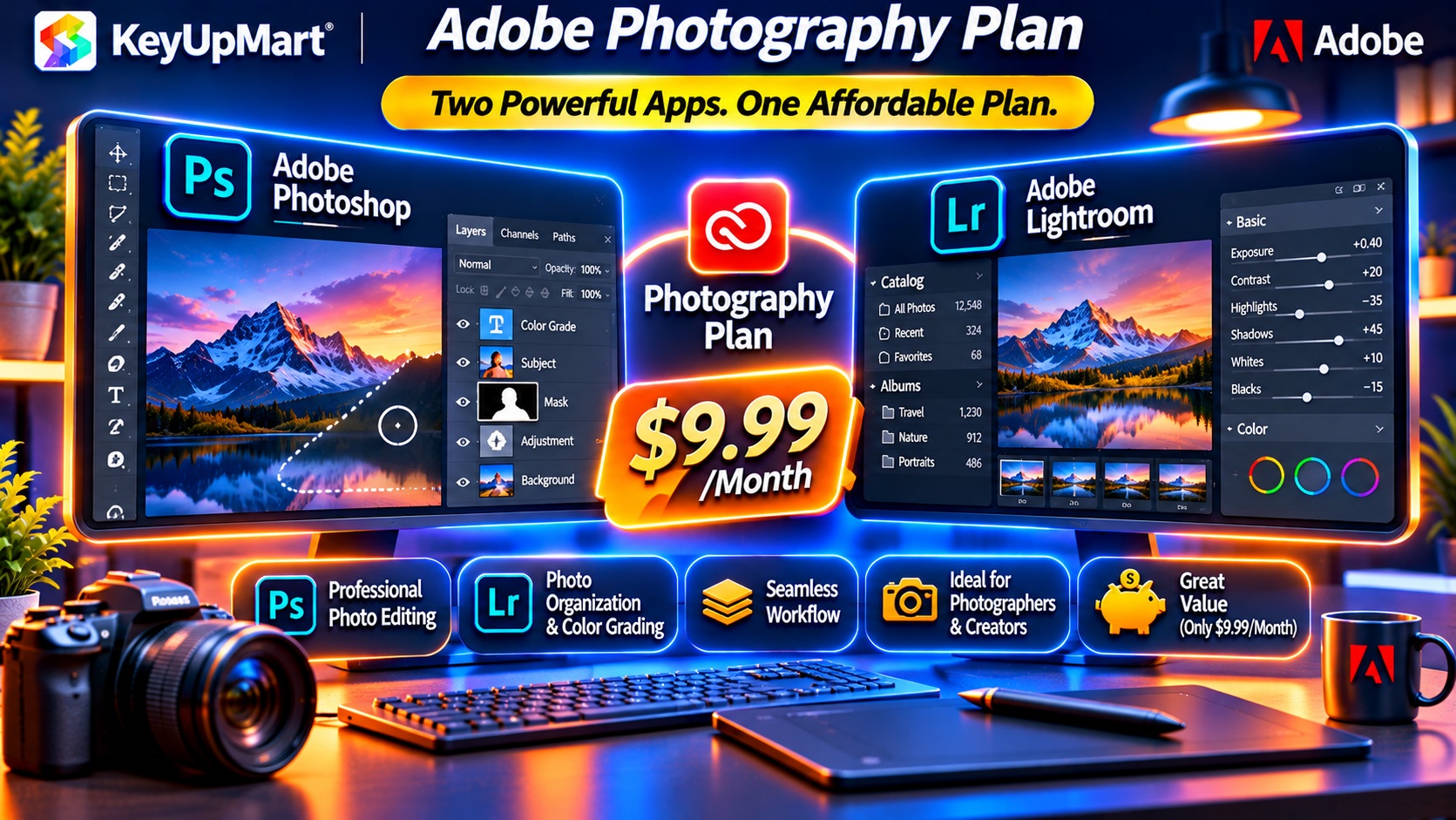
Price: $9.99/month ($120/year)
Included apps:
– Photoshop CC (desktop, latest version)
– Lightroom Classic (desktop RAW editor)
– Lightroom (cloud-based photo organizer)
– Lightroom mobile (iOS/Android)
– 20GB cloud storage
Why It’s Cheapest (For Non-Students)
Photoshop alone: $22.99/month ($276/year)
Photography Plan: $9.99/month ($120/year) = $156/year savings (56% discount)
Catch: You also get Lightroom (whether you need it or not).
Reality: Even if you never open Lightroom, this is still the cheapest way to get Photoshop legally.
Who Should Buy This
✅ Perfect for:
- Graphic designers (primarily use Photoshop)
- Digital artists and illustrators
- Web designers
- Anyone who only needs Photoshop (not other Adobe apps)
✅ Bonus benefit: If you ever shoot photos, Lightroom is the industry standard for RAW editing (worth $10/month on its own).
How to Subscribe
- Visit Adobe.com/photoshop
- Select “Photography Plan (20GB)” – $9.99/month
- Choose annual plan (pays monthly but commits to 12 months)
- Enter payment details
- Download desktop app and sign in
Important: Make sure you select “annual plan, paid monthly” not “month-to-month” ($14.99/month = $180/year).
Subscribe to Photography Plan →
Method 4: Black Friday / Cyber Monday Deals (Annual Opportunity)
Historical Discounts (2020-2025)
2025 Black Friday (Nov 28):
- All Apps: First year $39.99/month (normally $59.99) = 33% off
- Photography Plan: Unchanged ($9.99/month—already cheapest)
2024 Black Friday:
- All Apps: $29.99/month first year = 50% off
- Single Photoshop app: $19.99/month first year = 13% off
2023 Black Friday:
- Photography Plan: $99/year prepaid (normally $120) = 17.5% off
- All Apps: $34.99/month first year
2026 Predictions
Expected deals (Nov 27-30, 2026):
- All Apps: $29.99-39.99/month first year (40-50% off)
- Photography Plan: $99 prepaid annual (save $21)
- Single App: $19.99/month (rare, not always offered)
Who should wait for Black Friday:
- Non-students who want All Apps (save $240-360 first year)
- Anyone renewing annual plan (Adobe often offers renewal discounts)
Who shouldn’t wait:
- Need software immediately (losing income waiting 3-6 months)
- Already have Photography Plan (rarely discounted—stay subscribed)
How to Get Notified
Deal alert setup:
- Follow Adobe Store on Twitter (@AdobeCare)
- Sign up for Adobe newsletter (adobe.com/news)
- Set Google Alert for “Adobe Black Friday”
- Check Slickdeals, Reddit r/buildapcsales on Nov 26-27
Pro tip: Adobe usually starts deals Thursday evening (6pm PT Nov 26) before official Black Friday.
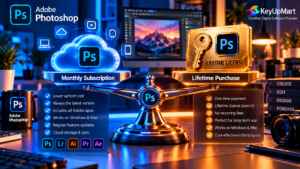
Method 5: Photoshop 2024 Lifetime License (see current price) – Best Long-Term Value
One-Time Purchase (No Subscription)
Price: Check current price at KeyUpMart
What you get:
- Adobe Photoshop 2024 (perpetual license)
- Install on 1 computer (Windows or Mac)
- All core features (layers, masks, filters, Camera Raw)
- Works offline forever (no internet required after activation)
What you DON’T get:
- Cloud storage (use Dropbox, Google Drive instead)
- Adobe Fonts (download free fonts from Google Fonts, DaFont)
- Latest AI features (generative fill, neural filters—DC 2025 only)
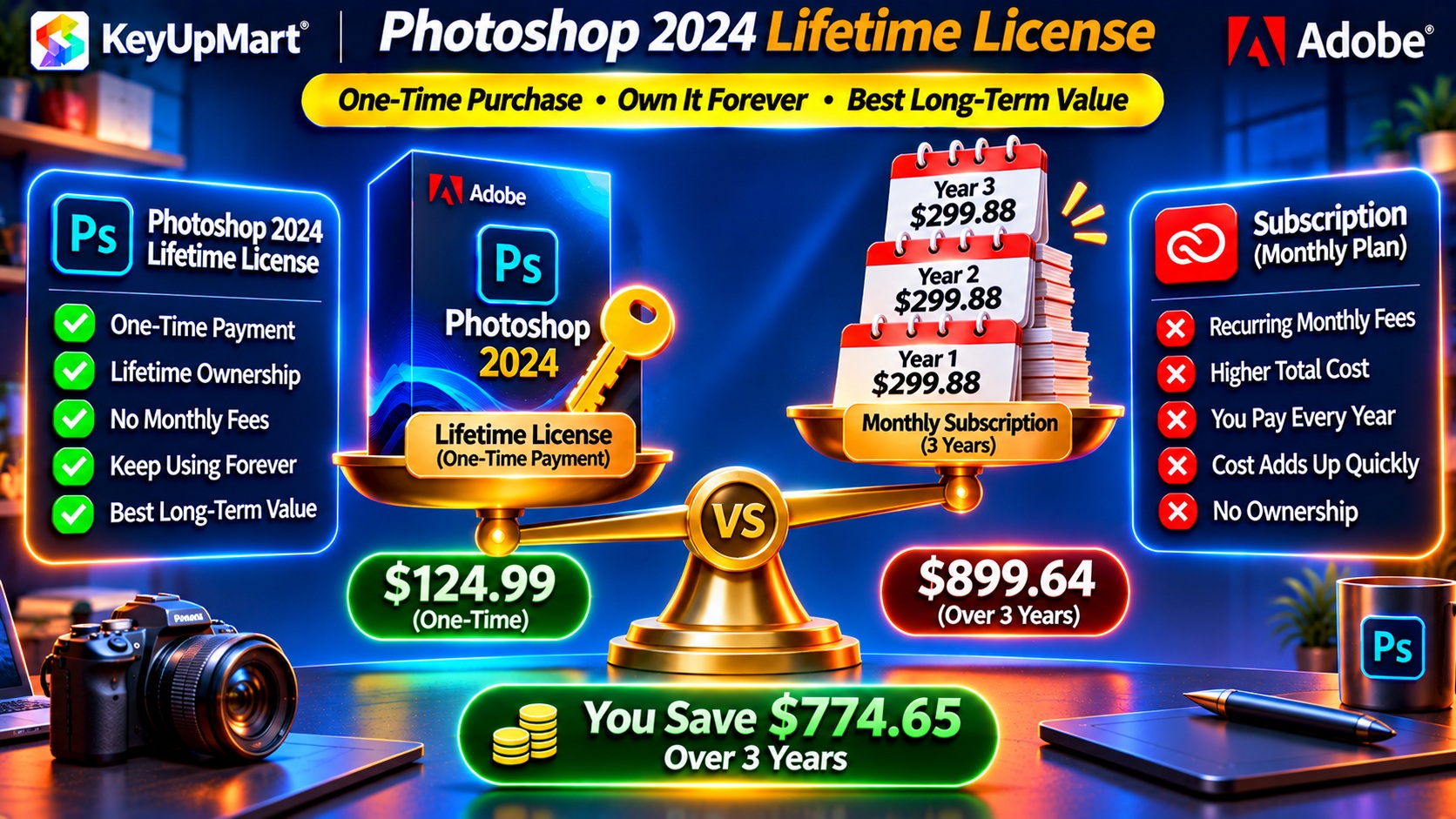
Cost Comparison (3-Year Ownership)
Break-even point: Lifetime license pays for itself vs Photography Plan after 2.5 years.
Who Should Buy Lifetime License
✅ Best for:
- Freelancers and business owners (one-time CapEx write-off)
- Anyone who’ll use Photoshop 3+ years
- Prefer to “own” software (not rent)
- Work offline frequently (no internet dependency)
⏳ Consider subscription if:
- You upgrade computers every 1-2 years (subscription follows you)
- Need latest AI features (generative fill, etc.)
- Tight on upfront cash (one-time vs monthly)
Method 6: Prepaid Annual Plans (Small Savings)
How It Works
Adobe offers prepaid annual subscriptions at slight discount vs monthly.
Photography Plan:
- Monthly payments: $9.99 × 12 = $119.88/year
- Annual prepaid: $119.88/year (no savings—same price)
All Apps:
- Monthly payments: $59.99 × 12 = $719.88/year
- Annual prepaid: $659.88/year (save $60 = 8% discount)
Single App (Photoshop only):
- Monthly payments: $22.99 × 12 = $275.88/year
- Annual prepaid: $239.88/year (save $36 = 13% discount)
When Prepaid Makes Sense
✅ Advantages:
- Slightly cheaper (8-13% savings)
- One annual bill (easier accounting for businesses)
- Locks in current price (Adobe can’t raise rates mid-year)
❌ Disadvantages:
- Lose $240-660 if you cancel early (no refunds after 14 days)
- Can’t downgrade mid-year (stuck with plan you bought)
Verdict: Only prepay if you’re 100% certain you’ll use it all year.
Method 7: Group Buying / Team Plans (5+ People)
Adobe for Teams
Pricing (per user/month):
- Photoshop only: $36.99/user
- All Apps: $89.99/user
Wait, that’s MORE expensive than individual!
True cost: You need 5+ users to unlock bulk discounts:
- 5-9 users: 10% off
- 10-49 users: 20% off
- 50+ users: 30% off
Example (10 users, All Apps):
- 10 users × $89.99 = $899/month
– 20% discount = $719/month ($71.90 per user)
- vs individual: $59.99/user
Verdict: Teams plan is MORE expensive for small groups—only worth it for companies needing admin console, user management.
Fake Discount Scams to Avoid
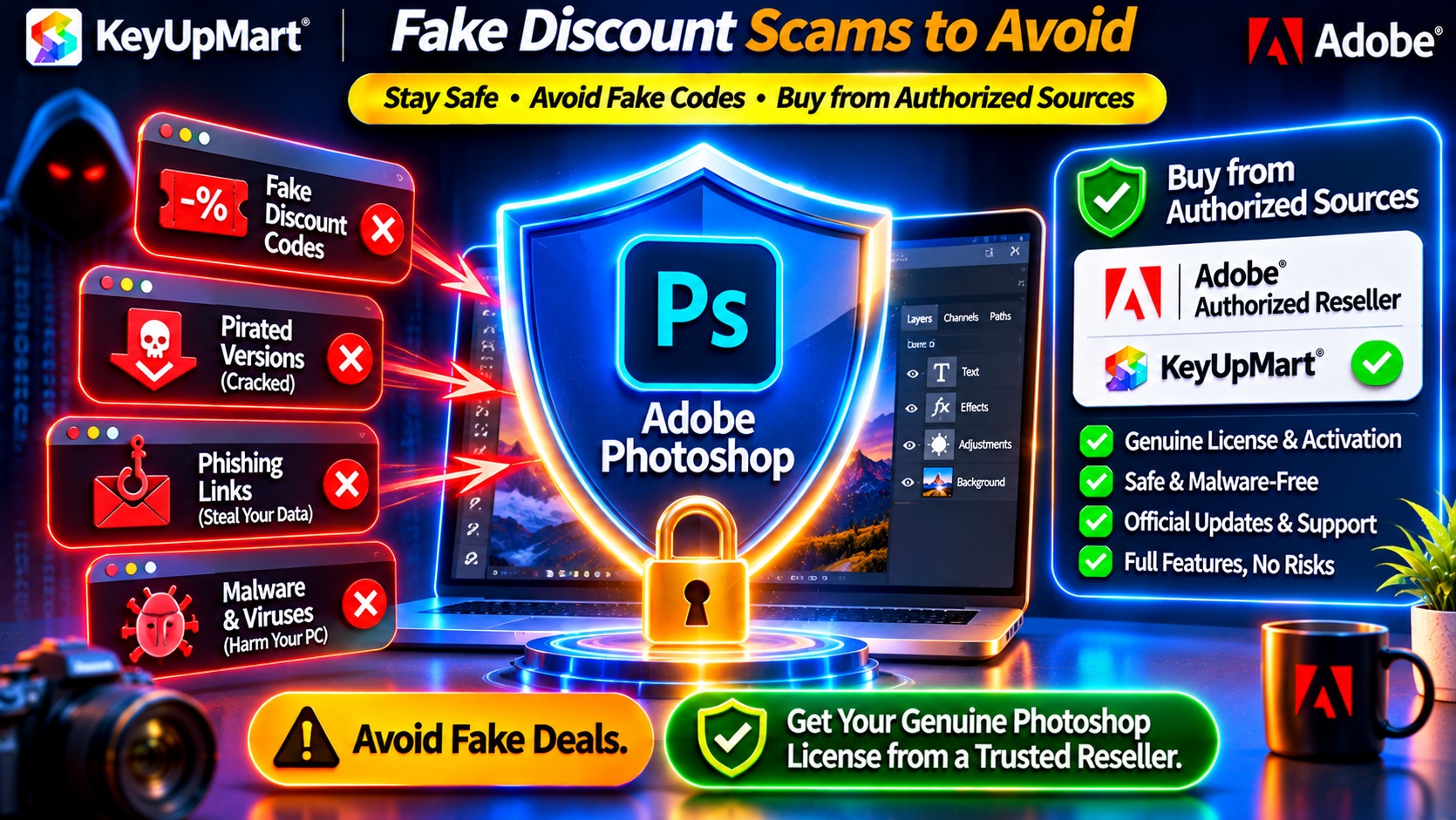
Scam 1: “70% Off” Coupon Codes
The trap: Sites like RetailMeNot claim “70% off Adobe Photoshop with code SAVE70.”
Reality: Code doesn’t work (expired or never existed).
How they profit: Affiliate commission when you click through to Adobe.com (even if you don’t save anything).
Red flag: Adobe rarely issues public coupon codes (only targeted email offers to existing customers).
Scam 2: “Free Photoshop Download” Websites
The trap: Sites offering “Adobe Photoshop 2024 free download full version.”
Reality: Pirated software containing malware (keyloggers, ransomware).
Risks:
- Your computer gets infected
- Adobe can remotely detect pirated software and disable it
- Legal liability (Adobe sues large-scale pirates—individual risk is low but nonzero)
Safe alternative: Use Photoshop Express (official free mobile app) or GIMP (free open-source desktop).
Scam 3: “Educational Discount” Resellers
The trap: eBay sellers offering “Photoshop education license $50.”
Reality: Seller bought one education license, cloning and reselling it (illegal).
What happens:
- License works initially
- Adobe audit detects shared activation (3-6 months later)
- Your Photoshop stops working
Legitimate education discount: Only through Adobe.com/students with school verification—can’t be resold.
Scam 4: “$1 Photoshop Trial” Credit Card Phishing
The trap: Fake Adobe website offers “$1 trial for 30 days.”
Reality: Phishing site steals credit card details.
How to spot:
- URL is NOT adobe.com (e.g., ad0be-tr1al.com)
- Asks for CVV and billing address before showing software
- No option to download (asks to “verify payment first”)
Real Adobe trial: 7 days free, requires Adobe account, downloads immediately after signup.
Hidden Costs to Factor In
Cost 1: Cloud Storage Upgrades
Photography Plan includes: 20GB storage
If you need more:
- 1TB cloud storage: +$9.99/month
- Total: $19.98/month ($240/year)
Alternative: Use Google Drive ($2/month for 100GB) or Dropbox (free 2GB) instead of Adobe cloud.
Cost 2: Adobe Stock (If You Use Stock Photos)
Not included in any plan (separate subscription):
- 10 images/month: $29.99
- 40 images/month: $79.99
- 750 images/month: $199.99
Free alternatives:
- Unsplash, Pexels, Pixabay (free stock photos)
- Canva Pro ($14.99/month includes stock photos)
Verdict: Don’t pay for Adobe Stock unless you need commercial licenses for client work.
Cost 3: Plugins & Extensions
Essential Photoshop plugins (many designers buy):
- Topaz Gigapixel AI: $99
- Nik Collection: $149
- Luminar AI: $79
Total: $327 in plugins (on top of Photoshop cost).
Free alternatives: Built-in Photoshop filters cover 80% of needs—only buy plugins for specialized tasks.
Price Comparison: All Methods Ranked
Winner for each profile:
– Students: Student discount ($96/year)
– Hobbyists: Photography Plan ($120/year)
– Professionals: Lifetime license (check current price on product page)
– Mobile-only: Photoshop Express (free)
How to Decide: Decision Tree
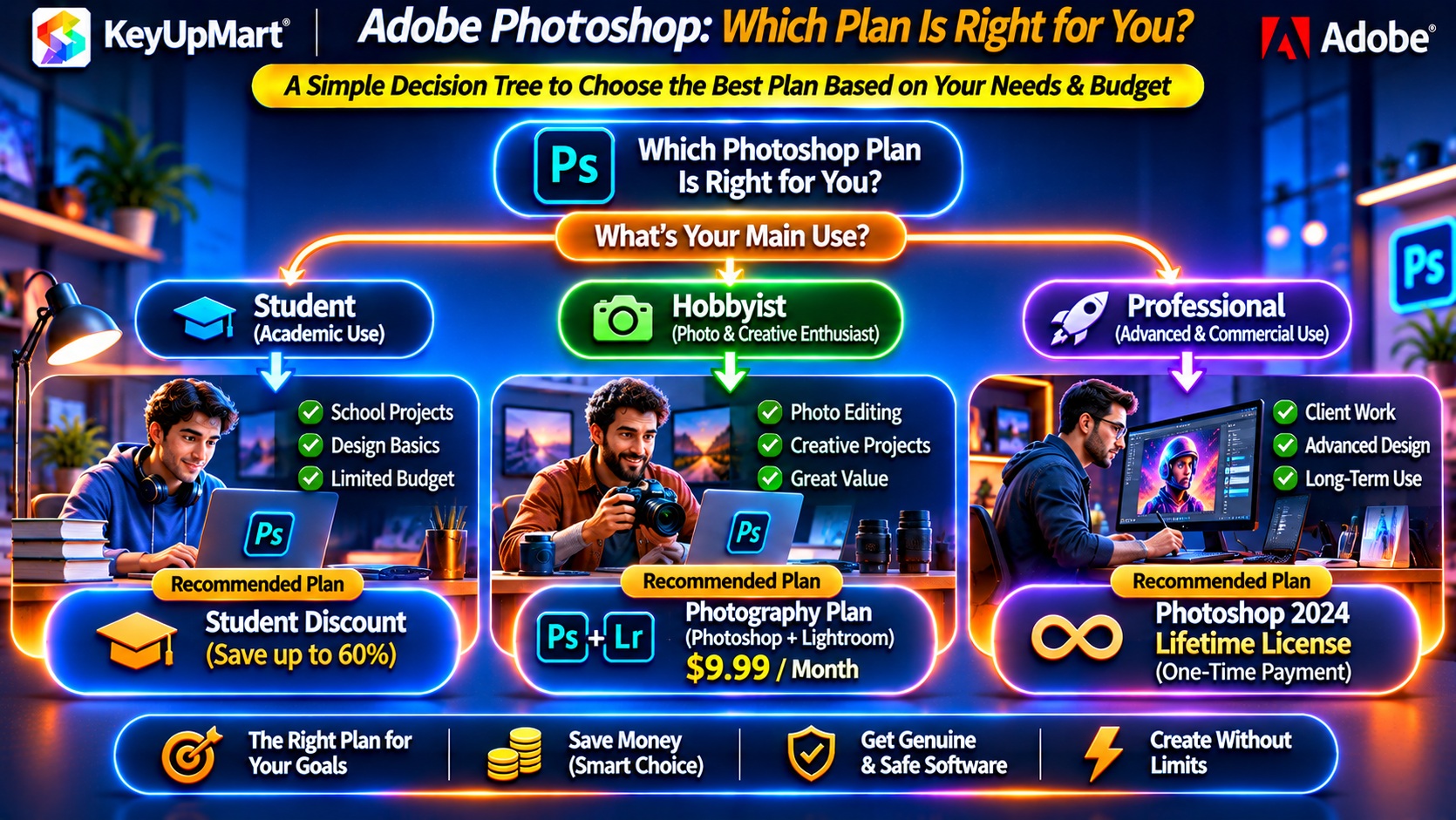
Step 1: Are You a Student or Teacher?
YES → Buy All Apps student discount ($96/year) – best deal, includes 20+ programs.
NO → Continue to Step 2.
Step 2: Do You Only Need Photoshop (Not Other Adobe Apps)?
YES → Continue to Step 3.
NO (need Premiere, Illustrator, etc.) → Buy All Apps bundle ($720/year or wait for Black Friday 40% off).
Step 3: Will You Use Photoshop for 3+ Years?
YES → Buy Photoshop 2024 lifetime (see current price) – pays for itself vs subscription after 2.5 years.
NO (short-term project) → Buy Photography Plan ($120/year), cancel when done.
Step 4: Need Latest AI Features (Generative Fill)?
YES → Photography Plan ($120/year) – gets you Photoshop CC with AI tools.
NO → Photoshop 2024 lifetime (see current price) – all classic features, no AI.
Tax Deductions (Reduce Effective Cost)
If You’re Self-Employed or Business Owner
Photoshop is tax-deductible as business expense:
- Lifetime license: Section 179 immediate expensing (100% deduction in purchase year)
- Subscription: Monthly OpEx deduction
Example (25% tax bracket):
– Photoshop purchase → $75 tax savings = $224 effective cost
– $120/year Photography Plan → $30 annual tax savings = $90 effective cost
Consult your CPA for specifics, but generally any software used for work is deductible.
Alternatives If You Can’t Afford Photoshop
Free Option 1: GIMP (Desktop)
Price: Free (open-source)
Pros:
- ✅ Full desktop app (Windows, Mac, Linux)
- ✅ 80% of Photoshop features
- ✅ No cost, no trial limits
Cons:
- ❌ Confusing interface (steep learning curve)
- ❌ Fewer tutorials (vs millions for Photoshop)
- ❌ Lacks some pro features (CMYK, smart objects)
Verdict: Good for hobbyists who can’t afford $10/month.
Free Option 2: Photopea (Browser-Based)
Price: Free (ad-supported) or $5/month (remove ads)
Pros:
- ✅ Photoshop-like interface (easier to learn)
- ✅ No installation (works in browser)
- ✅ Opens PSD files
Cons:
- ❌ Requires internet connection
- ❌ Slower than desktop Photoshop
- ❌ Ads interrupt workflow (free version)
Verdict: Great for testing Photoshop workflow before committing to subscription.
Budget Option: Affinity Photo ($69.99 One-Time)
Price: $69.99 perpetual license (no subscription)
Pros:
- ✅ 70-80% of Photoshop features
- ✅ One-time purchase (like old Adobe model)
- ✅ Good performance
Cons:
- ❌ Smaller tutorial library
- ❌ Less industry acceptance (clients expect PSD files)
- ❌ No Adobe ecosystem (Fonts, Stock, cloud sync)
Verdict: If Photoshop investment 2024 is too much, Affinity Photo is solid $70 alternative.
Final Recommendation: Cheapest Option for Each User Type
For Students (Verified Enrollment)
✅ Buy: Adobe All Apps student discount
Price: $7.99/month ($96/year after first year)
Why: You get Photoshop + 19 other apps for less than Photography Plan alone—no-brainer.
Verify Student Status →
For Hobbyists & Casual Users
✅ Buy: Photography Plan
Price: $9.99/month ($120/year)
Why: Cheapest way to get desktop Photoshop legally. Even if you never use Lightroom, it’s half the price of Photoshop-only subscription.
Subscribe to Photography Plan →
For Professionals & Long-Term Users
Price: competitive price — check the product page
Why: Pays for itself vs subscription after 2.5 years. Business expense tax deduction reduces effective cost to $224.
For Mobile-Only Users
✅ Download: Photoshop Express (free)
Price: $0
Why: If you only edit photos on phone (Instagram, social media), the free mobile app is sufficient.
Frequently Asked Questions
Can I share my Photography Plan with family?
No—Adobe licenses are per-user, not per-household.
Workaround: Buy multiple subscriptions, or use “Adobe for Families” (up to 6 users for $19.99/month each = $120/month total).
What happens if I cancel my subscription?
You lose access to Photoshop immediately (grace period: 30 days).
Your files remain: PSDs stay on your computer (viewable in free tools like Photopea, GIMP).
Can I switch from subscription to perpetual license?
Yes—buy Photoshop 2024 perpetual license, cancel subscription.
No migration tool: You’ll have both installed (uninstall subscription version after license activates).
Is the student discount only for art students?
No—any student in any major qualifies (engineering, business, nursing, etc.). Adobe doesn’t verify what you study, only that you’re enrolled.
Can teachers get the student discount?
Yes—K-12 and higher ed teachers/faculty qualify for same 60% discount ($96/year for All Apps).
About KeyUpMart: Authorized Adobe reseller specializing in perpetual software licenses for professionals and businesses. Instant delivery, trusted by 10,000+ customers, A+ BBB rating since 2019.
Related posts:
 Adobe Photoshop Download Guide Official Versions Sources and Safe Installation Steps
 How to Cancel Your Adobe Photoshop Subscription and Switch to a One Time Purchase
 Adobe Photoshop: One-Time Lifetime License vs. Monthly Subscription – Which One Should You Buy?
 Adobe Acrobat Standard vs Pro 2024: Features, Pricing, and Which Should You Buy?