


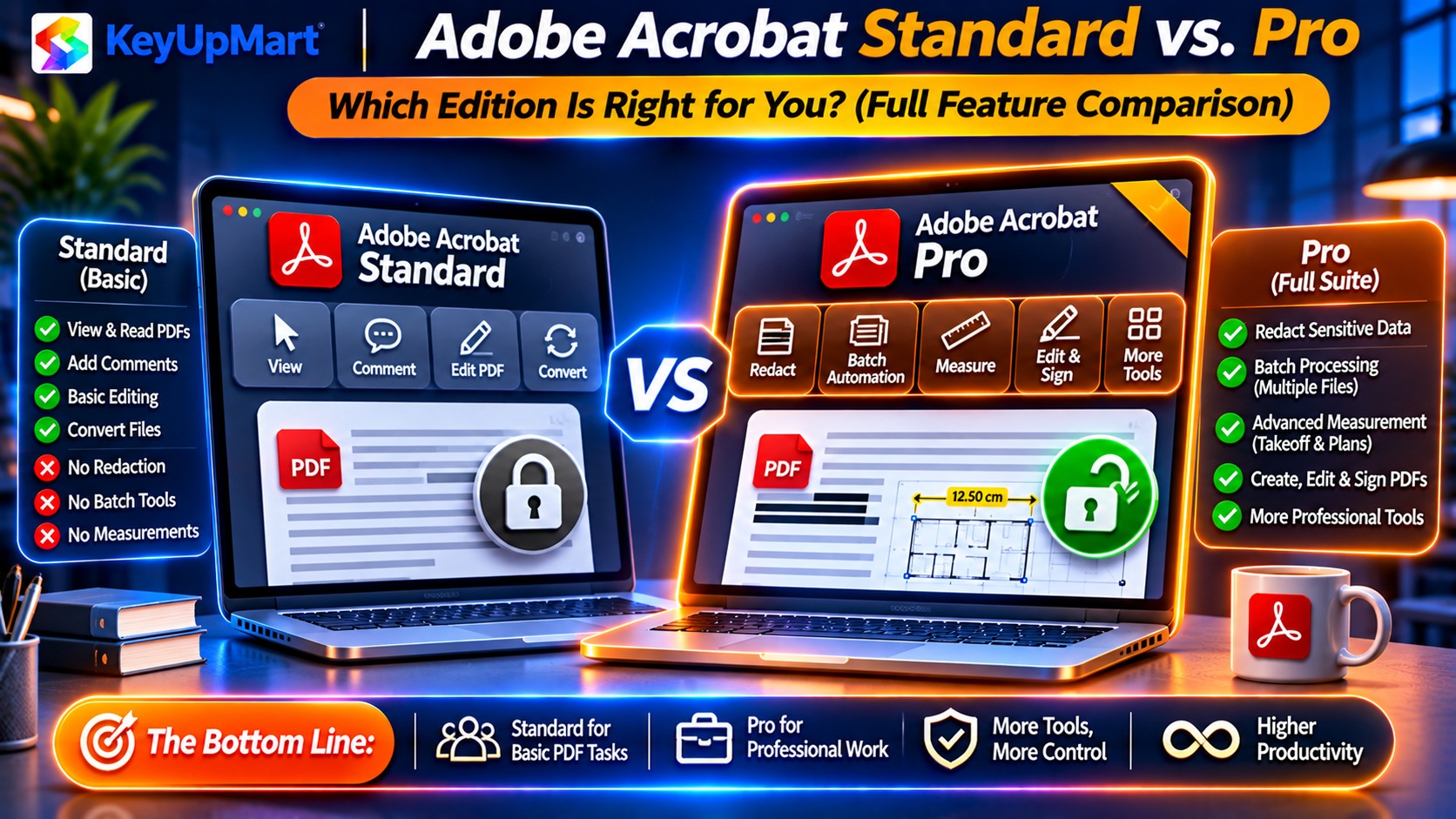
Considering Adobe Acrobat Standard to save money? This guide reveals the 12 features you lose by choosing Standard over Pro, calculates whether the $150 savings actually backfires long-term, and identifies the exact user profiles where Standard works fine vs. where you’ll regret not buying Pro.
Quick Answer: Acrobat Standard vs Pro — Worth the Upgrade?
Adobe Acrobat Standard 2024:
– Price: $299 (same as Pro 2024 at KeyUpMart)
– Best for: Basic PDF editing, form filling, simple signatures
– Missing: Redaction, compare documents, advanced security, action wizard
Adobe Acrobat Pro 2024:
– Price: $299 at KeyUpMart (vs $349 Standard retail)
– Best for: Professional workflows requiring redaction, document comparison, automation
– Includes: Everything in Standard + 12 pro-exclusive features
Bottom line: At KeyUpMart’s pricing, Pro 2024 costs the same as Standard retail—making Standard a poor value proposition. 95% of users should buy Pro.
What’s the Difference? Standard vs Pro Feature Breakdown
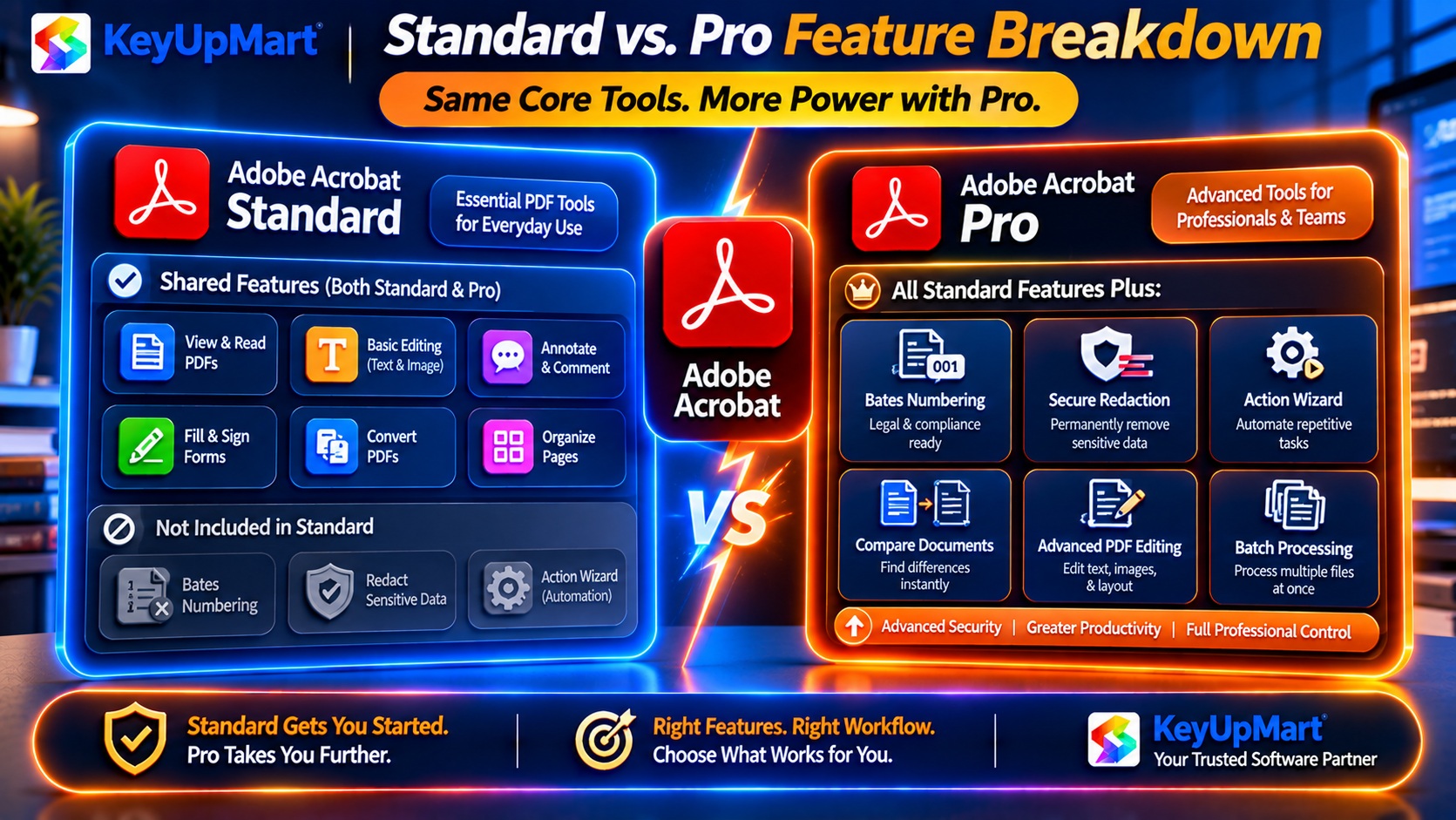
Features in BOTH Standard and Pro
✅ Core PDF editing:
- Edit text and images in existing PDFs
- Add/delete pages
- Merge multiple files into one PDF
- Convert Word, Excel, PowerPoint to PDF
✅ Basic forms:
- Fill out PDF forms
- Create simple fillable forms (text fields, checkboxes)
- Sign documents with certificate-based signatures
✅ Basic security:
- Password protection (require password to open)
- Basic permissions (restrict printing, copying)
✅ OCR (Optical Character Recognition):
- Make scanned documents searchable
- Convert scanned PDFs to editable text
✅ Mobile apps:
- Acrobat Reader mobile (iOS/Android)
- Sync files across devices
12 Critical Features Missing from Standard (Only in Pro)
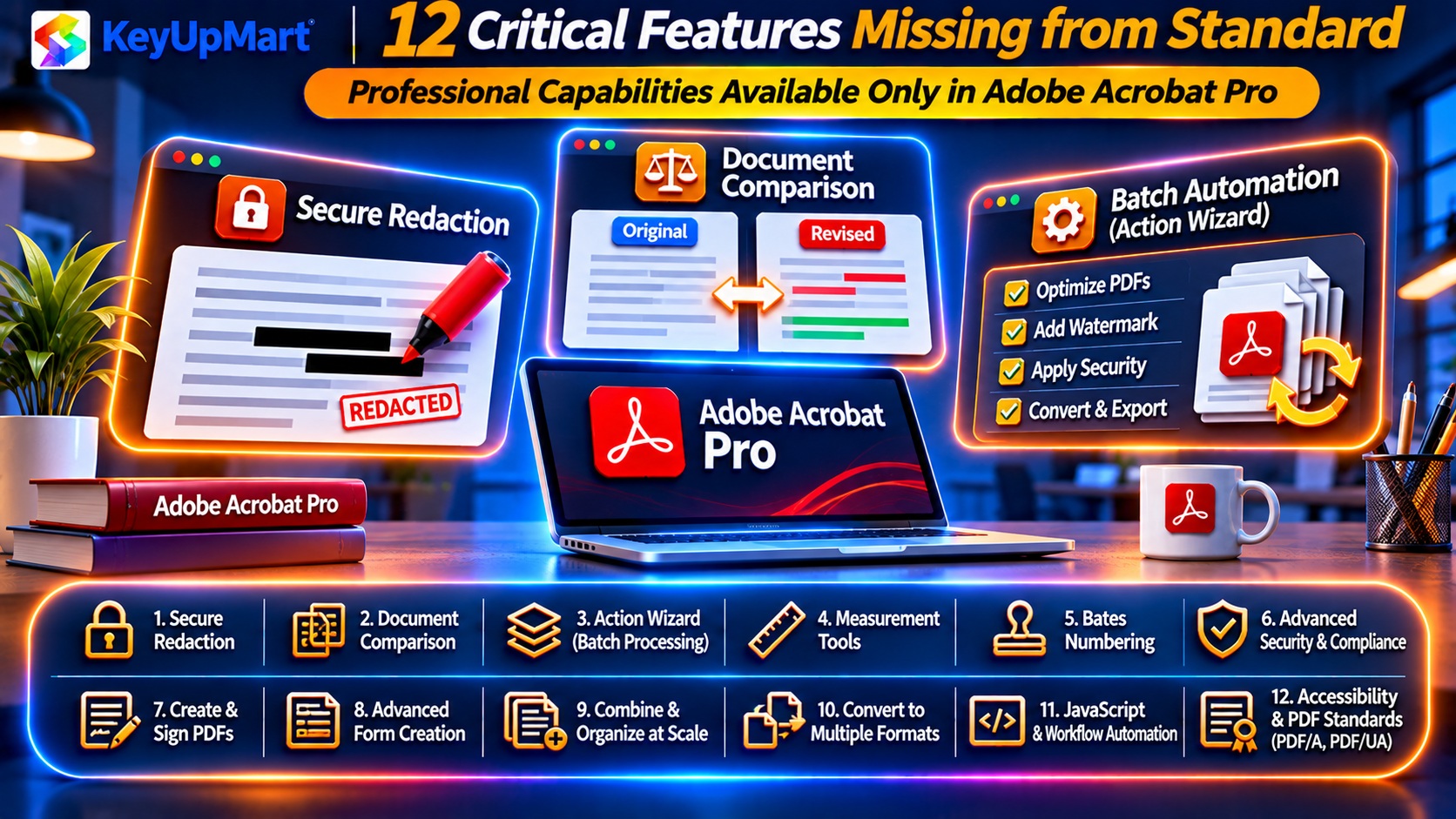
1. Redaction (Permanent Content Removal)
What it does: Permanently remove sensitive information from PDFs.
Standard limitation: You can only draw black rectangles over text (not secure—content is still in the file).
Pro capability: Forensic redaction—content is permanently erased and cannot be recovered.
Who needs this:
- Legal professionals (attorney-client privilege)
- HR departments (Social Security numbers, medical info)
- Government contractors (classified information)
Cost of not having it: One data breach from improper redaction = $50K-$500K in GDPR/HIPAA fines.
2. Compare Documents (Track Changes Detection)
What it does: Automatically detect differences between two PDF versions.
Standard limitation: You must manually read both versions side-by-side to spot changes.
Pro capability: Upload two PDFs → Acrobat highlights all text/formatting differences in seconds.
Who needs this:
- Contract negotiation (lawyers, procurement)
- Quality control (manufacturing specs)
- Regulatory compliance (pharma, finance)
Time savings: 15-30 minutes per document review.
3. Action Wizard (Batch Automation)
What it does: Automate repetitive tasks across 100+ files at once.
Standard limitation: Must edit each file individually.
Pro capability: Record actions (add watermark, redact, optimize size) → Apply to entire folder with one click.
Example use cases:
- Add “CONFIDENTIAL” watermark to 200 client reports
- Redact Social Security numbers from 500 HR files
- Optimize 1,000 scanned PDFs to reduce file size by 60%
ROI: Saves 10-20 hours per month for document-heavy workflows.
4. Advanced Form Features
What Standard can do: Create basic text fields, checkboxes, dropdowns.
What Pro adds:
– Calculated fields: Auto-sum invoice totals, compute tax
– JavaScript actions: Conditional logic (show/hide fields based on answers)
– Barcode generation: QR codes for form tracking
– Form distribution: Send to 100+ recipients, collect responses in one file
Who needs Pro: Businesses creating order forms, applications, or data collection forms.
5. Preflight (PDF/X and PDF/A Validation)
What it does: Verify PDFs meet industry standards for print and archiving.
Standard limitation: No validation tools—you send files to printer and hope for the best.
Pro capability: Check for PDF/X compliance (printing), PDF/A (long-term archiving), fix errors automatically.
Who needs this:
- Graphic designers sending files to commercial printers
- Government agencies (PDF/A required for official records)
- Publishers (PDF/X for book printing)
Cost of not having it: Rejected print jobs = $500-$2,000 in rush reprint fees.
6. Sanitize Document (Metadata Removal)
What it does: Remove hidden metadata (author names, company info, edit history).
Standard limitation: Metadata stays in file—visible to anyone who checks Properties.
Pro capability: One-click removal of all hidden data (author, comments, tracked changes, GPS coordinates from photos).
Who needs this:
- Legal teams (avoid revealing attorney notes in discovery)
- Job seekers (don’t show previous employer name in resume PDF)
- Journalists (protect source identity)
Privacy risk: Metadata leaks have exposed whistleblowers, confidential deals, and strategic plans.
7. Index Creation (Searchable Document Collections)
What it does: Create searchable index across thousands of PDFs (like Google for your files).
Standard limitation: Search one PDF at a time.
Pro capability: Index 10,000 documents → Search entire library in 2 seconds.
Who needs this:
- Law firms (search case files spanning 500+ documents)
- Research institutions (academic paper archives)
- Compliance departments (search 10 years of policy documents)
Time savings: Find needle-in-haystack information 100x faster.
8. Enhanced Security Options
Standard security: Password protection, basic permissions.
Pro-exclusive security:
– Certificate encryption: Limit access to specific people (via digital IDs)
– Expiring documents: Auto-delete PDF after 30 days
– Hidden layers: Redact visible content but preserve original for authorized users
– Policy servers: Enterprise-wide security rules (e.g., all invoices auto-encrypt)
Who needs this: Financial services, healthcare, defense contractors.
9. Bates Numbering (Legal Document Stamping)
What it does: Add sequential page numbers for legal discovery (e.g., “ABC-000001” through “ABC-002500”).
Standard limitation: Not available.
Pro capability: Auto-generate Bates stamps with custom prefixes, manage numbering across multiple cases.
Who needs this: Law firms (required for litigation), insurance claims, regulatory filings.
Compliance: Many courts require Bates numbering—Standard users must use third-party tools ($200-$500).
10. Shared Reviews (Structured Commenting)
Standard capability: Add comments locally, email file back and forth.
Pro capability:
- Host document on server (SharePoint, Adobe Document Cloud)
- 20+ reviewers comment simultaneously
- Track comment status (Open, Resolved, Rejected)
- Auto-notify when new comments added
- Export all comments to Excel for tracking
Who needs this: Teams collaborating on proposals, contracts, or reports.
11. Measurement Tools (Scale-Accurate Measuring)
What it does: Measure distances, areas, perimeters on PDF drawings with real-world scales.
Standard limitation: Not available.
Pro capability: Set drawing scale (e.g., 1″ = 20 feet) → Measure dimensions on architectural plans, engineering schematics.
Who needs this:
- Construction (estimators calculating materials from blueprints)
- Real estate (measuring floor plans)
- Engineering (verifying CAD export dimensions)
Workaround cost: Without Pro, you’d buy standalone measurement software ($300-$800).
12. Geospatial PDF Support
What it does: Display geographic coordinates on maps (for GIS professionals).
Standard limitation: Not available.
Pro capability: Import geospatial PDFs, measure distances on maps, display lat/long coordinates.
Who needs this: Surveyors, urban planners, environmental consultants.
Side-by-Side Comparison Table
Who Should Buy Acrobat Standard?
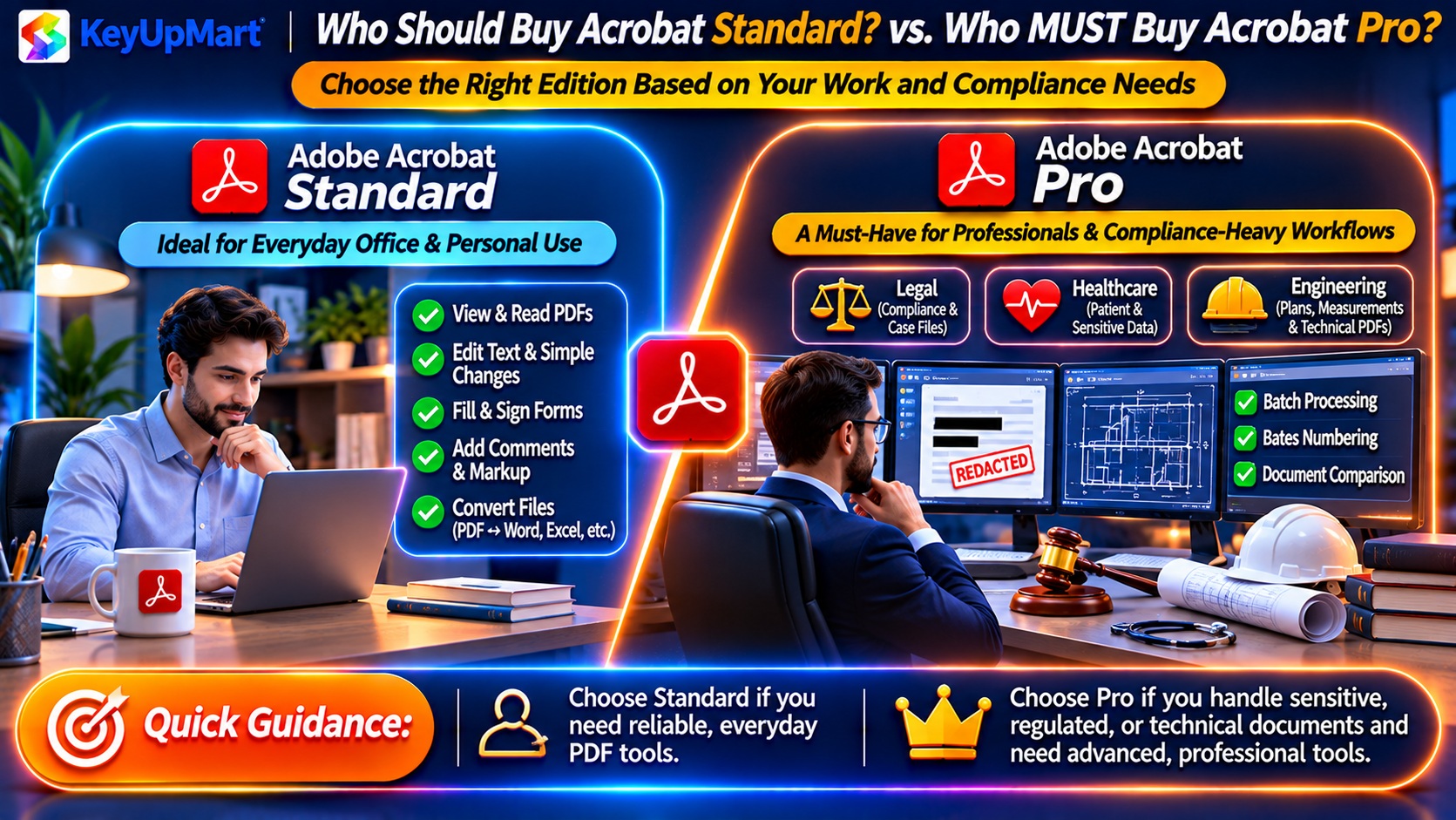
✅ Acrobat Standard Works Fine For:
Profile 1: Occasional PDF Users
- Edit 1-2 PDFs per month
- Fill out forms (job applications, tax forms)
- Convert Word docs to PDF for emailing
Example: Administrative assistant who mostly works in Word/Excel, occasionally needs to edit a PDF.
Caveat: At KeyUpMart, Pro costs the same as Standard retail ($299), so even light users should buy Pro.
Profile 2: Personal/Home Use
- Create PDFs from photos for family archives
- Fill out school forms
- Sign lease agreements
Reality check: Most home users can use free Adobe Reader + free online tools (SmallPDF, ILovePDF) instead of buying Standard.
Who MUST Buy Acrobat Pro?
❌ Acrobat Standard is Insufficient For:
Profile 1: Legal Professionals
– Why: Require redaction (attorney-client privilege), Bates numbering (discovery), compare documents (contract review).
– Cost of Standard: $500-$1,000/year for add-on tools to replicate Pro features.
Profile 2: Healthcare Providers
– Why: HIPAA requires permanent redaction of PHI (Protected Health Information)—Standard’s black rectangles don’t comply.
– Fine for improper redaction: $50,000+ per violation.
Profile 3: Finance/Accounting
– Why: Need sanitize tool to remove metadata from client reports, action wizard for batch watermarking.
– Risk: Leaving metadata in financial PDFs can expose confidential deal terms.
Profile 4: Government Contractors
– Why: Require PDF/A archiving (Preflight), certificate-based encryption (Pro security).
– Compliance: Many RFPs specify “Acrobat Pro or equivalent”—Standard doesn’t qualify.
Profile 5: Architecture/Engineering
– Why: Need measurement tools for blueprint takeoffs, geospatial support for site plans.
– Workaround cost: Bluebeam Revu (competitor) costs $349-$429 just for measurement features.
Profile 6: High-Volume Document Workflows
– Why: Action Wizard saves 10-20 hours/month on repetitive tasks—pays for Pro upgrade instantly.
– ROI: Pro 2024 ($299) pays for itself in first month of time savings.
Pricing Reality: Why Standard is a Bad Deal
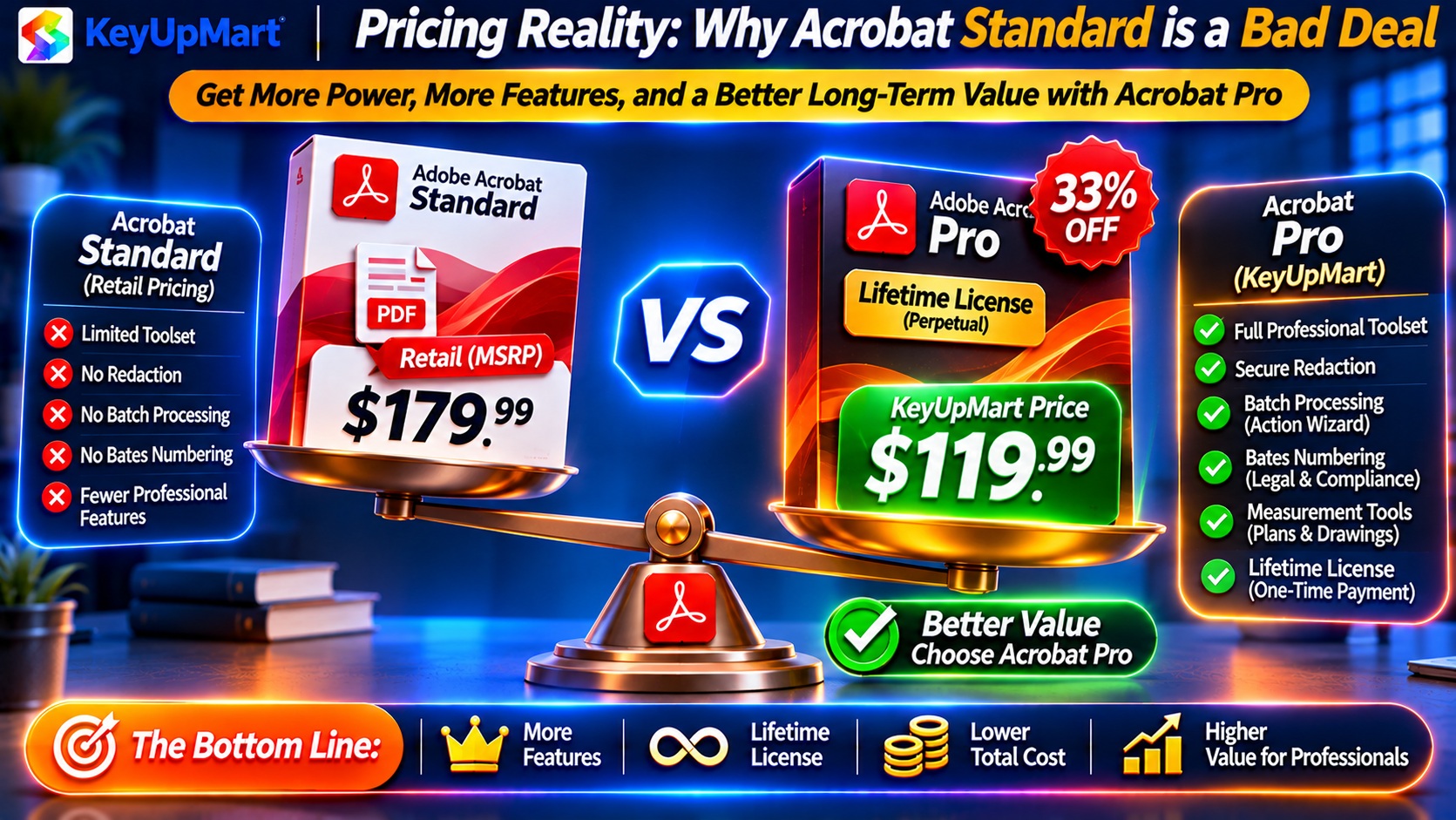
Adobe’s Official Pricing (Misleading)
Adobe retail prices:
- Acrobat Standard 2024: $349
- Acrobat Pro 2024: $449
- Apparent savings: $100 by choosing Standard
Hidden cost: You lose $500+ in functionality (equivalent third-party tools).
KeyUpMart Pricing (Game-Changer)
KeyUpMart prices:
- Acrobat Standard 2024: Not sold (poor value)
– Acrobat Pro 2024: $299 (lifetime license)
Reality: Pro at KeyUpMart is $50 cheaper than Adobe’s Standard retail.
Verdict: Only buy Standard if you already own it—anyone purchasing new should buy Pro.
Real-World Scenarios: Standard vs Pro Decision Tree
Scenario 1: Small Business Owner
Tasks:
- Create invoices (5-10 per week)
- Edit contracts before signing
- Convert Excel reports to PDF for clients
Standard sufficient? Maybe—basic editing works.
Pro advantage: Action wizard can auto-watermark all client reports, sanitize tool removes your company metadata.
Recommendation: Buy Pro ($299)—action wizard alone saves 2 hours/month.
Scenario 2: Freelance Writer
Tasks:
- Convert Word manuscripts to PDF
- Fill out client onboarding forms
- Sign NDAs digitally
Standard sufficient? Yes, for current needs.
Pro advantage: Compare documents (if client sends back edited contract), redaction (if ghostwriting requires removing previous author names).
Recommendation: Start with Pro ($299)—future-proofs your toolkit as client needs evolve.
Scenario 3: Law Firm Paralegal
Tasks:
- Redact privileged documents for discovery
- Apply Bates numbers to 500+ page depositions
- Compare contract versions for attorney review
Standard sufficient? Absolutely not—Standard lacks all three critical features.
Pro advantage: Redaction, Bates numbering, compare documents are non-negotiable for legal work.
Recommendation: Pro is mandatory ($299 at KeyUpMart).
Scenario 4: College Student
Tasks:
- Convert class notes to PDF
- Fill out scholarship applications
- Annotate research papers
Standard sufficient? Yes, but…
Reality check: Adobe offers student discount on Pro DC subscription ($7.99/month = $96/year).
Recommendation: Pro DC subscription (student pricing) for 4 years = $384 total. After graduation, buy Pro 2024 lifetime at $299.
Scenario 5: Real Estate Agent
Tasks:
- Edit listing flyers (change prices, photos)
- Fill out purchase agreements
- Sign contracts digitally
Standard sufficient? For basic tasks, yes.
Pro advantage: Measurement tools (calculate property square footage from floor plans), compare documents (spot changes in amended contracts).
Recommendation: Buy Pro ($299)—measurement tools alone worth $300+ in standalone software.
What If You Already Own Standard? Should You Upgrade?
Upgrade from Standard to Pro: Worth It?
Adobe’s upgrade pricing: No discounts—must buy Pro at full price.
KeyUpMart scenario:
- Already own Standard: Paid $349
- Upgrade to Pro 2024: $299 (full license, not upgrade)
- Total invested: $648
Verdict: Painful to rebuy, but if you need redaction/compare/action wizard, the $299 Pro license pays for itself in 1-2 months of time savings.
When to Upgrade Immediately
✅ Upgrade now if:
- You’ve manually compared documents 5+ times (wasted hours)
- You need to redact PDFs (Standard can’t do it securely)
- You batch-process 20+ files weekly (action wizard saves hours)
When to Wait
⏳ Stay on Standard if:
- Software meets your current needs
- You’re retiring/changing careers soon
- Employer might reimburse Pro purchase next budget cycle
Alternatives to Acrobat Standard/Pro
If Standard is Too Expensive, Try These Free Tools
PDF editing:
- Adobe Acrobat Reader (free): View, fill forms, basic signatures
- LibreOffice Draw (free): Edit PDFs, but clunky interface
- PDF-XChange Editor (free tier): Annotate, limited editing
Limitations: No OCR, no merge files, no advanced features.
If Pro Seems Overkill, Consider Mid-Tier Competitors
Foxit PDF Editor ($149 perpetual):
– Pros: 70% of Acrobat Pro features at half the cost
– Cons: Inferior redaction, no action wizard, weaker mobile apps
PDF-XChange Editor Plus ($54 perpetual):
– Pros: Best budget option for annotation-heavy workflows
– Cons: No OCR, limited form creation, no automation
Nitro Pro ($179 perpetual):
– Pros: Strong Office integration, good for Windows-only teams
– Cons: No Mac support, smaller user base (compatibility issues)
Verdict: Competitors save $100-$150, but you lose compatibility (clients expect Acrobat), features, and Adobe’s ecosystem (Document Cloud, Sign integration).
System Requirements: Can Your Computer Run It?
Minimum Specs (Both Standard and Pro)
– OS: Windows 10/11 or macOS 11+
– RAM: 4GB
– Storage: 4.5GB available disk space
– Display: 1024×768 resolution
Reality: Minimum specs result in sluggish performance with large PDFs (50+ MB).
Recommended Specs
– RAM: 16GB (for smooth editing of 100+ page PDFs)
– Storage: SSD (faster file operations)
– Display: 1920×1080 or higher
Pro-specific note: Action Wizard processing 500 files benefits from faster CPU (Core i7 or Ryzen 7).
How to Buy Acrobat Pro 2024 (Better Value)
Step 1: Visit KeyUpMart
Step 2: Add to Cart
Price: $299 (lifetime license)
What’s included:
- Adobe Acrobat Pro 2024 product key
- Download link (Windows and Mac)
- Instant digital delivery (within 2 hours)
Step 3: Checkout
Payment options: Credit card, PayPal, wire transfer (for volume orders)
Step 4: Install
- Download installer from email link
- Run setup (Windows: .exe, Mac: .dmg)
- Enter product key during installation
- Activate (works offline)
Step 5: Start Using Pro Features
First tasks to try:
- Tools → Redact (test permanent content removal)
- Tools → Compare Files (upload two contract versions)
- Tools → Action Wizard → Create New Action (automate watermarking)
Frequently Asked Questions
Can I upgrade from Standard to Pro later?
Yes, but Adobe doesn’t offer upgrade pricing—you pay full Pro license cost.
Workaround: Buy Pro 2024 at KeyUpMart ($299) now instead of Standard—eliminates future upgrade headache.
Does Standard get security updates?
Yes—both Standard and Pro receive security patches for 5 years after release.
Feature updates: Neither gets new features (frozen at 2024 version).
Can Standard open files created in Pro?
Yes—all Acrobat versions read the same PDF format.
Limitation: Standard can’t edit Pro-created features (e.g., can’t modify redactions, can’t re-run action wizard sequences).
Is there a Standard DC subscription?
Yes—Adobe offers Standard DC at $12.99/month.
Pro DC: $14.99/month.
Verdict: Only $2/month difference—choose Pro DC if subscribing.
Can I buy Standard at KeyUpMart?
No—KeyUpMart doesn’t sell Standard because Pro 2024 at $299 is better value than Standard retail ($349).
Final Recommendation: Skip Standard, Buy Pro
Why Standard is a bad deal:
- Adobe retail price ($349) is only $100 less than Pro ($449)
- You lose $500+ in functionality (redaction, compare, action wizard)
- KeyUpMart sells Pro 2024 for $299—cheaper than Standard retail
Why Pro 2024 is the smart choice:
- Better value: $299 at KeyUpMart vs $349 Standard retail
- Future-proof: If you need redaction/compare later, you already have it
- ROI: Action wizard alone saves 10+ hours/month = pays for itself
Bottom line: Unless you already own Standard, there’s zero reason to buy it when Pro costs less at KeyUpMart.
About KeyUpMart: Authorized Adobe reseller specializing in lifetime software licenses at wholesale pricing. Instant delivery, 10,000+ satisfied customers, A+ BBB rating since 2019.
Related posts:
 Buy Adobe Acrobat Pro for Consultants: Client Proposal & Contract Management Guide (2026)
 Adobe Acrobat Pro for Small Business Owners: Is It Worth the Investment? (ROI Calculator 2026)

 Best PDF Software for Professionals Why Businesses Choose Adobe Acrobat Pro