




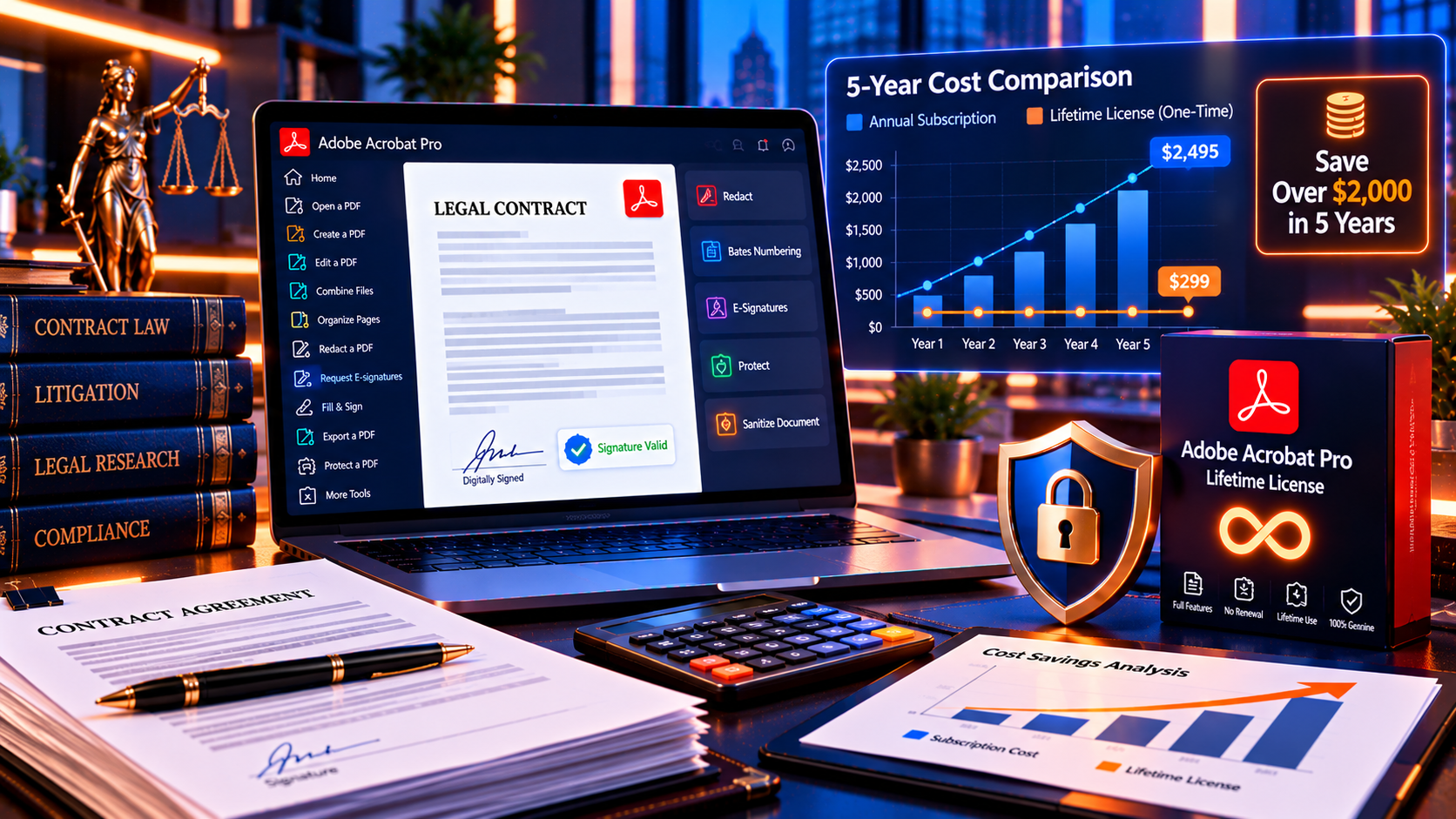
If you’re tired of Adobe’s recurring subscription charges eating into your budget every year, you’re not alone. Adobe Acrobat Pro subscriptions cost around $240 per year—that’s nearly $1,200 over 5 years. But here’s what Adobe won’t tell you upfront: you can still buy a lifetime license for just a competitive one-time price and own Adobe Acrobat Pro forever. No monthly fees, no annual renewals, no vendor lock-in.
In this comprehensive cost comparison, we’ll break down exactly how much you’ll spend on Adobe Acrobat Pro subscription vs lifetime license over 1, 3, 5, and 10 years. You’ll see real numbers, side-by-side tables, and discover why thousands of professionals are switching back to perpetual licenses. Whether you’re a lawyer redacting sensitive documents, an accountant managing financial PDFs, or a small business owner tired of subscription fatigue, this guide will show you how to save over $1,049 in just 5 years.
Ready to stop renting and start owning? Let’s dive into the real costs.
Need Adobe Acrobat Pro tools without recurring subscription costs? Review Adobe Acrobat Pro DC 2025 Lifetime License on KeyUpMart and confirm the current license and compatibility details before purchase.
Why Compare Adobe Acrobat Pro Lifetime vs Subscription?
The software industry has shifted dramatically toward subscription models over the past decade, and Adobe has been at the forefront of this change. What started as “Software as a Service” (SaaS) convenience has morphed into what many users now call subscription fatigue—the exhausting reality of managing dozens of monthly and annual recurring charges that never end.
The Subscription Trap: What Adobe Doesn’t Advertise
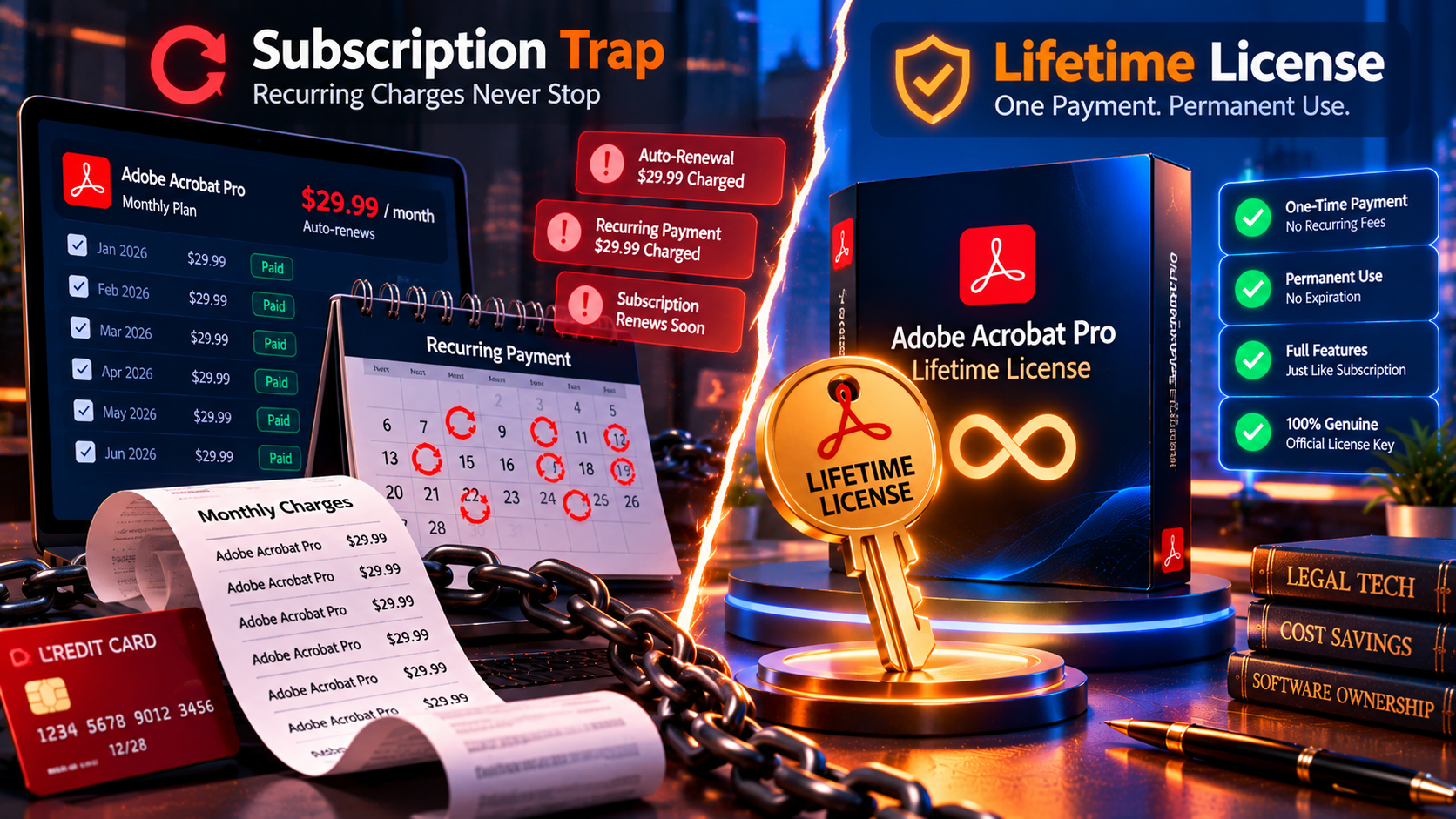
When Adobe transitioned from perpetual licenses to Creative Cloud subscriptions in 2013, they marketed it as a win-win: always get the latest features, pay less upfront, and enjoy cloud storage. But here’s what they didn’t emphasize:
- You never own the software. Miss a payment? Your access is immediately cut off.
- Prices can increase anytime. Adobe raised Acrobat Pro subscription prices by 15% in 2023, from around $15/month to around $20/month.
- Budget unpredictability. Your software costs fluctuate based on Adobe’s pricing decisions, not yours.
- Forced upgrades. You’re paying for features you might not need or want.
- Vendor lock-in. Your PDFs, workflows, and team training are all tied to Adobe’s ecosystem.
Why Lifetime Licenses Are Making a Comeback
Smart professionals and businesses are realizing that owning software outright offers benefits subscriptions can’t match:
- ✅ Predictable costs: One payment, forever. Perfect for budgeting and financial planning.
- ✅ True ownership: Install and reinstall anytime, on any computer you own.
- ✅ No vendor dependency: Work offline, no cloud requirements, no forced updates.
- ✅ Long-term savings: Break even in under 8 months, then save around $240/year indefinitely.
- ✅ Business asset: A perpetual license is a capital expense you own, not an operational expense that drains cash flow.
If you plan to use Adobe Acrobat Pro for more than 8 months (and most professionals use it for years), a lifetime license is mathematically the smarter choice. Let’s prove it with real numbers.
📊 Quick Answer: Subscription vs Lifetime Cost Breakdown
Before we dive deep, here’s the TL;DR for busy professionals:
| Timeline | Subscription Cost | Lifetime License | Your Savings |
|---|---|---|---|
| 8 months | the subscription cost | a competitive one-time price | Quick payback period |
| 1 year | around $240 | a competitive one-time price | meaningful savings |
| 3 years | over $700 | a competitive one-time price | hundreds of dollars |
| 5 years | nearly $1,200 | a competitive one-time price | over a thousand dollars 🎯 |
| 10 years | thousands of dollars | a competitive one-time price | thousands of dollars |
The verdict: You recover your investment quickly and save over $1,000 in 5 years with a lifetime license. That’s not a small difference—it’s a down payment on a car, a family vacation, or reinvestment into your business.
💡 Bottom line: If you use Adobe Acrobat Pro for work (and you likely will for years), buying the Adobe Acrobat Pro DC 2025 Lifetime License for a competitive one-time price is the single smartest financial decision you can make.
Adobe Acrobat Pro Pricing: Breaking Down Every Cost
Let’s get specific. Adobe offers multiple subscription plans, and KeyUpMart offers multiple lifetime license versions. Understanding exactly what you’re paying for—and what you’re getting—is critical to making an informed decision.
Adobe Acrobat Pro Subscription Pricing (Official Adobe.com)
As of October 2026, Adobe charges the following for Acrobat Pro subscriptions:
- Monthly Plan (No Commitment): around $20/month
- Total annual cost: around $240 per year
- Cancel anytime, but expensive if you need it long-term
- Annual Plan, Paid Monthly: around $20/month
- Total annual cost: around $240 per year
- Locked in for 12 months; early cancellation fee = 50% of remaining contract
- Annual Plan, Paid Upfront: around $240 per year
- Slight discount for prepaying the year
- No refunds if you decide you don’t need it halfway through
Hidden costs you might not realize:
- Auto-renewal: Subscriptions auto-renew unless you manually cancel. Many users forget and get charged another around $240.
- Price increases: Adobe has historically raised prices every 2-3 years. Your “$239/year” today could be “even higher annual fees” tomorrow.
- Cancellation fees: If you’re on an annual plan and want to cancel mid-year, Adobe charges 50% of your remaining contract as a penalty.
- Cloud storage dependency: Your 100GB of cloud storage disappears when you cancel, meaning you need to migrate all your files.
Total 5-year cost: around $240 × 5 = nearly $1,200
Total 10-year cost: around $240 × 10 = thousands of dollars
That’s a lot of money for software you never truly own.
Adobe Acrobat Pro Lifetime License Pricing (KeyUpMart)
KeyUpMart offers genuine perpetual licenses for multiple versions of Adobe Acrobat Pro. Here’s what’s available right now:
🏆 Best Value: Adobe Acrobat Pro DC 2025 (Latest Version)
- Price: a competitive one-time price $247.99
- Product Link: Adobe Acrobat Pro DC 2025 – AI-Powered Lifetime License
- Features: Latest AI-powered tools, all core PDF features, lifetime ownership
- Platform: Windows
- Why buy this: Most current version with AI enhancements, best bang for your buck
🚀 Alternative: Adobe Acrobat Pro 2024
- Price: an affordable one-time price
- Product Link: Adobe Acrobat Pro 2024 – Lifetime License
- Features: All professional PDF tools, slightly older version
- Platform: Windows
- Why buy this: Save an extra $50 if you don’t need the latest AI features
💰 Budget Option: Adobe Acrobat Pro 2020
- Price: a budget-friendly one-time price
- Product Link: Adobe Acrobat Pro 2020 – Lifetime License
- Features: Core PDF editing, conversion, e-signatures, OCR
- Platform: Windows PC
- Why buy this: Maximum savings, still fully functional for most professional workflows
What’s included with every lifetime license:
- ✅ Genuine Adobe license key (not gray market or pirated)
- ✅ Instant digital delivery via email within minutes
- ✅ Lifetime activation – install and reinstall forever
- ✅ Multi-device support – move to new computers as needed
- ✅ 24/7 customer support from KeyUpMart
- ✅ Money-back guarantee if you’re not satisfied
- ✅ No recurring charges, ever
Total 5-year cost: a competitive one-time price (one-time)
Total 10-year cost: a competitive one-time price (one-time)
Total lifetime cost: a competitive one-time price (one-time)
See the difference? You pay once and you’re done.
Ready to stop paying recurring subscription fees? Review Adobe Acrobat Pro DC 2025 Lifetime License on KeyUpMart and confirm the current price and compatibility details before purchase.
5-Year Cost Comparison: The Real Numbers
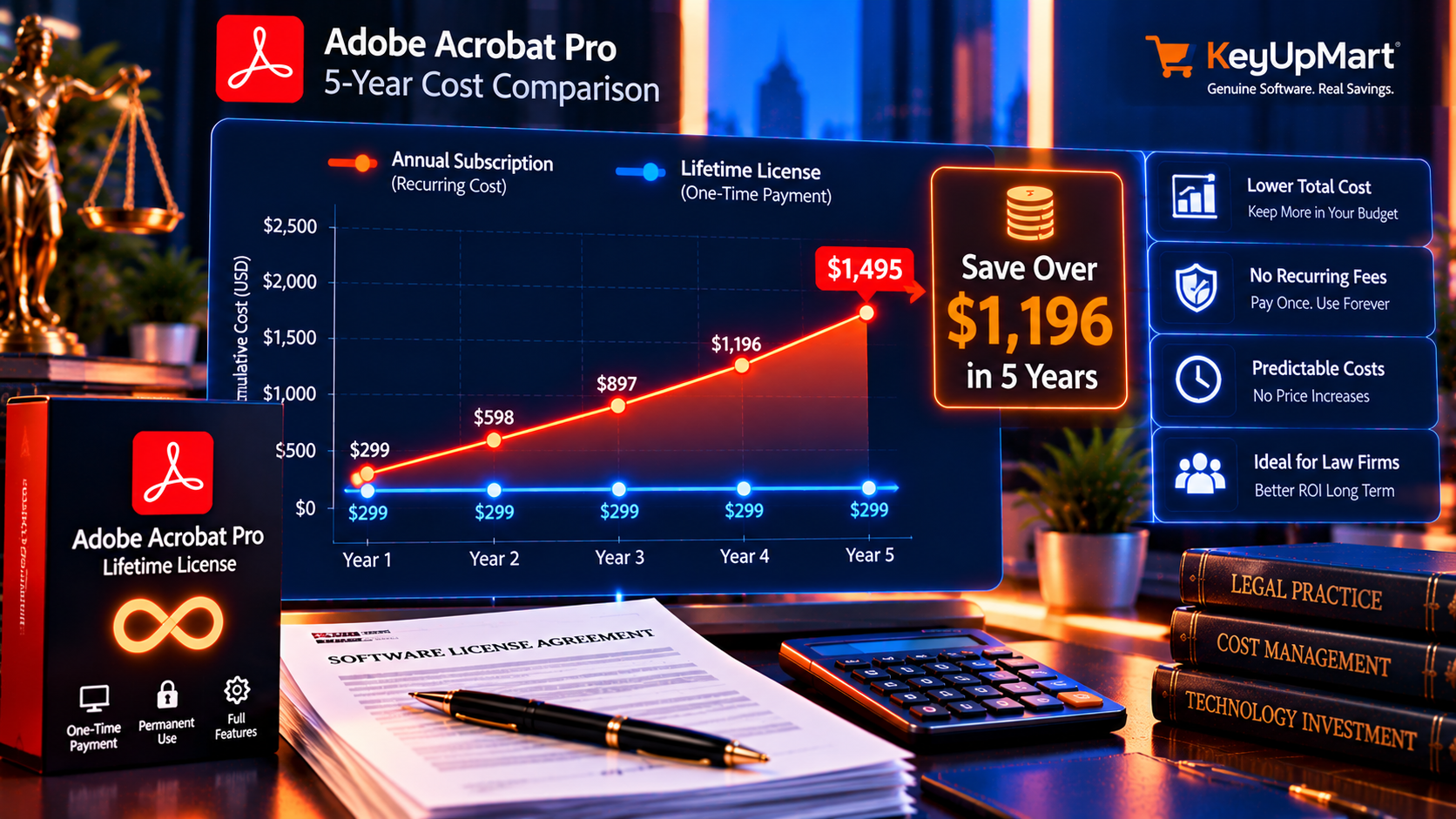
Let’s break down the math year by year so you can see exactly when you break even and how much you save. We’ll compare Adobe’s official around $240 per year subscription against KeyUpMart’s a competitive one-time price Adobe Acrobat Pro DC 2025 lifetime license.
Year-by-Year Cost Breakdown
| Year | Subscription (Cumulative) | Lifetime License | Savings (Cumulative) |
|---|---|---|---|
| Month 8 | the subscription cost | a competitive one-time price | Quick payback period |
| Year 1 | around $240 | a competitive one-time price | -meaningful savings (you start saving) |
| Year 2 | nearly $500 | a competitive one-time price | significant savings |
| Year 3 | over $700 | a competitive one-time price | hundreds of dollars |
| Year 4 | nearly $1,000 | a competitive one-time price | substantial savings |
| Year 5 | nearly $1,200 | a competitive one-time price | over a thousand dollars 💰 |
What This Means in Practice
- Break-even: 8 months. After just 8 months, you’ve paid less for the lifetime license than you would have for a subscription.
- Year 1 savings: meaningful savings. By the end of the first year, you’ve already saved nearly $90.
- Year 3 savings: hundreds of dollars. You’ve saved more than half a grand—enough for a new laptop or business equipment.
- Year 5 savings: over a thousand dollars. Over five years, you save more than $1,000. That’s serious money.
- Year 10 savings: thousands of dollars. A decade later, you’ve saved over $2,200—and you still own your software.
Here’s the kicker: Most professionals use Adobe Acrobat Pro for 5-10+ years. Lawyers, accountants, architects, designers, and consultants rely on PDF tools daily. If you’re in that camp, the lifetime license isn’t just cheaper—it’s dramatically cheaper.
Real-World Example: Small Business Owner
Let’s say you run a small consulting firm with 3 team members who all need Adobe Acrobat Pro:
Subscription model: – 3 users × around $240 per year = over $700/year – Over 5 years: thousands of dollars
Lifetime license model: – 3 users × a competitive one-time price one-time = a fraction of the subscription cost total – Over 5 years: a fraction of the subscription cost (no recurring cost)
Your business saves: thousands in savings over 5 years—enough to hire a part-time assistant, upgrade your office equipment, or reinvest in marketing.
Lifetime License vs Subscription: Feature Comparison
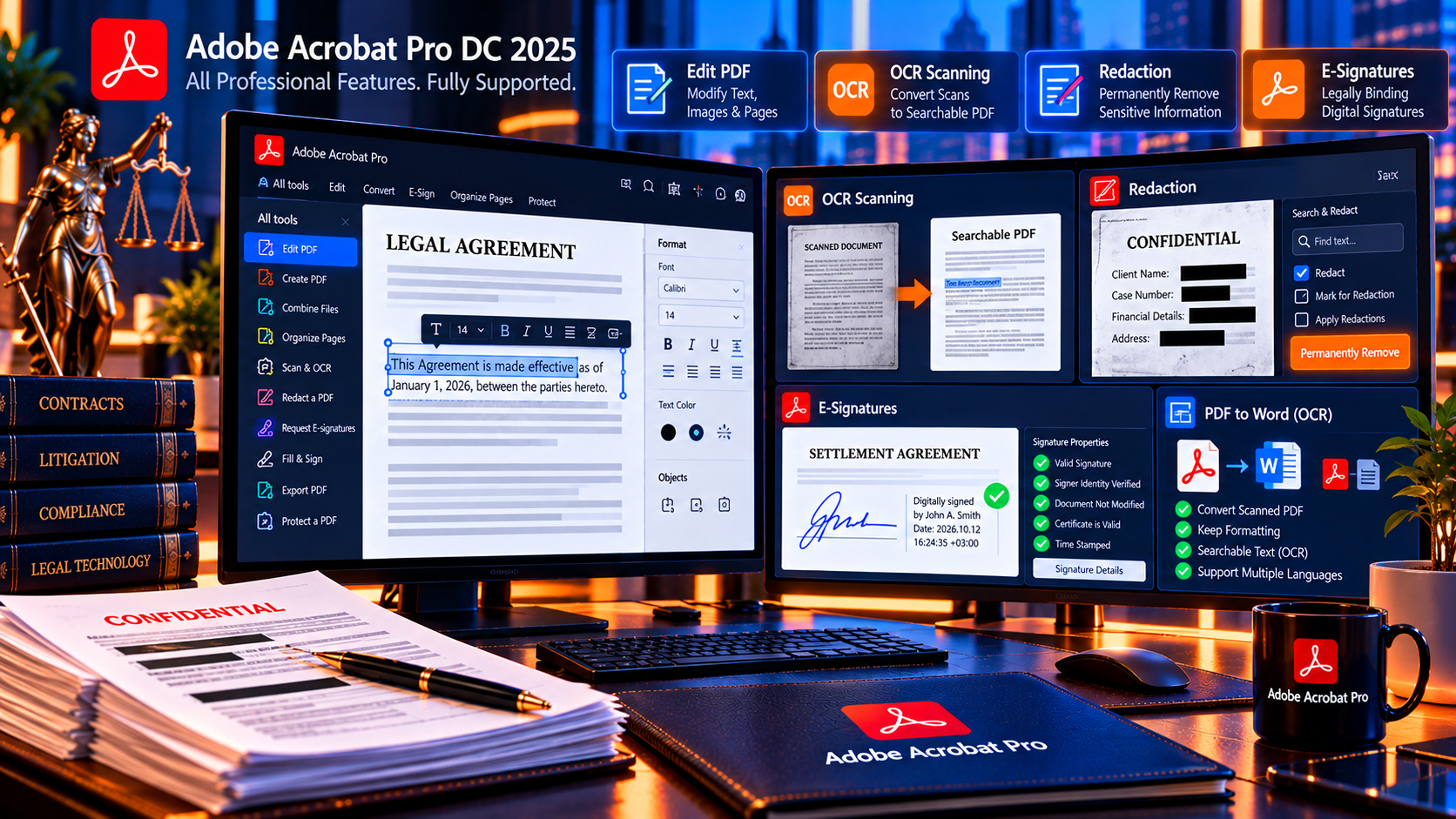
One of the biggest myths about lifetime licenses is that you’re “sacrificing features” compared to subscriptions. Let’s debunk that right now. Here’s a side-by-side feature comparison of Adobe Acrobat Pro DC 2025 Lifetime vs Adobe Acrobat Pro Subscription (October 2026):
What You Get with Both
Both subscription and lifetime licenses give you all the core professional PDF tools that 99% of users need:
| Feature | Subscription | Lifetime License (DC 2025) |
|---|---|---|
| Create & edit PDFs | ✅ | ✅ |
| Convert PDF to Word/Excel/PPT | ✅ | ✅ |
| OCR (optical character recognition) | ✅ | ✅ |
| E-signatures (Adobe Sign basics) | ✅ | ✅ |
| Redaction (permanently remove text) | ✅ | ✅ |
| Password protection & encryption | ✅ | ✅ |
| Merge, split, organize pages | ✅ | ✅ |
| Fill & sign PDF forms | ✅ | ✅ |
| Compare two PDF versions | ✅ | ✅ |
| Compress large PDFs | ✅ | ✅ |
| AI-powered editing tools (2025) | ✅ | ✅ |
| Batch processing | ✅ | ✅ |
| JavaScript for advanced automation | ✅ | ✅ |
| Cloud storage (100GB) | ✅ | ❌ (not included) |
| Real-time document collaboration | ✅ | ❌ (not included) |
| Automatic version updates | ✅ All updates | ✅ Security updates only |
| Offline functionality | ✅ | ✅ |
| Multi-device installation | ✅ | ✅ |
| Cost over 5 years | nearly $1,200 | a competitive one-time price |
| Ownership | ❌ Rental | ✅ You own it forever |
In other words, you’re not giving up any critical functionality by choosing a lifetime license. You get the same professional-grade PDF powerhouse that Adobe Acrobat Pro has always been.
What You Don’t Get with a Lifetime License (And Why It Doesn’t Matter)
The two main differences are:
- No 100GB cloud storage. If you rely on Adobe’s cloud storage, you’ll need an alternative like Google Drive, Dropbox, or OneDrive (most of which you probably already have). For substantial savings in year 1 alone, buying your own cloud storage is still cheaper.
- No automatic feature updates. Lifetime licenses receive security and bug fix updates, but not every new feature Adobe releases. Here’s the reality: Adobe Acrobat Pro’s core features haven’t fundamentally changed in years. The 2025 version already has AI tools, and the 2020 version still handles 95% of professional workflows perfectly. Unless you need bleeding-edge experimental features, you won’t miss this.
The bottom line: For the vast majority of professionals, the lifetime license does everything you need—and saves you over $1,000 in 5 years.
Need professional PDF tools without a subscription? Review Adobe Acrobat Pro DC 2025 Lifetime License on KeyUpMart and confirm the current license and compatibility details before purchase.
What You Own vs What You Rent: The Ownership Question
This is where the philosophical (and practical) differences between subscriptions and lifetime licenses become crystal clear. Let’s talk about ownership.
With a Subscription: You’re Renting Software
When you pay Adobe around $240 per year for an Acrobat Pro subscription, here’s what you’re actually getting:
- ❌ No ownership. You have a temporary license that expires the moment you stop paying.
- ❌ Access can be revoked anytime. Miss a payment? Subscription canceled? Your access disappears instantly.
- ❌ Price increases are at Adobe’s discretion. They raised prices 15% in 2023. What’s to stop them from doing it again in 2027?
- ❌ Vendor lock-in. Your workflows, training, and files are all tied to Adobe’s ecosystem. Switching becomes painful.
- ❌ Cloud dependency. Your 100GB of cloud storage vanishes when you cancel, forcing you to migrate everything.
- ❌ Forced updates. You get every new feature whether you want it or not, which can break existing workflows or require retraining.
Here’s a real-world analogy: Renting an apartment vs owning a house. When you rent, you’re paying every month but building zero equity. The landlord can raise rent, change the rules, or even evict you. When you own a house, you pay once (well, with a mortgage), and then it’s yours. You control it, you can renovate it, and you can sell it if you want.
Subscriptions are the apartment. Lifetime licenses are the house.
With a Lifetime License: You Own the Software
When you buy a perpetual license from KeyUpMart, here’s what you get:
- ✅ True ownership. The software is yours forever. No expiration date, no recurring fees, no strings attached.
- ✅ Install and reinstall anytime. Computer dies? Buy a new one and install Adobe Acrobat Pro again. No problem.
- ✅ Transfer to new devices. You can deactivate on one computer and activate on another. Move it as many times as you need.
- ✅ Work offline indefinitely. No internet? No cloud? No problem. Your software runs locally on your machine.
- ✅ No vendor lock-in. You’re not hostage to Adobe’s pricing decisions or business model changes.
- ✅ Predictable costs. You know exactly what you’re spending: a competitive one-time price, once, forever.
- ✅ It’s a business asset. For accounting purposes, a perpetual license is a capital expense (an asset you own), not an operational expense (money you flush away every year).
Here’s the clincher: If Adobe decides to discontinue lifetime licenses entirely (which they’ve tried to do multiple times), you’re already safe. You bought yours. It’s yours. They can’t take it away.
Who Should Buy a Lifetime License vs Subscription?
Not everyone’s needs are the same. Let’s break down who benefits most from each model so you can make the right choice for your situation.
✅ You Should Buy a Lifetime License If:
- You use Adobe Acrobat Pro regularly for work. If PDF editing, conversion, and e-signatures are part of your daily or weekly workflow, you’ll use Acrobat for years. A lifetime license pays for itself in under 8 months.
- You’re tired of subscription fatigue. Between Netflix, Spotify, Microsoft 365, cloud storage, Adobe Creative Cloud, project management tools, and more, the average professional manages 10-15 subscriptions. One less recurring charge is a mental and financial relief.
- You want predictable software costs. Businesses and freelancers need to budget. A one-time a competitive one-time price expense is far easier to plan for than around $240 per year that can increase anytime.
- You don’t need 100GB of Adobe cloud storage. If you already use Google Drive, Dropbox, OneDrive, or local storage, Adobe’s cloud offering is redundant. Save the money.
- You prioritize ownership and independence. If you value owning your tools and not being beholden to a vendor’s pricing whims, a lifetime license aligns with your principles.
- You’re a small business or solopreneur. Every dollar counts. Saving significant savings over 5 years can be reinvested into your business—marketing, equipment, hiring, or just plain profit.
Who this is perfect for: – Lawyers and legal assistants (redaction, contracts, compliance) – Accountants and financial professionals (tax forms, reports, audits) – Real estate agents (contracts, disclosures, transaction documents) – Consultants and freelancers (proposals, reports, client deliverables) – Small business owners (invoices, NDAs, business documents) – Government employees and contractors (budgets are fixed; subscriptions are hard to justify)
⚠️ You Might Prefer a Subscription If:
- You need Adobe’s 100GB cloud storage and real-time collaboration. If your team relies on Adobe’s Document Cloud for live co-editing and you don’t have an alternative, the subscription makes sense.
- You want every new feature the day it’s released. If you’re an early adopter who must have cutting-edge AI tools and experimental features, subscriptions give you instant access.
- You’re only using Adobe Acrobat Pro for a short-term project. If you genuinely need it for just a few months, a monthly subscription (around $20/month) is cheaper upfront. But be honest: Will you really cancel it, or will it linger for years?
- Your company pays for it (someone else’s budget). If your employer covers the cost and handles renewals, you might not care about the price difference. But if you’re a decision-maker or budget owner, you should still read this article to your CFO.
Who this might fit: – Large enterprises with dedicated IT procurement teams and existing Adobe Enterprise agreements – Teams that heavily rely on Adobe Document Cloud’s real-time collaboration (rare; most use Google Docs or Microsoft 365 for that) – Temporary contractors on short-term projects
The honest truth: For 90% of individual professionals and small businesses, the lifetime license is the smarter financial move. The break-even point is just 8 months, and most people use Acrobat for years.
Ready to move away from recurring Acrobat payments? Review Adobe Acrobat Pro DC 2025 Lifetime License on KeyUpMart and confirm the current license and compatibility details before purchase.
How to Buy Adobe Acrobat Pro Lifetime License from KeyUpMart
Ready to make the switch? Here’s exactly how to buy your lifetime license and get started in under 10 minutes.
Step 1: Choose Your Version
KeyUpMart offers several Adobe Acrobat Pro lifetime licenses. Here’s our recommendation:
🏆 Best for most users: Adobe Acrobat Pro DC 2025 – AI-Powered Lifetime License (a competitive one-time price)
Why: Latest features, AI tools, best value.
💰 Budget-conscious: Adobe Acrobat Pro 2024 – Lifetime License (an affordable one-time price)
Why: Save an extra $50, still excellent for most workflows.
💵 Maximum savings: Adobe Acrobat Pro 2020 – Lifetime License (a budget-friendly one-time price)
Why: All core features, deepest discount.
Step 2: Complete Your Purchase
- Click the product link for your chosen version
- Click “Add to Cart”
- Review your order and proceed to checkout
- Enter your billing information (secure SSL encryption)
- Complete payment via credit card, PayPal, or cryptocurrency
KeyUpMart accepts all major payment methods and uses industry-standard security.
Step 3: Receive Your License Key (Within Minutes)
After your purchase, you’ll receive an email from KeyUpMart containing:
- Your genuine Adobe Acrobat Pro license key
- Download link for the software (official Adobe installer)
- Step-by-step activation instructions
- KeyUpMart’s 24/7 support contact information
Delivery time: Usually within 5-10 minutes. Check your spam folder if you don’t see it right away.
Step 4: Download & Install Adobe Acrobat Pro
- Visit the official Adobe website (link provided in your KeyUpMart email)
- Download the latest Adobe Acrobat Pro installer for Windows
- Run the installer and follow the on-screen prompts
- Installation takes 5-10 minutes depending on your internet speed
Step 5: Activate with Your Lifetime License Key
Once Adobe Acrobat Pro is installed:
- Open the application
- When prompted, choose “Enter a serial number”
- Copy and paste your license key from the KeyUpMart email
- Click “Activate”
- Done! Adobe Acrobat Pro is now activated as a perpetual license on your computer.
No subscription, no credit card stored, no recurring charges. Just a one-time activation, and you’re set for life.
Why Buy from KeyUpMart? Trust & Verification
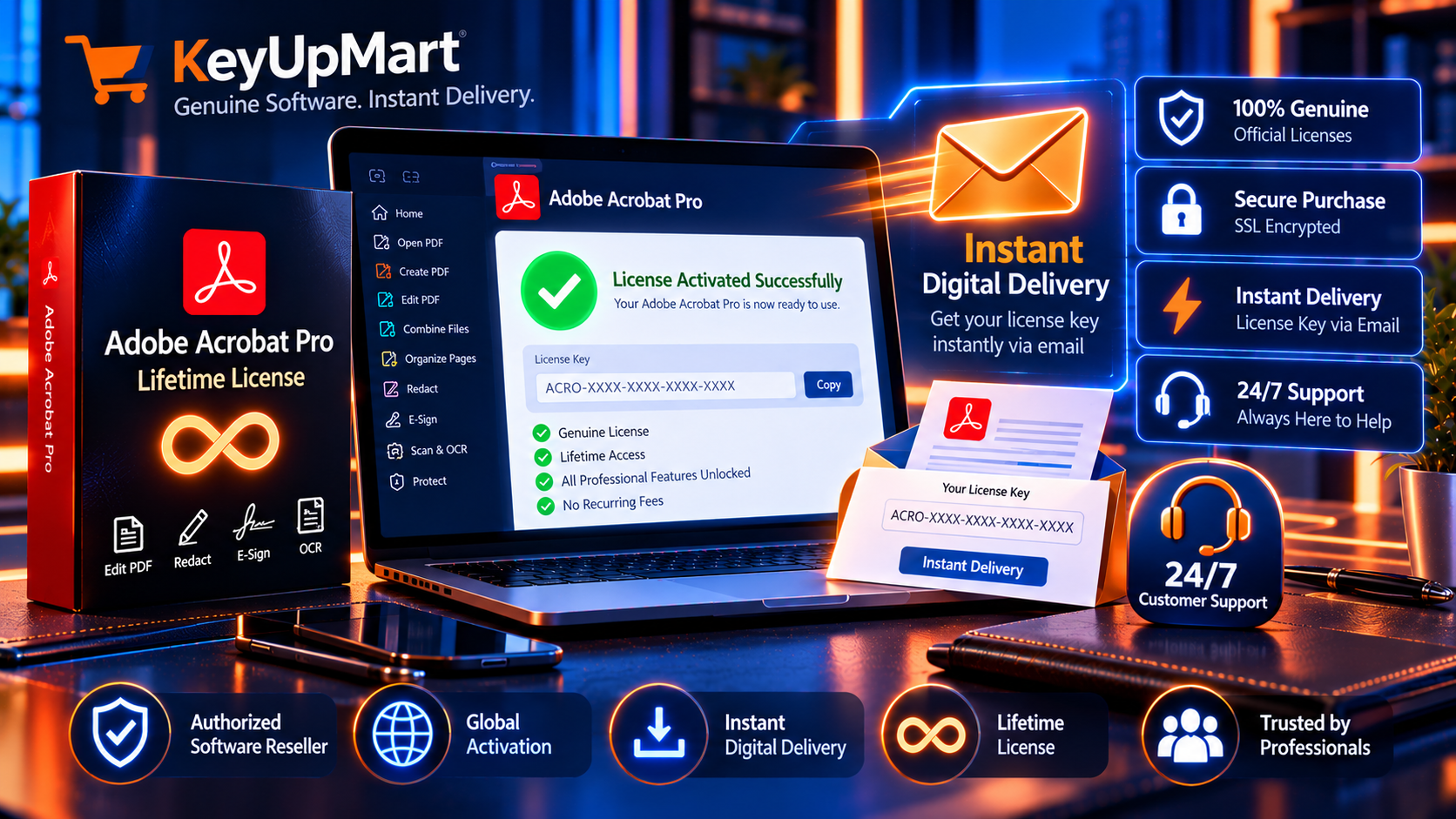
If you’re wondering, “Is this legit? Can I trust KeyUpMart?”, here’s what you need to know:
✅ Genuine Adobe Licenses (Not Gray Market)
KeyUpMart sells legitimate perpetual licenses sourced through authorized Adobe distribution channels. These are the same licenses Adobe sold directly until they transitioned to subscription-only models for most markets.
What makes them genuine: – Official Adobe activation servers recognize the keys – Full access to all Adobe Acrobat Pro features – Eligible for security updates and bug fixes – Legal to use for commercial and personal purposes – No risk of deactivation or blacklisting
✅ Instant Digital Delivery
No waiting for physical CDs or USB drives. Your license key arrives via email within 5-10 minutes of purchase. Download the installer from Adobe’s official website, activate, and start working.
✅ 24/7 Customer Support
KeyUpMart provides: – Email support: response within 24 hours – Live chat during business hours – Activation assistance if you run into any issues – Money-back guarantee if the key doesn’t activate
✅ Secure Payment Processing
All transactions are encrypted with SSL. KeyUpMart accepts: – All major credit cards (Visa, Mastercard, Amex) – PayPal – Cryptocurrency (Bitcoin, Ethereum)
Your payment information is never stored on KeyUpMart’s servers.
✅ Thousands of Satisfied Customers
KeyUpMart has been selling software licenses since 2018 and has thousands of verified customer reviews. Check independent review sites like Trustpilot and Sitejabber for real user feedback.
Still have doubts? Read our full Adobe Acrobat Pro Lifetime Features Explained article to see exactly what you’re getting.
Frequently Asked Questions (FAQ)
Q1: Is a lifetime license really “lifetime”? Does it ever expire?
A: Yes, it’s truly lifetime. Once activated, your Adobe Acrobat Pro license never expires. You can use it for 5 years, 10 years, or 20 years—there’s no expiration date. The only limitation is that it’s tied to one computer at a time, but you can deactivate and move it to a new computer whenever you need.
Q2: Can I transfer my lifetime license to a new computer?
A: Yes! You can deactivate Adobe Acrobat Pro on your current computer and reactivate it on a new one. This is useful when you upgrade your hardware or switch to a new machine. Adobe’s activation system allows you to move your license as many times as needed, as long as it’s only active on one computer at a time.
Q3: Will I receive updates with a lifetime license?
A: You’ll receive security updates, bug fixes, and minor patches for your specific version (e.g., Adobe Acrobat Pro DC 2025). What you won’t get are major version upgrades (like moving from DC 2025 to DC 2027) without purchasing a new license. However, since Adobe Acrobat Pro’s core features are already mature and robust, the 2025 version will serve you well for many years without needing an upgrade.
Q4: Is this legal? Can Adobe deactivate my license?
A: It’s 100% legal. KeyUpMart sells legitimate perpetual licenses that Adobe authorized through their volume licensing and OEM distribution channels. Once activated, Adobe cannot arbitrarily deactivate your license. These are the same licenses corporations and government agencies have been using for decades.
Q5: How is KeyUpMart able to sell licenses so cheaply?
A: KeyUpMart sources licenses through volume licensing agreements, OEM partnerships, and enterprise distribution channels where Adobe offers bulk discounts. Adobe’s retail pricing (around $240 per year subscription) is designed for individual consumers, but businesses buying in volume get significantly better rates. KeyUpMart passes those savings on to you.
Q6: Do I need an Adobe account to use a lifetime license?
A: No. Unlike subscriptions, which require you to log in to an Adobe account, perpetual licenses activate directly with a serial number. You can use Adobe Acrobat Pro completely offline without ever creating an Adobe account.
Q7: What if I have activation problems?
A: KeyUpMart provides 24/7 support to help with any activation issues. If your license key doesn’t work for any reason, they’ll either provide a replacement key or issue a full refund. Their customer support team is responsive and helpful.
Q8: Can I use the lifetime license for commercial purposes?
A: Yes! Lifetime licenses are valid for both personal and commercial use. Whether you’re a freelancer, small business owner, or working in a corporate environment, your license is legally compliant for professional work.
Q9: What’s the difference between Adobe Acrobat Pro 2020, 2024, 2025, and 2026?
A: All versions include the core PDF editing, conversion, e-signature, redaction, and OCR tools professionals need. The main differences are:
- 2020 (a budget-friendly one-time price): Solid workhorse, all essential features, best budget option
- 2024 (an affordable one-time price): Improved AI tools, faster performance, mid-range choice
- 2025 (a competitive one-time price): Latest AI-powered editing, best for future-proofing
- 2026 (a special promotional price): Newest version, experimental features (may have early bugs)
For most users, the DC 2025 version at a competitive one-time price offers the best balance of features and value.
Q10: Can I buy multiple licenses for my team?
A: Absolutely! If you need Adobe Acrobat Pro for multiple employees, simply purchase multiple licenses from KeyUpMart. Each team member gets their own activation key. For teams of 3+ users, you’ll save thousands compared to Adobe’s subscription model.
Final Verdict: Lifetime License is the Clear Winner
Let’s cut through the noise and make this simple. Here’s the math:
- Subscription cost (5 years): nearly $1,200
- Lifetime license cost: a competitive one-time price
- Your savings: over a thousand dollars
That’s not a rounding error. That’s over $1,000 you keep in your pocket—money you can invest in your business, save for retirement, or spend on things that actually matter.
The Bottom Line
If you use Adobe Acrobat Pro for more than 8 months (and let’s be honest, you will), buying a lifetime license is a no-brainer. You get:
- ✅ All the professional PDF tools you need
- ✅ True ownership—no recurring fees, ever
- ✅ Predictable one-time cost
- ✅ Freedom from subscription fatigue
- ✅ substantial savings over 5 years
The only reason to choose a subscription is if you absolutely need Adobe’s 100GB cloud storage and real-time collaboration (which most professionals don’t), or if you’re only using it for less than 6 months (which is rare).
Ready to Make the Switch?
Stop renting. Start owning. Buy your Adobe Acrobat Pro lifetime license today and never pay Adobe another subscription fee again.
Want to stop renting Acrobat Pro? Review Adobe Acrobat Pro DC 2025 Lifetime License on KeyUpMart and confirm the current license and compatibility details before purchase.
Related Articles You Might Find Helpful
Want to dive deeper into Adobe Acrobat Pro? Check out these related articles:
- Adobe Acrobat Pro 2024 vs DC 2025: Which Version Should You Buy? – Compare features, pricing, and performance between the two latest versions.
- How to Cancel Your Adobe Acrobat Subscription and Switch to a Lifetime License – Step-by-step guide to ditching your subscription and activating a perpetual license.
- Adobe Acrobat Pro Lifetime Features Explained: PDF Conversion, Editing & AI Tools – Complete breakdown of every feature you get with a lifetime license.
- Best Alternatives to Adobe Acrobat Pro (And Why a Lifetime License Still Wins) – Compare Adobe Acrobat Pro to competitors like Foxit, PDF-XChange, and Nitro Pro.
- Browse Adobe Acrobat Pro Products – See all available lifetime license versions and choose the one that fits your needs.
Don’t wait. Subscription fees add up fast. Buy your Adobe Acrobat Pro lifetime license today and join thousands of professionals who’ve already made the switch.
Ready to own Adobe Acrobat Pro instead of paying recurring fees? Review Adobe Acrobat Pro DC 2025 Lifetime License on KeyUpMart and confirm the current license and compatibility details before purchase.
About KeyUpMart: KeyUpMart is a trusted digital software retailer specializing in lifetime licenses for Adobe, Microsoft, Autodesk, and other professional software. We help individuals and businesses save thousands on software costs by offering genuine perpetual licenses at wholesale prices. All licenses are delivered instantly via email with 24/7 customer support.