





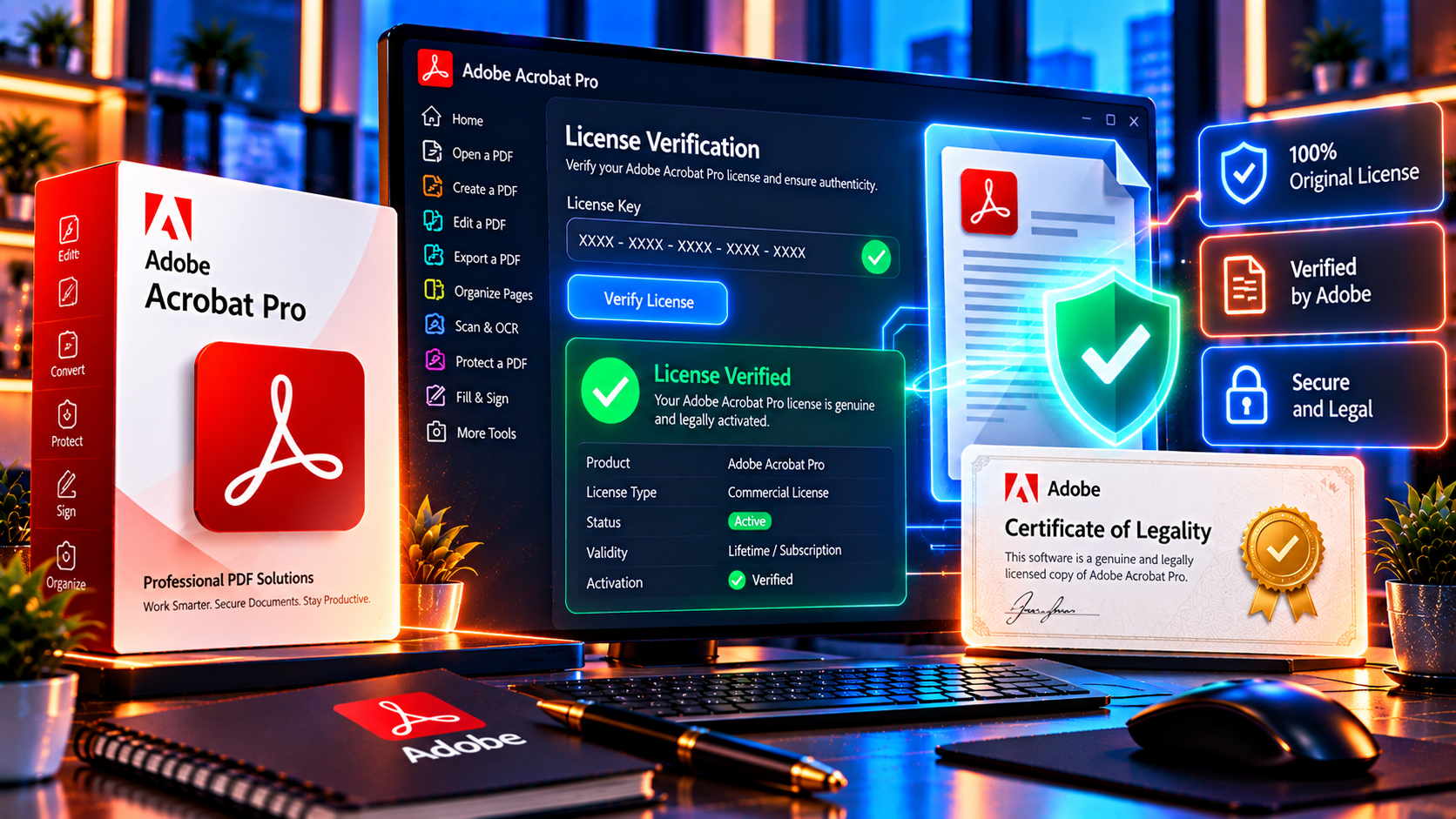
The phrase Adobe Acrobat lifetime license attracts buyers who want professional PDF tools without another monthly payment. It also creates an important question: is the offer genuine, legal and suitable for the way you work? The answer cannot come from the word lifetime alone. A careful buyer must verify the version, platform, activation method, seller documentation, support and refund terms before paying.
This guide explains how to evaluate an Adobe Acrobat Pro lifetime license, how it differs from an Adobe subscription, which warning signs deserve attention and what to check on a product page. It is written for freelancers, students, small businesses and professionals who want a permanent license for a specific Acrobat edition without confusing it with unlimited future upgrades or an Adobe Creative Cloud subscription.
The Short Answer
A lifetime license can be legitimate when it is a genuine license for a clearly identified Acrobat version, sold with lawful ownership or usage terms, delivered through a verifiable activation process and backed by a real seller with support and a workable refund policy. A lifetime label by itself is not proof of authenticity.
The safest decision is based on evidence. The offer should tell you exactly what product you receive, whether it is for Windows or Mac, whether it is a product key or an account-based activation, how many devices are allowed, what updates are included and what happens if activation fails. Avoid any listing that hides these details or asks you to install a crack, disable security software or use someone else’s Adobe account.
What Lifetime Means in Software Licensing
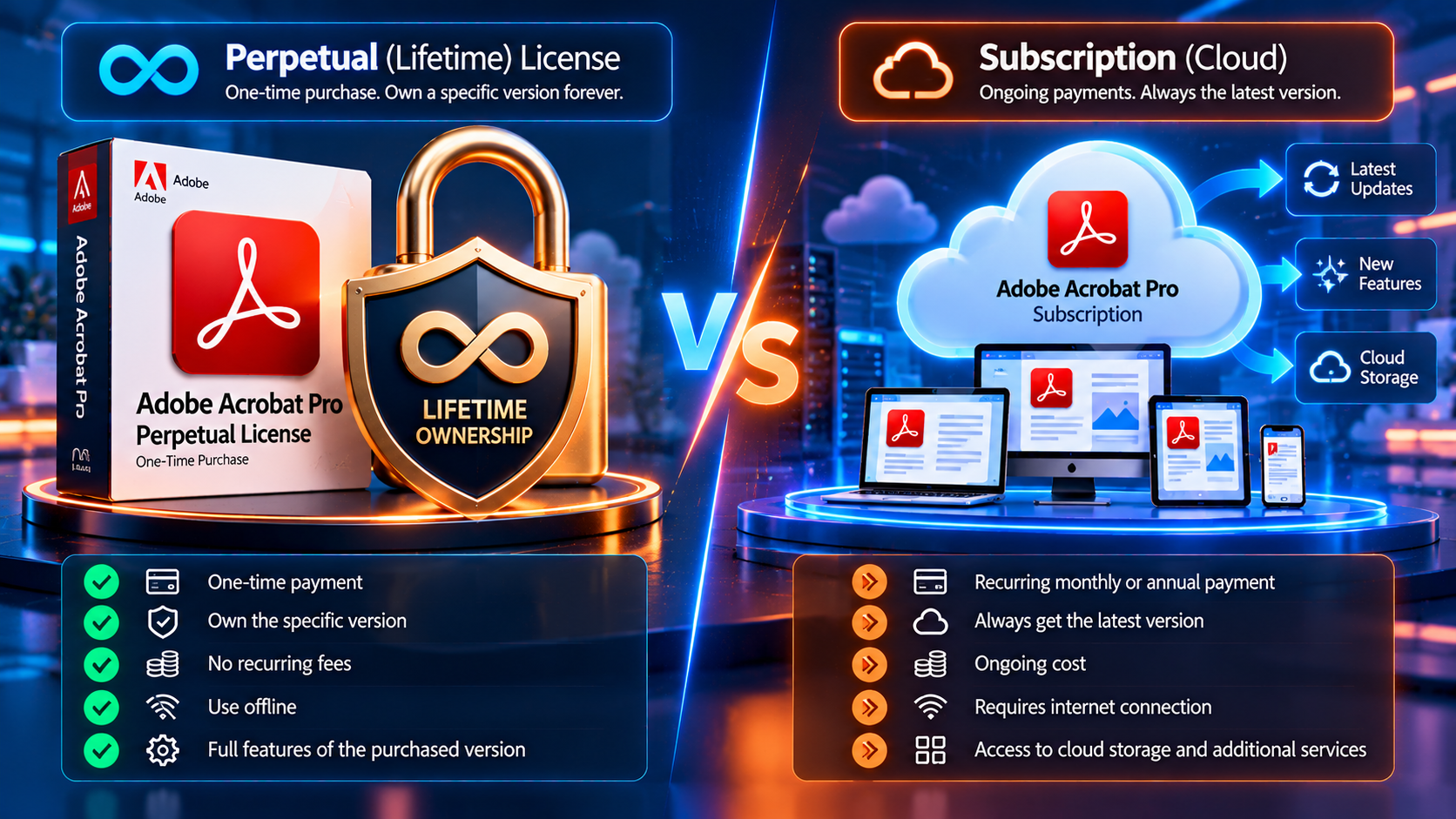
In most software listings, lifetime means continued use of the purchased version for the supported device or user, subject to the license terms. It does not automatically mean lifetime access to every future Acrobat release, every online service or every new AI feature. It also does not mean that the software will work on every operating system forever.
Think of the word as a description of the license period, not a promise about the entire Adobe product family. A perpetual or lifetime edition may continue to open and edit compatible PDFs, while newer versions may introduce features, security changes or operating system requirements that are outside the original license.
Before buying, ask four separate questions: what version is licensed, how long may that version be used, what support period is offered and what updates are included? A trustworthy seller answers each question in writing.
Lifetime License Versus Subscription
Adobe also offers official Acrobat plans through its own website, generally centered on current plan and subscription options. A third-party lifetime listing is a different commercial model and should never be described as an Adobe-direct subscription. Compare the trade-offs before deciding.
- A lifetime or perpetual license usually involves one payment for a named edition, while a subscription involves recurring payments for continued access to the plan.
- A subscription is normally the better fit for users who need the newest features, cloud services, mobile access or ongoing product updates.
- A version license can be attractive when you need stable desktop PDF editing, conversion, OCR, forms, signing and redaction tools without a recurring fee.
- A lifetime purchase may have narrower platform, device and upgrade rights. Read those limits instead of assuming the license is universal.
- Neither model removes the need to check the seller, activation method and terms. A subscription from an official source can still be the wrong plan, and a cheap lifetime key can still be invalid.
For a current reference point, compare the offer with Adobe Acrobat plans and pricing and then evaluate whether a fixed version meets your actual needs.
What Makes an Adobe Acrobat License Genuine
A genuine Adobe Acrobat license is more than a string of characters. It is a right to use a defined product under defined terms. The seller should be able to identify the edition, explain the activation route and provide a record of the transaction. Look for these signals:
- The exact edition and year are visible, such as Acrobat Pro 2024, Acrobat Pro DC 2025 or another named release.
- The listing states the supported operating system and whether the license is for Windows, Mac or both.
- The delivery method is explained. A legitimate process should not require a cracked installer, a suspicious activator or a borrowed account.
- The seller provides an invoice or order record and can explain what proof of ownership or legality accompanies the purchase.
- The product page identifies device limits, transfer rules, activation requirements and important exclusions.
- Customer support can answer pre-sale questions and provide installation or activation help after purchase.
- A written refund policy exists and explains what happens if the key does not activate or the delivered item does not match the listing.
- Checkout uses a recognizable payment flow and does not pressure you to send card details by email, chat or an unprotected form.
How to Check an Adobe Acrobat License Before Buying
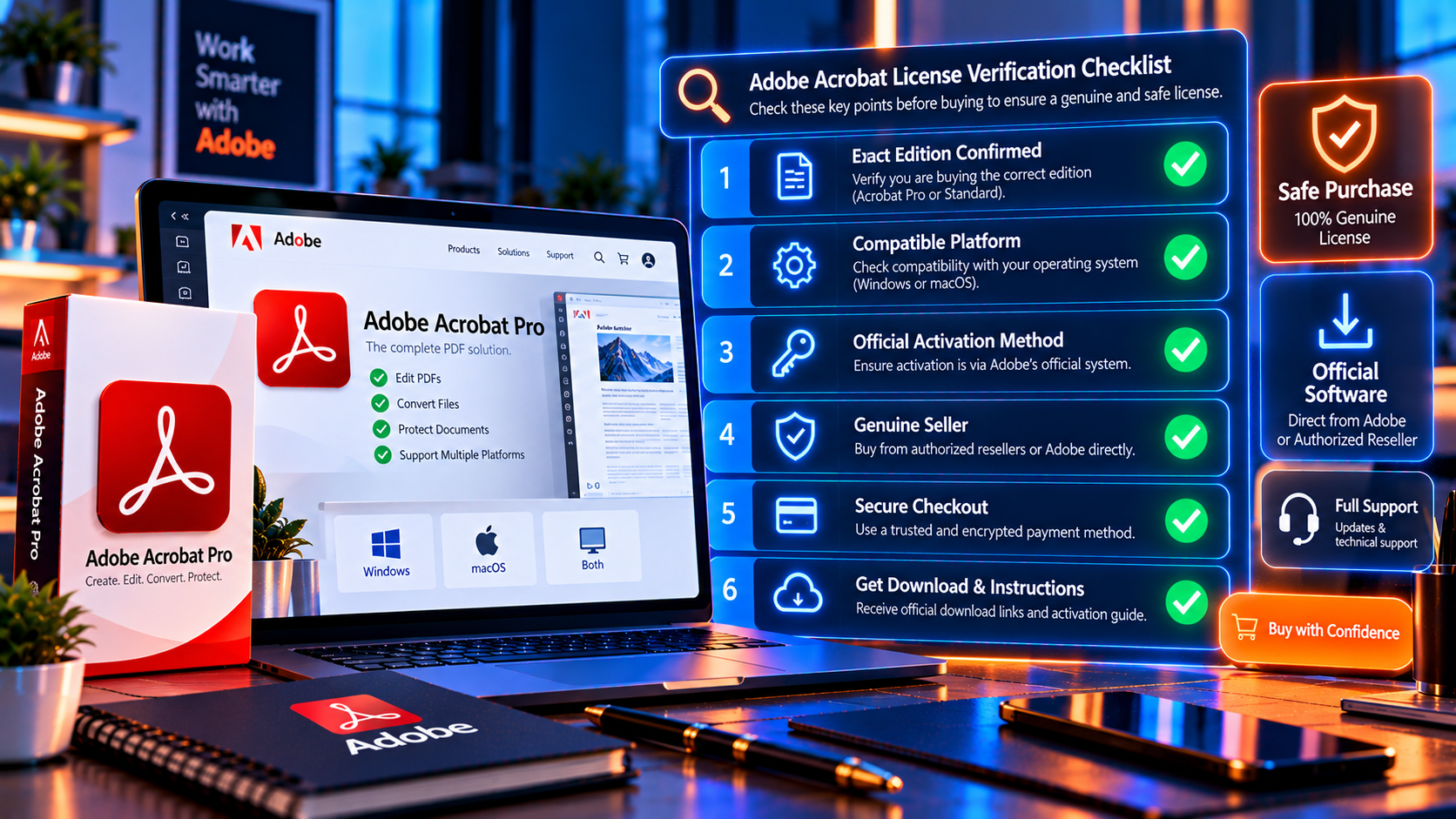
Use the following process before you place an order. It takes a few minutes and prevents most avoidable licensing mistakes.
- Identify the exact product: Write down the edition, release year, language, platform and whether the listing says Pro, Standard, Reader or another product. Acrobat Reader is not the same as Acrobat Pro.
- Confirm the activation method: Check whether the license is redeemed with a product key, an official Adobe account or another documented method. Reject instructions that ask you to bypass activation or modify program files.
- Read the device and transfer terms: Find out whether the license is for one computer, one user or a limited number of activations. Ask what happens when you replace a computer or reinstall Windows.
- Check the update promise: Separate security fixes and compatibility updates from a free upgrade to every future major version. The listing should make this distinction clear.
- Review seller identity: Look for a business name, contact route, address, support hours and a consistent set of terms. A professional presentation does not prove authenticity, but missing identity information is a serious warning sign.
- Review refund and warranty terms: Make sure there is a practical process for reporting an invalid key, failed activation or product mismatch. Save a copy of the terms that applied on the purchase date.
- Use a protected checkout: Pay through the site’s stated secure checkout and keep the invoice, order number and delivery email. Do not send payment credentials through an informal message.
- Verify the delivered software: Download only the installer and instructions supplied through a trustworthy channel. Check that the product activates normally and matches the edition you bought.
Questions to Ask the Seller
A responsible seller should welcome precise questions. Ask for written answers before payment, especially when the product page leaves any term unclear:
- Is this a license for a specific Acrobat version or an ongoing subscription?
- Is the key intended for Windows or Mac, and can it be transferred to a replacement device?
- Does activation use my own Adobe account, and will I receive ownership or legality documentation?
- Are major upgrades included, or would a future version require a new purchase?
- What support is provided if Adobe activation fails or the key is already used?
- How do I request a refund, and what evidence is required?
- Are cloud, mobile, AI, e-signature or online storage features included in this particular edition?
The answer should be specific to the product, not a generic promise that every software key is permanent. Keep the reply with your order records.
How to Evaluate KeyUpMart Before Purchase
KeyUpMart publishes several trust and support signals that buyers can review before ordering. Its guarantee page states that products are supplied with a Certificate of Legality and describes the certificate as proof of authenticity and ownership. Treat that documentation as something to receive and inspect with the order, not as a reason to skip the normal checks.
The site also publishes customer support contact details, a secure checkout page, a refund policy and information about its business branches. Those are useful buyer signals because they give you a documented route for questions and problems. They still do not replace reading the exact Acrobat product terms, confirming the version and checking that the delivered license matches the page.
Before ordering, review the Adobe Acrobat Pro DC 2025 product page and the guarantee of legality and compare the written license details.
Also read the refund policy and the secure checkout information before entering payment details.
Warning Signs of an Unsafe License Key
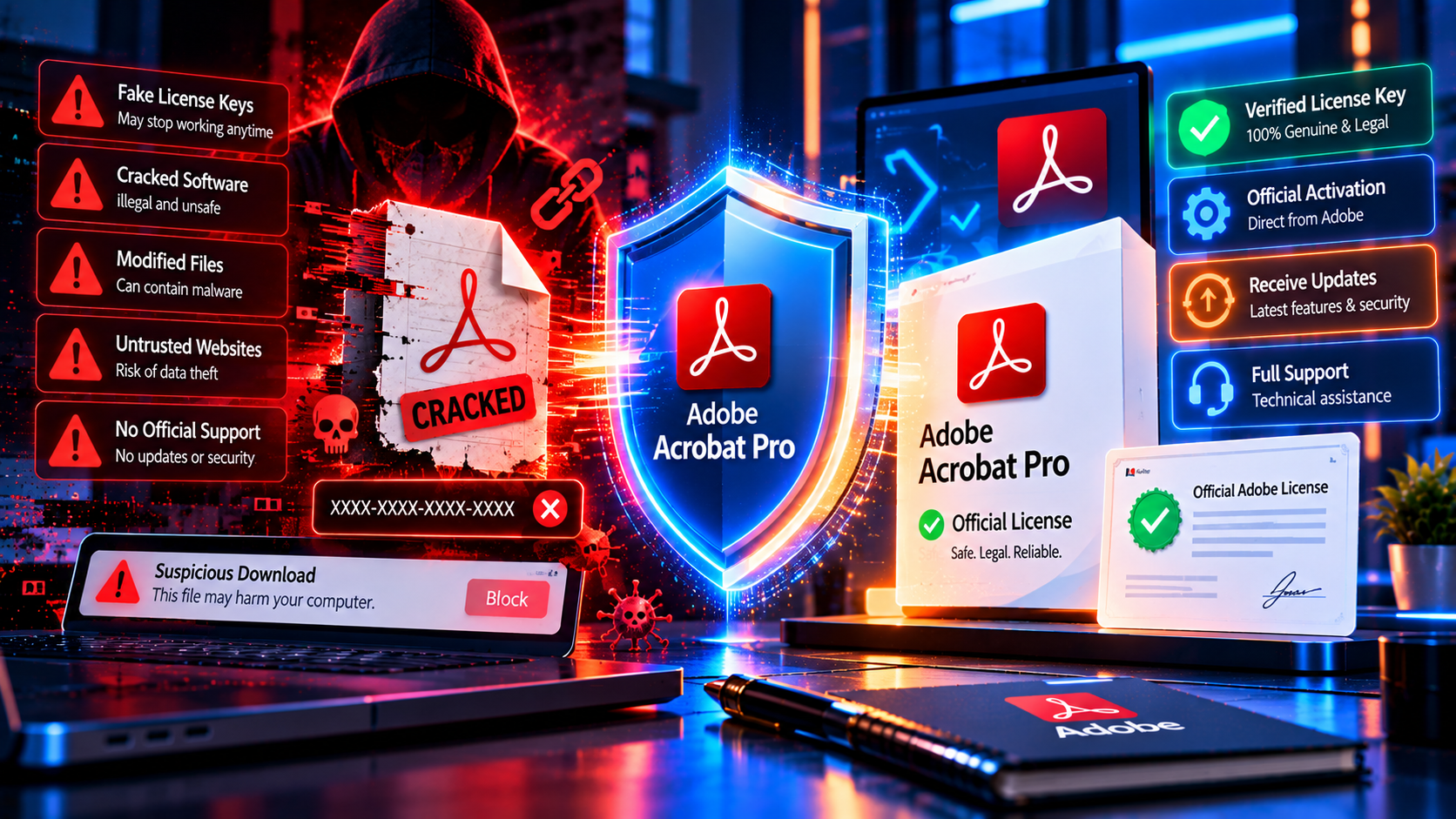
The following signs do not prove fraud individually, but several together should stop the purchase until the seller provides a clear explanation:
- The price is dramatically lower than comparable offers and there is no explanation of the license source.
- The listing says lifetime but never names the version, platform, device limit or activation method.
- The seller sends a modified installer, crack, patch, key generator or instructions to disable antivirus protection.
- The buyer must use a pre-made Adobe account or share an account with other people.
- The seller promises every future Acrobat release and every online service for one small payment.
- There is no invoice, no written refund process and no meaningful support contact.
- The checkout page redirects to an unrelated domain or asks for card details in a chat message.
- The seller refuses to answer basic questions about ownership, transfer, activation or compatibility.
Lifetime License Does Not Mean Lifetime Updates
This is the most common misunderstanding in lifetime license searches. A perpetual license can let you keep using the purchased edition, but it may not include every new major release. It may also exclude services that depend on an active Adobe plan, account entitlement or online infrastructure.
Ask specifically about security updates, bug fixes, compatibility updates, feature updates and major-version upgrades. These are different promises. If you need the newest Acrobat AI capabilities, cloud workflows or cross-device features, compare the cost of an official current plan with the fixed features of the lifetime edition.
If your work depends on a regulated workflow, document the version and support status approved by your organization. A low upfront price is not useful if the edition cannot run on your managed devices or lacks a feature required by your process.
Choosing the Right Version
The newest listing is not automatically the best choice. Choose based on compatibility and required features:
- Choose the current edition when you need the newest interface, recent operating system support and the latest feature set offered by that version.
- Choose an older edition only when you have verified that it runs on your device and includes the tools your workflow requires.
- Check whether OCR, PDF editing, conversion, form creation, e-signatures and redaction are included in the specific product tier.
- Confirm whether the license supports your language, device architecture and business use before paying.
- Do not buy a version only because the product title contains Pro. Read the included features and restrictions.
For comparison, KeyUpMart lists separate Acrobat 2024, Acrobat DC 2025 and Acrobat 2026 pages. Check the version-specific details instead of assuming they are interchangeable.
What to Do After Purchase
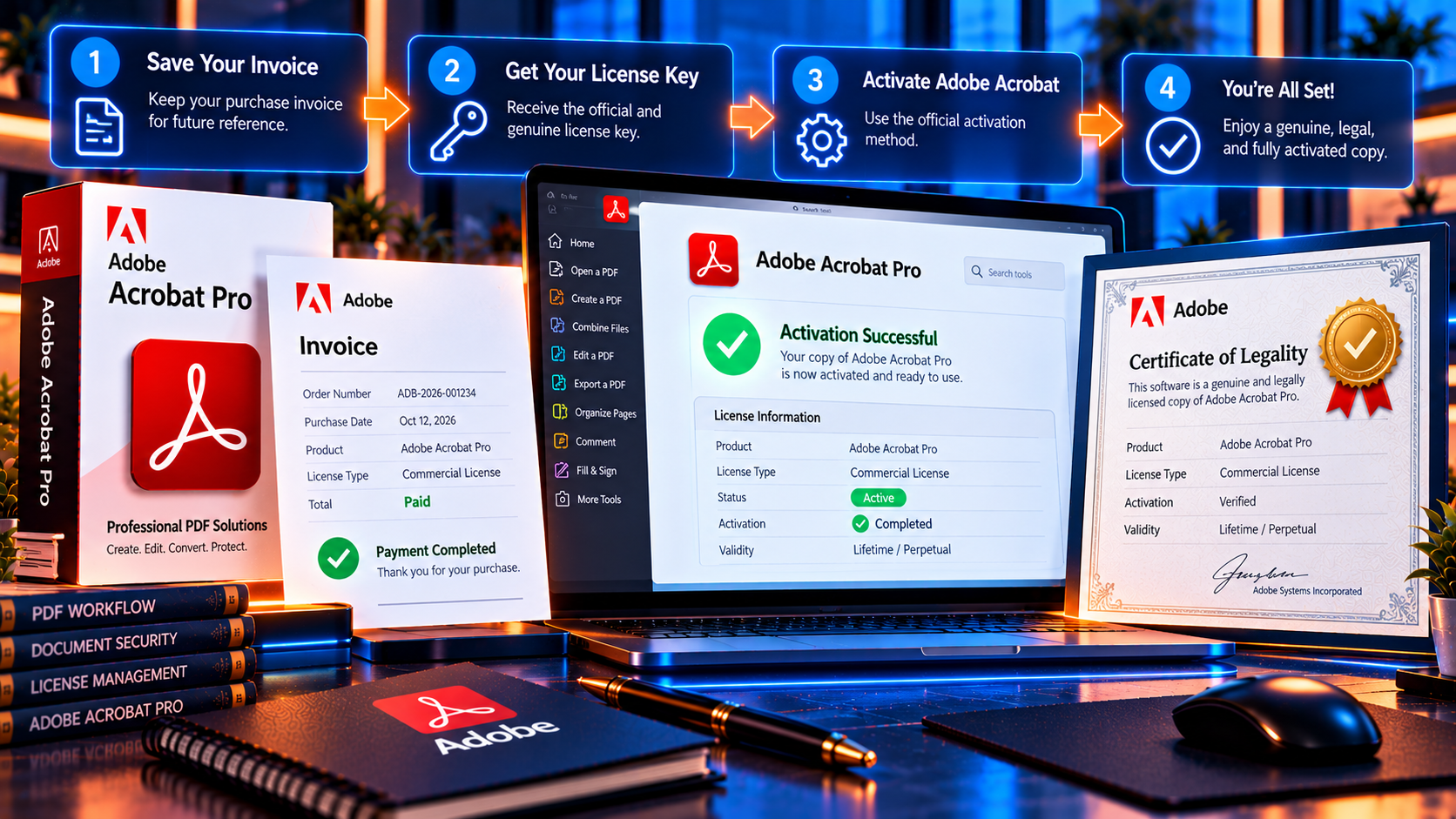
A careful post-purchase check confirms that the product you received matches the promise. Complete these steps before relying on the software for important work:
- Save the invoice, order number, license information and the version-specific product page.
- Keep the delivery email and any Certificate of Legality or ownership document with your purchase records.
- Download the installer only from the documented delivery route and scan files before opening them.
- Activate the product through the normal Adobe workflow described by the seller.
- Confirm the installed edition, version and activation status inside Acrobat.
- Test one important workflow, such as PDF editing, export, OCR, form filling or redaction.
- Contact support promptly if the key is invalid, the product is a different edition or activation instructions are unsafe.
- Do not wait until the refund period has expired to discover that the license does not meet your needs.
Is a Lifetime License Right for You
A lifetime license may fit you if you mainly work on one supported desktop, want predictable one-time cost, need a stable version of Acrobat Pro and do not require every future feature. It may be less suitable if you work across many devices, need continuous upgrades, depend on mobile and web services or require enterprise procurement and centralized administration.
The right choice is not simply the cheapest option. Compare total cost, compatibility, features, support and the risk of replacing the license later. A transparent listing with clear terms is more valuable than a vague discount.
Buyer Checklist
- The product name and Acrobat version are clear.
- The platform and device limits match my setup.
- The activation method is legitimate and does not require a crack or shared account.
- The seller explains what lifetime use includes and excludes.
- Major upgrades and online services are described separately.
- The seller provides an invoice and ownership or legality documentation.
- Support and refund instructions are easy to find.
- Checkout is protected and payment information is not requested by chat or email.
- I have saved the product terms and can test the software within the refund window.
- The chosen edition includes the PDF tools I actually need.
Frequently Asked Questions
Is an Adobe Acrobat lifetime license real?
It can be real when it represents a genuine license for a specified Acrobat edition and comes with clear activation and usage terms. The word lifetime alone does not establish authenticity, so verify the seller and product details before buying.
Is buying an Adobe Acrobat license from a third party safe?
It can be safe when the seller is transparent about the license source, version, activation method, support and refund process. Do not buy when the seller requires a crack, modified installer, shared account or unexplained payment method.
Does a lifetime Acrobat license include future versions?
Not automatically. A lifetime or perpetual offer normally refers to continued use of the named version. Future major releases, new services and new feature entitlements should be confirmed separately in writing.
What is the difference between a license key and an Adobe subscription?
A license key or perpetual entitlement is generally tied to a defined product edition, while a subscription provides access under recurring plan terms. Compare version rights, updates, services, devices and cancellation rules rather than comparing price alone.
How can I tell if an Adobe Acrobat license key is trustworthy?
Check the exact version, platform, activation route, device limit, invoice, seller identity, legality documentation, support and refund terms. A trustworthy key should activate through a normal documented process without cracks or security bypasses.
Can I get a refund if the key does not work?
That depends on the seller policy and the reason for the request. Read the refund terms before buying, keep the order records and contact support promptly if activation fails or the product does not match the listing.
Should businesses buy a lifetime Acrobat license?
Businesses should evaluate procurement, device management, compliance, support and upgrade needs before choosing. A one-time license may suit a small fixed workflow, while teams with many users may need an official plan with centralized administration.
Conclusion
Buying an Adobe Acrobat Pro lifetime license can be a reasonable choice, but the decision should be based on verifiable terms rather than a low price or the word lifetime. Confirm the version, platform, activation method, device rights, updates, seller documentation, support and refund process before paying.
KeyUpMart publishes a product page, legality information, support details, refund terms and secure checkout information that buyers can review. Use those pages as part of your due diligence, then confirm that the delivered Acrobat edition matches what you purchased and that it activates through a legitimate workflow.
Ready to compare the current offer? Review Adobe Acrobat Pro DC 2025 for Windows with a lifetime license and check the version, compatibility and terms before completing your order.