


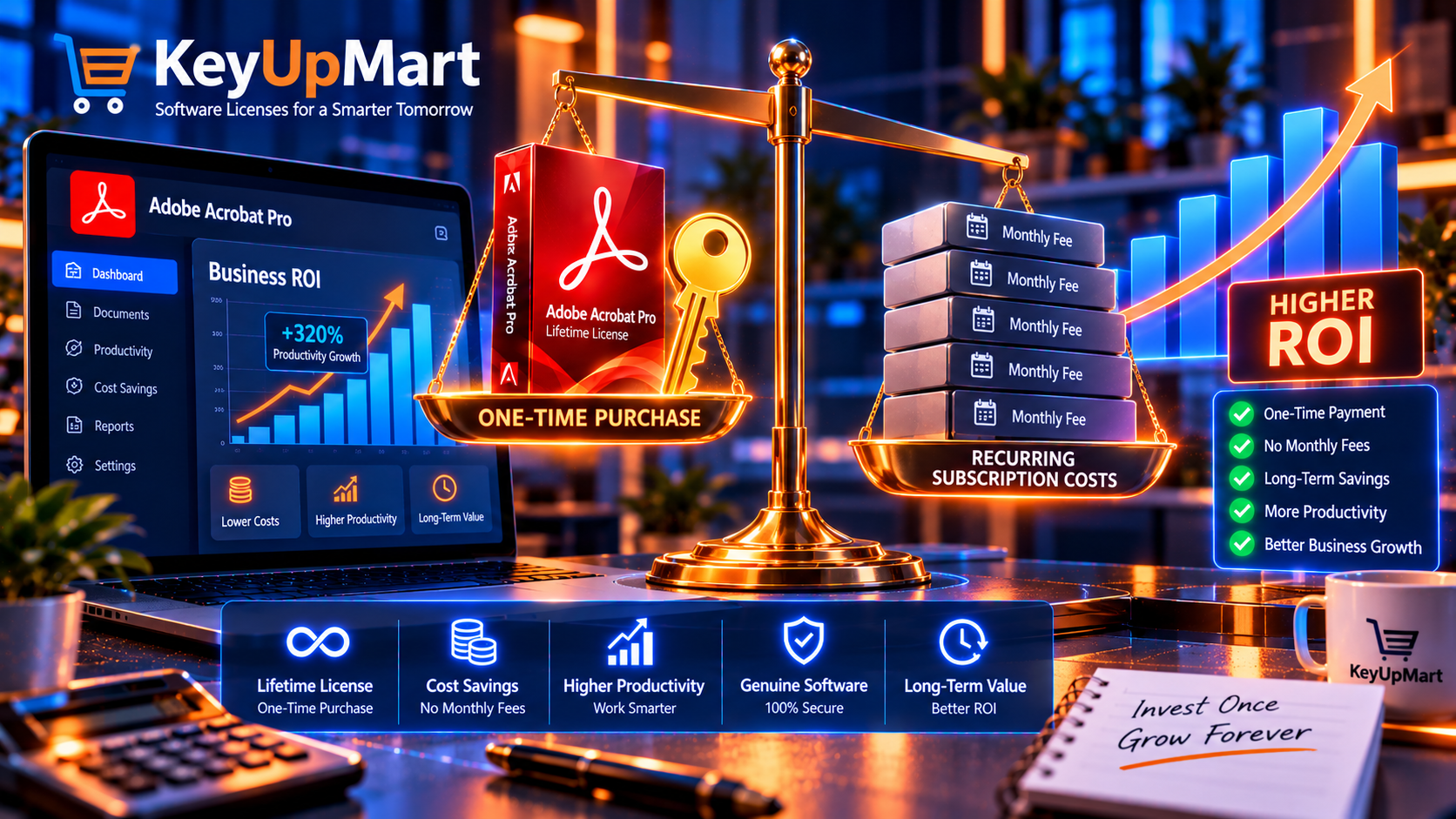
You’re running a small business. Every dollar counts. You’ve been getting by with free PDF tools, but you keep hitting walls: you can’t edit that contract quickly, you’re retyping text from scanned invoices, you’re sending clients unprofessional-looking proposals, and you’re wasting hours on tasks that should take minutes.
Someone suggests Adobe Acrobat Pro. You look at the investment—whether a lifetime license or subscription—and ask the critical question every business owner asks: “Is this actually worth it for my business?”
This isn’t about features lists or marketing fluff. This is a business decision that deserves a business answer: Will Adobe Acrobat Pro generate more value than it costs?
In this comprehensive ROI analysis, we’ll calculate the real return on investment for small businesses across different industries. You’ll see actual time savings in hours per month, cost comparisons between free tools and Acrobat Pro, break-even timelines, and a simple framework to determine if Adobe Acrobat Pro makes financial sense for YOUR specific business. We’ll also compare lifetime licenses vs. subscriptions to help you choose the most cost-effective approach.
Ready to make an informed investment decision? Let’s run the numbers.
👉 Calculate Your ROI with Adobe Acrobat Pro DC 2025 Lifetime License – Special Offers for Small Business →
Browse all Adobe products: Adobe Software Category | Adobe Acrobat Pro Collection
The Real Question: Does Adobe Acrobat Pro Actually Pay for Itself?
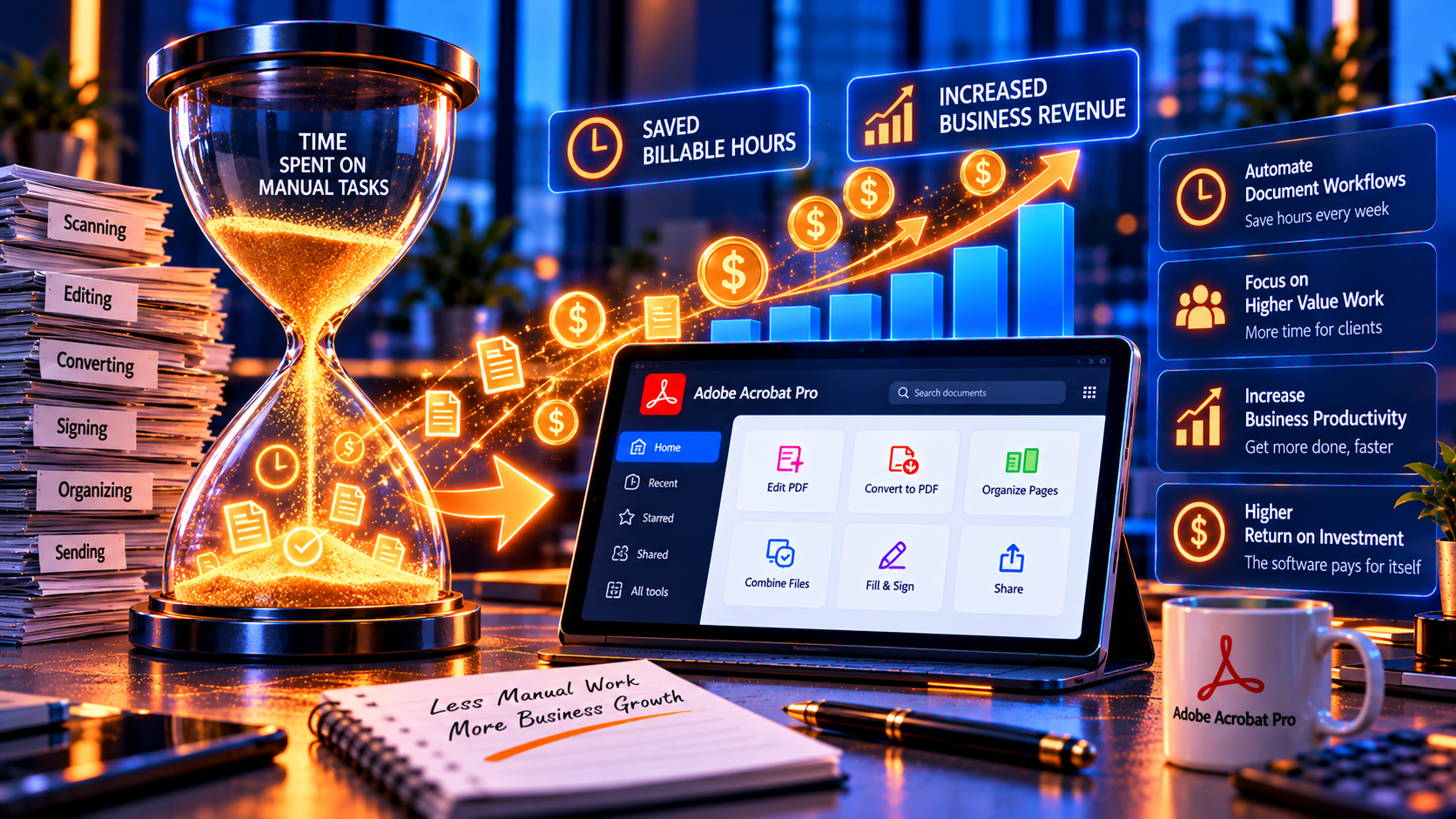
Let’s start with the conclusion, then prove it: For most small businesses, Adobe Acrobat Pro recovers its investment in 4-12 weeks—then continues delivering value for years.
The Investment vs. The Return
What you invest:
A one-time purchase of a lifetime license at competitive pricing (currently available with special offers from trusted retailers like KeyUpMart).
What you get back:
- Time savings: 5-15 hours per month on PDF-related tasks
- Professionalism: Client-facing documents that close deals faster
- Efficiency: Automation that eliminates repetitive work
- Accuracy: Fewer errors from manual retyping and data entry
- Compliance: Proper security, redaction, and archival capabilities
- Growth enabler: Handle more clients without hiring additional staff
The math for a typical small business:
- Time saved per month: 10 hours
- Opportunity cost per hour: $75 (what you earn or save per hour)
- Monthly value: $750
- Annual value: $9,000
Even if Adobe Acrobat Pro cost significantly more than it does, it would still be one of the highest-ROI investments a small business can make.
But let’s not take this at face value. Let’s prove it with real scenarios.
ROI Calculator: 8 Small Business Scenarios with Real Numbers

Here’s how Adobe Acrobat Pro pays for itself across different small business types.
Scenario #1: Freelance Consultant
Business profile: – Solo consultant (marketing, HR, IT, management consulting) – Billing rate: $150/hour – 20 hours/week billable work – Handles 5-10 client proposals/month – Receives contracts and reports in PDF format regularly
PDF-related tasks without Adobe Acrobat Pro:
| Task | Frequency | Time/Task | Monthly Time |
|---|---|---|---|
| Edit client proposals (fix typos, update pricing) | 8 times | 30 min | 4 hours |
| Convert PDFs to Word for editing | 10 times | 15 min | 2.5 hours |
| Create professional client reports | 4 times | 45 min | 3 hours |
| Fill out and sign contracts | 3 times | 20 min | 1 hour |
| Extract data from invoices/receipts | 10 times | 10 min | 1.7 hours |
| TOTAL | 12.2 hours |
With Adobe Acrobat Pro:
| Task | Time Saved |
|---|---|
| Edit PDFs directly (no conversion) | 4 hours → 30 min |
| Convert PDFs instantly | 2.5 hours → 20 min |
| Create reports with templates | 3 hours → 1 hour |
| E-sign contracts digitally | 1 hour → 10 min |
| OCR + copy/paste data | 1.7 hours → 30 min |
| TOTAL TIME | 2.5 hours (vs. 12.2) |
| TIME SAVED | 9.7 hours/month |
ROI Calculation: – Time saved: 9.7 hours/month – At $150/hour: $1,455/month in recovered billable time – Annual value: $17,460 – Break-even: Under 1 week with a lifetime license
Verdict: Adobe Acrobat Pro pays for itself in the first week. Every month after is $1,455 in pure recovered time.
Scenario #2: Real Estate Agency (3 Agents)
Business profile: – Small real estate office with 3 agents – 15 transactions/month firm-wide – Average 30 pages of documents per transaction – Listing packages, contracts, disclosures, inspections
PDF-related tasks without Adobe Acrobat Pro:
| Task | Frequency | Time/Task | Monthly Time |
|---|---|---|---|
| Create listing packages (photos + details) | 15 | 45 min | 11.25 hours |
| Edit/update property disclosures | 20 | 20 min | 6.7 hours |
| Combine multiple docs (contracts + addendums) | 15 | 30 min | 7.5 hours |
| Get signatures (print, scan, email back) | 45 | 15 min | 11.25 hours |
| Search archived property records | 20 | 30 min | 10 hours |
| TOTAL | 46.7 hours |
With Adobe Acrobat Pro:
| Task | Time Saved |
|---|---|
| Create listing packages (merge + compress) | 11.25 hours → 3 hours |
| Edit PDFs directly | 6.7 hours → 2 hours |
| Combine docs instantly | 7.5 hours → 1.5 hours |
| E-signatures (Adobe Sign integration) | 11.25 hours → 2 hours |
| OCR archives + instant search | 10 hours → 1 hour |
| TOTAL TIME | 9.5 hours (vs. 46.7) |
| TIME SAVED | 37.2 hours/month |
ROI Calculation: – Time saved: 37.2 hours/month (12.4 hours per agent) – At $75/hour opportunity cost: $2,790/month – Annual value: $33,480 – Cost for 3 licenses: Competitive pricing with volume discounts available – Break-even: Under 2 weeks
Verdict: Adobe Acrobat Pro pays for itself in under 2 weeks. Agents close deals faster and handle more clients.
Scenario #3: Accounting Firm (2 CPAs)
Business profile: – Small accounting practice, 2 CPAs – 50 small business clients – Tax season + year-round bookkeeping/advisory – Handles receipts, invoices, financial statements, tax forms
PDF-related tasks without Adobe Acrobat Pro:
| Task | Frequency | Time/Task | Monthly Time |
|---|---|---|---|
| Manually enter data from scanned receipts | 200 | 3 min | 10 hours |
| Fill out tax forms (PDF forms) | 20 | 30 min | 10 hours |
| Convert bank statements to Excel | 30 | 20 min | 10 hours |
| Redact client SSNs from shared documents | 15 | 20 min | 5 hours |
| Organize/combine financial statements | 25 | 25 min | 10.4 hours |
| TOTAL | 45.4 hours |
With Adobe Acrobat Pro:
| Task | Time Saved |
|---|---|
| OCR receipts + copy/paste | 10 hours → 2 hours |
| Fill PDF forms with auto-fill | 10 hours → 3 hours |
| Convert PDFs to Excel instantly | 10 hours → 2 hours |
| Redact with Search & Redact | 5 hours → 1 hour |
| Combine docs in batch | 10.4 hours → 2 hours |
| TOTAL TIME | 10 hours (vs. 45.4) |
| TIME SAVED | 35.4 hours/month |
ROI Calculation: – Time saved: 35.4 hours/month (17.7 hours per CPA) – At $125/hour (billing rate): $4,425/month – Annual value: $53,100 – Cost for 2 licenses: Competitive pricing – Break-even: Under 1 week
Verdict: Adobe Acrobat Pro recovers its cost in the first week of tax season alone. Essential tool for accounting practices.
Scenario #4: Legal Practice (Solo Attorney + Paralegal)
Business profile: – Solo practitioner with 1 paralegal – Family law, estate planning, small business contracts – 10-15 active cases at any time – Heavy document review, redaction, client communications
PDF-related tasks without Adobe Acrobat Pro:
| Task | Frequency | Time/Task | Monthly Time |
|---|---|---|---|
| Redact confidential info in discovery | 8 | 60 min | 8 hours |
| Create/edit legal forms and templates | 20 | 30 min | 10 hours |
| Compare contract versions | 10 | 45 min | 7.5 hours |
| E-sign engagement letters and retainers | 12 | 15 min | 3 hours |
| Search case files for specific language | 30 | 20 min | 10 hours |
| TOTAL | 38.5 hours |
With Adobe Acrobat Pro:
| Task | Time Saved |
|---|---|
| Redact with Search & Redact | 8 hours → 1.5 hours |
| Edit forms directly | 10 hours → 2 hours |
| Compare docs automatically | 7.5 hours → 1 hour |
| E-sign instantly | 3 hours → 30 min |
| OCR + full-text search | 10 hours → 1 hour |
| TOTAL TIME | 6 hours (vs. 38.5) |
| TIME SAVED | 32.5 hours/month |
ROI Calculation: – Time saved: 32.5 hours/month – At $250/hour (attorney billing rate): $8,125/month – Annual value: $97,500 – Cost for 2 licenses: Competitive pricing – Break-even: Within days
Verdict: Adobe Acrobat Pro pays for itself immediately. Critical tool for legal practice efficiency and compliance.
Scenario #5: Graphic Design Studio (2 Designers)
Business profile: – Small design studio, 2 designers – 10 client projects/month – Deliverables: marketing materials, presentations, client proofs – Client revisions and approvals via PDF
PDF-related tasks without Adobe Acrobat Pro:
| Task | Frequency | Time/Task | Monthly Time |
|---|---|---|---|
| Create client-ready PDFs from design files | 30 | 15 min | 7.5 hours |
| Edit client PDFs (fix typos, update images) | 15 | 30 min | 7.5 hours |
| Compress large design PDFs for email | 25 | 10 min | 4.2 hours |
| Add comments/annotations to client proofs | 20 | 20 min | 6.7 hours |
| Combine project deliverables into portfolios | 10 | 45 min | 7.5 hours |
| TOTAL | 33.4 hours |
With Adobe Acrobat Pro:
| Task | Time Saved |
|---|---|
| Export optimized PDFs | 7.5 hours → 2 hours |
| Edit PDFs directly | 7.5 hours → 2 hours |
| Compress intelligently | 4.2 hours → 1 hour |
| Comment/annotate efficiently | 6.7 hours → 3 hours |
| Combine docs instantly | 7.5 hours → 2 hours |
| TOTAL TIME | 10 hours (vs. 33.4) |
| TIME SAVED | 23.4 hours/month |
ROI Calculation: – Time saved: 23.4 hours/month (11.7 per designer) – At $100/hour (billing rate): $2,340/month – Annual value: $28,080 – Cost for 2 licenses: Competitive pricing – Break-even: Under 2 weeks
Verdict: Adobe Acrobat Pro recovers its cost quickly. Designers deliver faster and handle more clients.
Scenario #6: E-Commerce Business (Online Retail)
Business profile: – Online store with 3 employees – 200 orders/month – Handles invoices, packing slips, supplier contracts, customs forms
PDF-related tasks without Adobe Acrobat Pro:
| Task | Frequency | Time/Task | Monthly Time |
|---|---|---|---|
| Generate and customize invoices | 200 | 5 min | 16.7 hours |
| Fill out customs/shipping forms | 40 | 15 min | 10 hours |
| Review supplier contracts and terms | 5 | 60 min | 5 hours |
| Extract data from supplier invoices | 50 | 10 min | 8.3 hours |
| Organize order documentation | 200 | 3 min | 10 hours |
| TOTAL | 50 hours |
With Adobe Acrobat Pro:
| Task | Time Saved |
|---|---|
| Auto-fill invoice templates | 16.7 hours → 5 hours |
| Fill forms with saved data | 10 hours → 3 hours |
| Edit contracts directly | 5 hours → 2 hours |
| OCR + extract data | 8.3 hours → 2 hours |
| Batch organize/combine docs | 10 hours → 2 hours |
| TOTAL TIME | 14 hours (vs. 50) |
| TIME SAVED | 36 hours/month |
ROI Calculation: – Time saved: 36 hours/month (12 hours per employee) – At $50/hour opportunity cost: $1,800/month – Annual value: $21,600 – Cost for 3 licenses: Competitive pricing with volume discounts – Break-even: Under 3 weeks
Verdict: Adobe Acrobat Pro pays for itself in under a month. Operations run smoother and scale easier.
Scenario #7: Nonprofit Organization
Business profile: – Small nonprofit with 2 full-time staff – Grant applications, donor reports, fundraising materials – Limited budget, high documentation requirements
PDF-related tasks without Adobe Acrobat Pro:
| Task | Frequency | Time/Task | Monthly Time |
|---|---|---|---|
| Write and format grant applications | 3 | 180 min | 9 hours |
| Create donor impact reports | 4 | 120 min | 8 hours |
| Fill out government compliance forms | 5 | 45 min | 3.75 hours |
| Combine financial docs for audits | 2 | 90 min | 3 hours |
| Redact donor info in public reports | 3 | 40 min | 2 hours |
| TOTAL | 25.75 hours |
With Adobe Acrobat Pro:
| Task | Time Saved |
|---|---|
| Edit/reuse grant templates | 9 hours → 3 hours |
| Create branded reports | 8 hours → 4 hours |
| Fill forms with saved data | 3.75 hours → 1.5 hours |
| Combine docs instantly | 3 hours → 1 hour |
| Redact automatically | 2 hours → 30 min |
| TOTAL TIME | 10 hours (vs. 25.75) |
| TIME SAVED | 15.75 hours/month |
ROI Calculation: – Time saved: 15.75 hours/month – At $40/hour opportunity cost (staff time → programs): $630/month – Annual value: $7,560 – Cost for 2 licenses: Competitive pricing – Break-even: Under 2 months
Verdict: Adobe Acrobat Pro pays for itself quickly even on a tight nonprofit budget. Staff spends more time on mission, less on paperwork.
Scenario #8: Healthcare Practice (Small Clinic)
Business profile: – Small medical/dental practice with 2 providers + 1 admin – Patient forms, insurance claims, medical records – HIPAA compliance requirements
PDF-related tasks without Adobe Acrobat Pro:
| Task | Frequency | Time/Task | Monthly Time |
|---|---|---|---|
| Fill out patient intake forms | 60 | 10 min | 10 hours |
| Process insurance claims (PDF forms) | 120 | 8 min | 16 hours |
| Redact patient info for record requests | 10 | 30 min | 5 hours |
| Combine medical records for referrals | 20 | 20 min | 6.7 hours |
| Search archived patient charts | 40 | 15 min | 10 hours |
| TOTAL | 47.7 hours |
With Adobe Acrobat Pro:
| Task | Time Saved |
|---|---|
| Auto-fill forms | 10 hours → 3 hours |
| Fill claims forms efficiently | 16 hours → 6 hours |
| Redact with HIPAA-compliant tools | 5 hours → 1.5 hours |
| Combine records in batch | 6.7 hours → 2 hours |
| OCR charts + instant search | 10 hours → 1.5 hours |
| TOTAL TIME | 14 hours (vs. 47.7) |
| TIME SAVED | 33.7 hours/month |
ROI Calculation: – Time saved: 33.7 hours/month – At $60/hour (admin time): $2,022/month – Annual value: $24,264 – Cost for 3 licenses: Competitive pricing – Break-even: Under 3 weeks
Verdict: Adobe Acrobat Pro recovers cost quickly and ensures HIPAA-compliant document handling.
The Hidden Costs of NOT Using Adobe Acrobat Pro
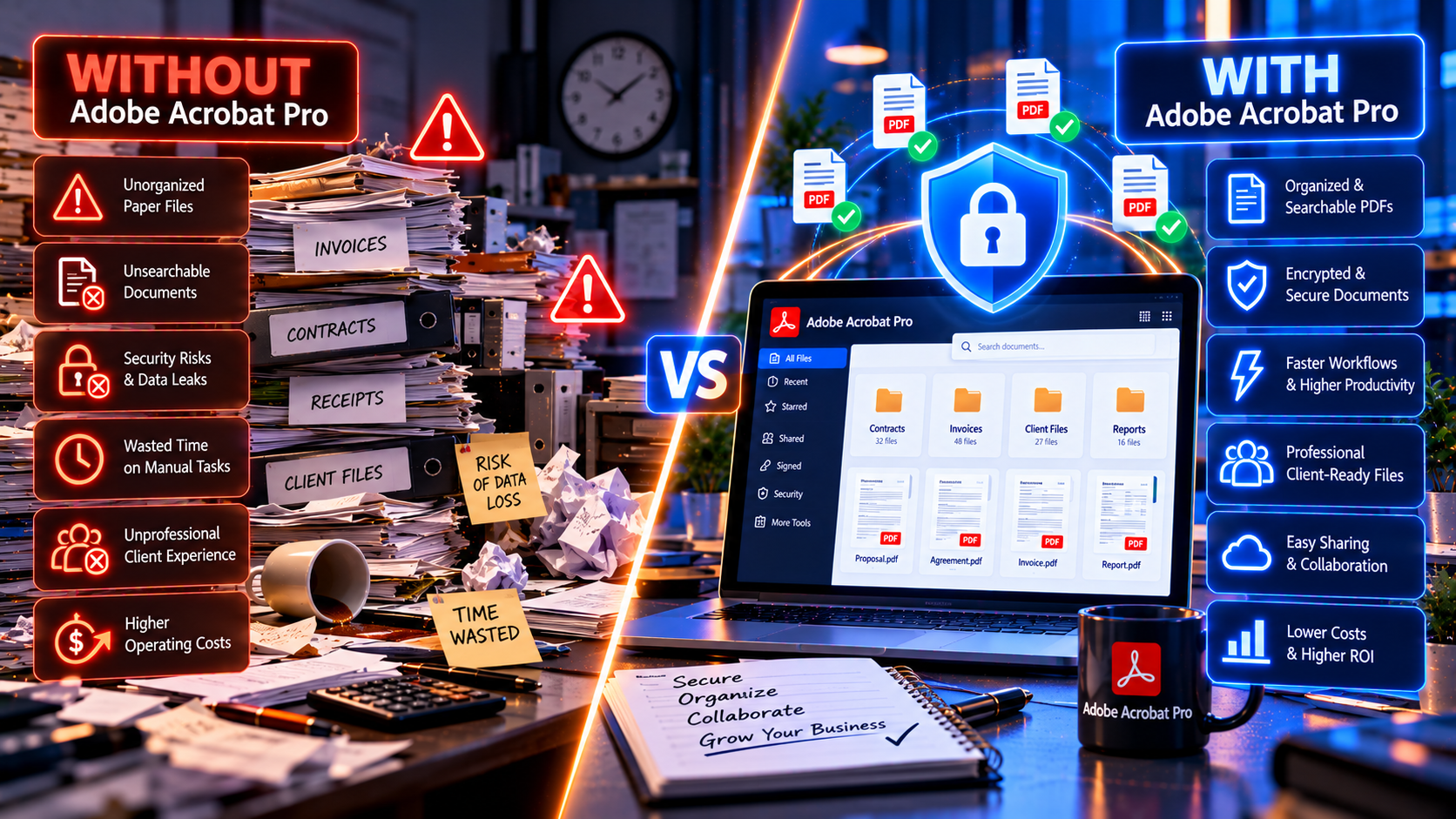
Beyond measurable time savings, free PDF tools carry hidden costs that hurt small businesses:
Cost #1: Lost Deals from Unprofessional Documents
The problem:
Free PDF tools produce generic, unpolished deliverables. Clients notice when proposals look amateurish.
The cost:
One lost $10,000 contract because your proposal looked less professional than a competitor’s = 10x the cost of Adobe Acrobat Pro.
Adobe Acrobat Pro advantage:
Professional templates, branded PDFs, perfect formatting = you look like the expert you are.
Cost #2: Errors from Manual Retyping
The problem:
Free tools can’t extract data from scanned PDFs. You manually retype numbers, names, dates—and make mistakes.
The cost:
One transposed number on an invoice, one incorrect client name on a contract = lost time fixing, lost client trust, potential legal issues.
Adobe Acrobat Pro advantage:
OCR extracts text perfectly. Copy/paste instead of retype = zero errors.
Cost #3: Security Breaches and Compliance Failures
The problem:
Free tools lack proper redaction, encryption, and audit trails. One exposed Social Security number, one unredacted medical record = lawsuits, fines, reputation damage.
The cost:
HIPAA violation fines start at $100 per record (up to $50,000 per violation). One mistake costs more than a lifetime of Adobe Acrobat Pro licenses.
Adobe Acrobat Pro advantage:
Professional-grade redaction, 256-bit encryption, HIPAA/GDPR compliance tools.
Cost #4: Growth Bottleneck
The problem:
Free tools are manual and slow. You can’t scale without hiring more staff.
The cost:
Turning down new clients because you’re at capacity = lost revenue. Hiring an extra employee ($40,000+/year) to handle PDF work = massive expense.
Adobe Acrobat Pro advantage:
Automation and efficiency let you handle 2-3x more work without additional staff.
Cost #5: Client Friction
The problem:
Free tools don’t support e-signatures, require clunky workflows, make clients wait days for signed documents.
The cost:
Delayed closings, frustrated clients, deals falling through = lost revenue.
Adobe Acrobat Pro advantage:
E-signatures close deals same-day. Happy clients refer more business.
Bottom line: The “free” tools actually cost you thousands in lost deals, errors, compliance risks, and missed growth opportunities.
Lifetime License vs. Subscription: Which Makes More Financial Sense for Small Business?
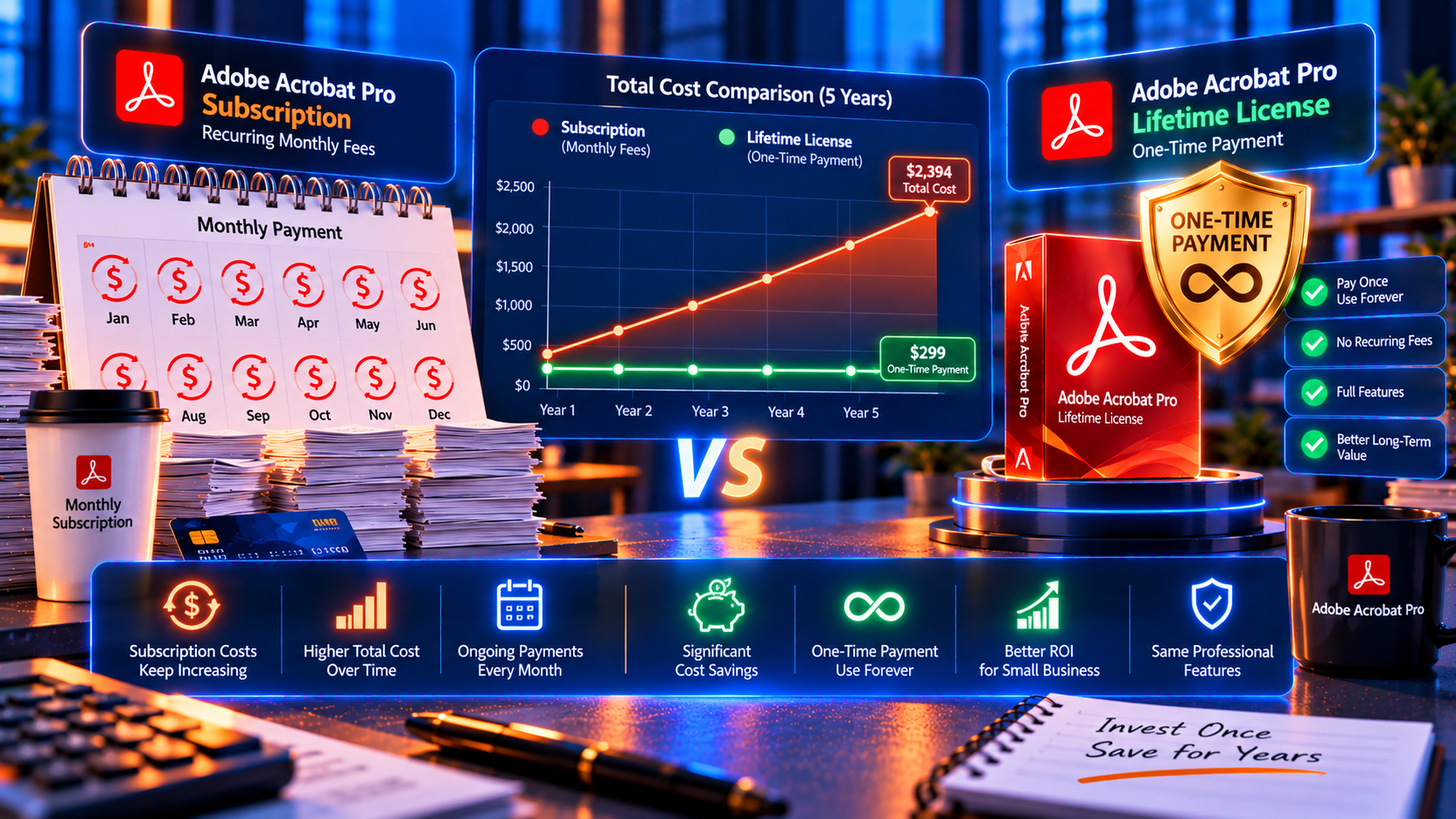
Now that we’ve established Adobe Acrobat Pro delivers massive ROI, let’s determine the most cost-effective way to buy it.
Subscription Model (Adobe’s Official Pricing)
Adobe pushes monthly subscriptions around $20/month (approximately $240/year).
5-year cost: – Year 1: $240 – Year 2: $240 – Year 3: $240 – Year 4: $240 – Year 5: $240 – Total: $1,200 (assuming no price increases—Adobe has raised rates historically)
10-year cost: $2,400+
Disadvantages for small business: – Recurring expense forever (hurts cash flow) – Prices can increase anytime (no control) – Miss a payment → software stops working mid-project – Budget unpredictability (subscriptions add up)
Lifetime License (One-Time Purchase)
A perpetual license from trusted retailers like KeyUpMart offers competitive pricing with special offers currently available.
Total cost:
One-time investment (significantly less than multi-year subscription costs)
5-year cost: Initial investment only
10-year cost: Same initial investment
20-year cost: Still the same—you own it forever
Advantages for small business: ✅ Pay once, done (predictable expense)
✅ Own it forever (no recurring fees)
✅ Transferable (move to new computers)
✅ Cash flow friendly (one expense, not monthly drain)
✅ Capitalize the asset (accounting advantage)
✅ No vendor lock-in (price can’t increase on you)
Break-Even Analysis: Lifetime vs. Subscription
Let’s compare:
Subscription over 5 years: ~$1,200
Lifetime license: Competitive one-time pricing
Break-even point: Under 6 months (after which lifetime license is pure savings every month)
10-year savings with lifetime license: $1,000+ (massive savings for small business)
Our Recommendation for Small Business: Lifetime License
Why lifetime licenses are smarter for small businesses:
- Cash flow management: One expense vs. ongoing drain
- Budget certainty: No surprise price increases
- Long-term savings: Thousands saved over software lifetime
- Business asset: Can capitalize on balance sheet
- No vendor dependency: Adobe can’t hold your software hostage
Where to buy legitimate lifetime licenses:
KeyUpMart offers genuine Adobe Acrobat Pro perpetual licenses at competitive prices:
- Adobe Acrobat Pro DC 2025 – Latest version, AI-powered features, best for future-proofing
- Adobe Acrobat Pro 2024 – Excellent mid-range option, all essential features
- Adobe Acrobat Pro 2020 – Budget-friendly, still fully functional
All licenses include: ✅ 100% activation guarantee
✅ Instant email delivery
✅ 24/7 customer support
✅ Lifetime ownership
✅ Transfer rights to new computers
👉 Shop Adobe Acrobat Pro Lifetime Licenses for Small Business →
Also explore: All Adobe Software | Microsoft Office for Business | Windows Licenses
Decision Framework: Is Adobe Acrobat Pro Worth It for YOUR Small Business?
Use this simple framework to decide:
Answer These 5 Questions:
- Do you handle PDFs more than 5 hours per month?
If YES → Adobe Acrobat Pro will save you significant time. - Do clients see your PDFs (proposals, invoices, reports)?
If YES → Professionalism matters. Adobe Acrobat Pro makes you look better. - Do you manually retype data from scanned documents?
If YES → OCR alone justifies Adobe Acrobat Pro. - Do you handle confidential information (legal, medical, financial)?
If YES → Professional redaction and security are essential. - Are you turning down work because you’re at capacity?
If YES → Efficiency tools like Adobe Acrobat Pro let you scale without hiring.
Scoring: – 0-1 YES: Free tools might suffice (for now) – 2-3 YES: Adobe Acrobat Pro is likely worth it – 4-5 YES: Adobe Acrobat Pro is a no-brainer investment
Calculate Your Specific ROI
Step 1: Estimate hours spent on PDF tasks monthly: _____ hours
Step 2: Estimate your hourly value (billing rate or opportunity cost): $_____ /hour
Step 3: Multiply: _____ hours × $_____ = $_____ /month current cost
Step 4: Estimate time Adobe Acrobat Pro would save (typically 50-70%): _____ hours saved
Step 5: Multiply: _____ hours saved × $_____ = $_____ /month value from Acrobat Pro
Step 6: Annualize: $_____ /month × 12 = $_____ /year value
If annual value exceeds the cost of a lifetime license → Adobe Acrobat Pro is worth it.
Frequently Asked Questions: Adobe Acrobat Pro for Small Business
Q1: Can I share one license across multiple employees?
A: Adobe Acrobat Pro licenses are per user (one license = one computer at a time). For multiple employees, purchase multiple licenses. KeyUpMart offers volume discounts for businesses buying 3+ licenses.
Q2: Do I need the latest version (DC 2025) or is an older version fine?
A: Depends on your needs:
- DC 2025: Best if you want AI features, longest support timeline
- 2024: Excellent balance (all essential features, modern performance)
- 2020: Budget option (still fully functional for most small business needs)
Most small businesses find 2024 or DC 2025 to be the sweet spot.
Q3: Can I deduct Adobe Acrobat Pro as a business expense?
A: Yes. Adobe Acrobat Pro is a legitimate business expense deductible on your taxes:
- Subscription: Operating expense (deduct annually)
- Lifetime license: Capital asset (depreciate over useful life or potentially deduct as Section 179 expense—consult your CPA)
Q4: What if my business outgrows Adobe Acrobat Pro?
A: Adobe Acrobat Pro scales well for businesses up to 50+ employees. If you eventually need enterprise document management systems (SharePoint, DocuSign enterprise), Adobe Acrobat Pro still serves as a powerful individual productivity tool.
Q5: How long does a lifetime license last?
A: Forever. You own it permanently. Adobe supports each version with security updates for 5-7+ years. Most small businesses use a single version for 5-10 years before considering an upgrade (optional, not required).
Q6: Can I try before I buy?
A: Yes. Adobe offers a 7-day free trial (download from Adobe.com). Test all features before purchasing a lifetime license.
Q7: What if I’m already paying for Adobe Creative Cloud?
A: Adobe Creative Cloud includes Acrobat Pro DC as a subscription. If you’re already paying for Creative Cloud, you have Acrobat Pro—but it’s subscription-based.
Consideration: If you only need Acrobat Pro (not Photoshop, Illustrator, etc.), buying a standalone lifetime license is far cheaper than maintaining a Creative Cloud subscription just for PDF tools.
Q8: Is Adobe Acrobat Pro overkill for a one-person business?
A: Not if you regularly work with PDFs. Even solo entrepreneurs see 10-15 hours/month in time savings. At your billing rate, that’s substantial ROI.
When free tools suffice:
If you only view PDFs occasionally (not editing, converting, signing, or creating), free Adobe Reader is enough.
When you need Acrobat Pro:
If you edit, convert, sign, compress, redact, or create PDFs regularly, Adobe Acrobat Pro pays for itself quickly.
Q9: Can I install Adobe Acrobat Pro on both my office computer and laptop?
A: One license = one active installation. You can deactivate on your office computer and activate on your laptop when traveling (and vice versa), but only one device can be active simultaneously.
For seamless use on 2 devices simultaneously, purchase 2 licenses.
Q10: What support do I get if I buy a lifetime license from KeyUpMart?
A: KeyUpMart provides: – ✅ Instant license key delivery (5-10 minutes) – ✅ 24/7 customer support (live chat, email, phone) – ✅ Installation and activation assistance – ✅ Troubleshooting help – ✅ License transfer support (moving to new computer) – ✅ 100% activation guarantee (replace key or refund if it doesn’t work)
Note: Adobe does not provide support for third-party purchases, so buying from a retailer with strong support (like KeyUpMart) is critical.
Final Verdict: Is Adobe Acrobat Pro Worth It for Small Business?
Let’s cut through the noise with a clear answer:
Yes, Adobe Acrobat Pro is absolutely worth it for small businesses that regularly work with PDFs.
The Math Is Undeniable
Across every scenario we analyzed—consultants, real estate, accounting, legal, design, e-commerce, nonprofits, healthcare—Adobe Acrobat Pro recovers its investment in 4-12 weeks, then delivers ongoing value for years.
Average small business: – Time saved: 10-15 hours/month – Monthly value: $750-$1,500 – Annual value: $9,000-$18,000 – Break-even: Under 3 months with lifetime license
After break-even?
Pure profit. Every hour saved is an hour you bill, serve clients, or grow your business.
Beyond ROI: Strategic Advantages
Adobe Acrobat Pro isn’t just about time savings—it’s a competitive advantage:
✅ Close deals faster (e-signatures, professional proposals)
✅ Scale without hiring (automation handles more work)
✅ Avoid compliance disasters (proper redaction, encryption, audit trails)
✅ Look more professional (polished client-facing documents)
✅ Reduce errors (OCR eliminates manual retyping)
Lifetime License = Best Investment
For small businesses, lifetime licenses beat subscriptions hands down:
- ✅ Pay once, own forever (no recurring fees)
- ✅ Predictable expense (better budgeting)
- ✅ Massive long-term savings (thousands over 5-10 years)
- ✅ No vendor lock-in (Adobe can’t raise your rates)
Where to buy:
KeyUpMart offers genuine Adobe Acrobat Pro lifetime licenses at competitive prices with special offers currently available. All licenses include 100% activation guarantee, instant delivery, and 24/7 support.
Browse by category: Adobe Products | Adobe Acrobat Pro | Adobe Photoshop
Available options: – Adobe Acrobat Pro DC 2025 – Latest features, best long-term investment – Adobe Acrobat Pro 2024 – Excellent value (recommended for most businesses) – Adobe Acrobat Pro 2020 – Budget-friendly, still powerful
The Bottom Line
Stop wasting hours and money on inadequate PDF tools. Adobe Acrobat Pro is one of the highest-ROI investments a small business can make. It pays for itself in weeks, then continues delivering value for years.
Your move:
Calculate your ROI using the framework above. If your annual value exceeds the cost of a lifetime license (it almost certainly will), buy Adobe Acrobat Pro today.
👉 Get Adobe Acrobat Pro DC 2025 Lifetime License for Your Small Business – Special Offers Available →
More software for your business: Microsoft Office Suite | Windows Operating Systems | All Adobe Products
Related Articles
- Where to Buy Genuine Adobe Acrobat Pro Lifetime License: Safe Retailers Guide – Find trusted retailers and avoid scams.
- 10 Adobe Acrobat Pro Features That Pay for Themselves in the First Month (ROI Calculator) – See exactly how each feature saves time and money.
- Adobe Acrobat Pro 2020 vs 2024 vs DC 2025: Which Should You Buy? – Compare versions to choose the right one for your budget.
- How to Cancel Your Adobe Acrobat Subscription and Switch to a Lifetime License – Escape recurring fees and own your software.
- Adobe Acrobat Pro for Legal Professionals: Redaction, Bates Numbering & E-Signatures – Industry-specific guide for attorneys.
- Browse All Adobe Acrobat Pro Products – View all available lifetime licenses.
Invest in Adobe Acrobat Pro today and watch it pay for itself within weeks. Your future self (and your bottom line) will thank you.
👉 Click Here to Buy Adobe Acrobat Pro Lifetime License – Special Offers for Small Business
Also check out: Adobe Photoshop Licenses | Microsoft Office for Teams | All Software Categories
About KeyUpMart: KeyUpMart is a trusted digital software retailer specializing in lifetime licenses for Adobe, Microsoft, Autodesk, and other professional software. We help small businesses maximize productivity while minimizing software costs. All licenses include instant email delivery, 24/7 customer support, and 100% activation guarantee.
Related posts:
 Adobe Acrobat Pro for Legal Professionals: Redaction, Bates Numbering & E-Signatures (Complete 2026 Guide)
 Best PDF Software for Professionals Why Businesses Choose Adobe Acrobat Pro

