


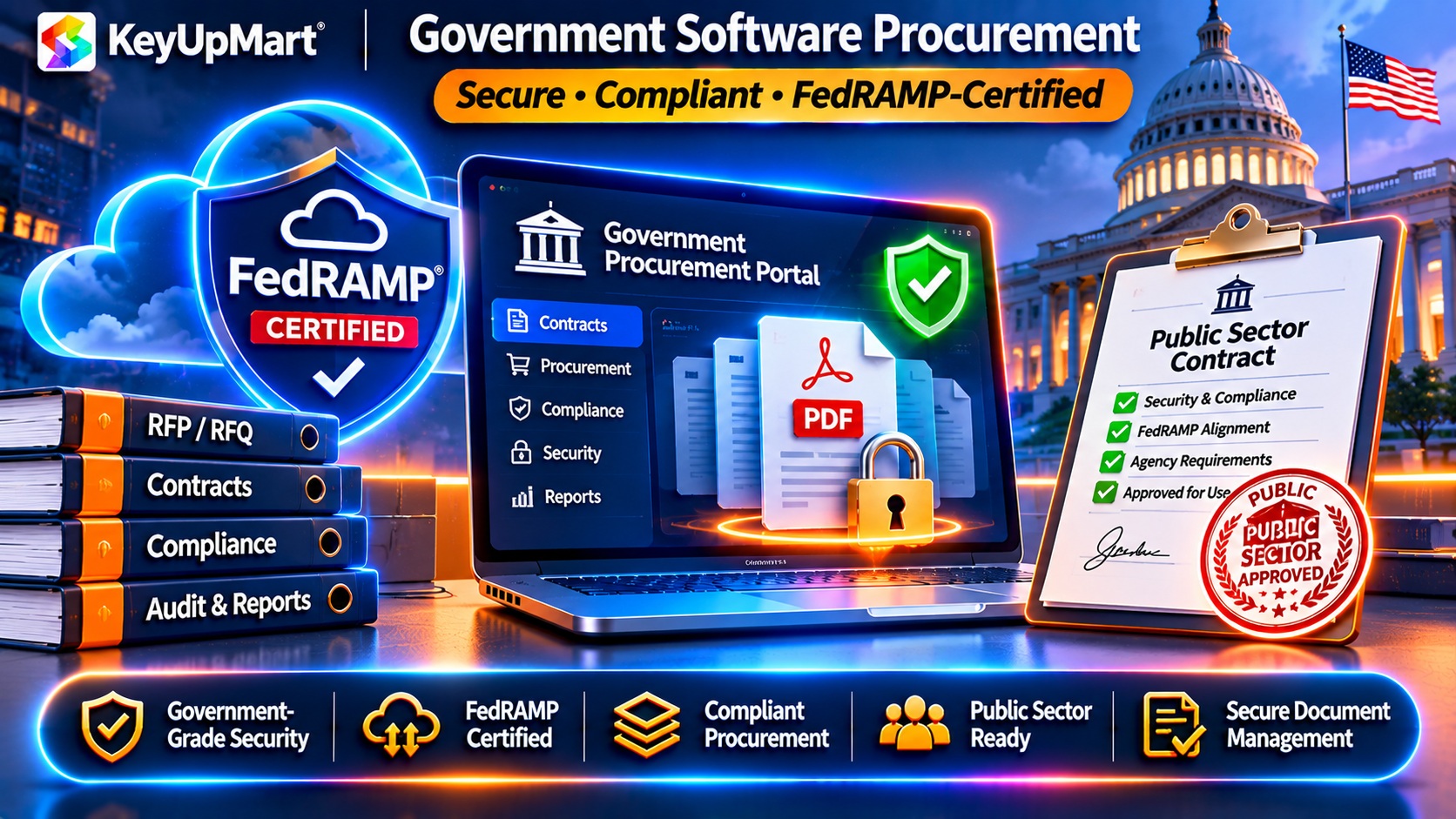
Need Adobe Acrobat Pro for government use? This guide reveals the 4 FedRAMP-approved purchasing paths, explains Volume Licensing vs GSA Schedule pricing (save 15-40% through correct channel), and identifies the 8 compliance requirements that make consumer Acrobat versions unsuitable for federal/state/local agencies.
Quick Answer: How Government Agencies Buy Acrobat Pro
Federal agencies:
- GSA Schedule: Contract GS-35F-0119Y (Adobe Federal)
- Price: $280-350 per seat (volume discounts)
- Compliance: FedRAMP Moderate, Section 508 accessible
State/Local government:
- NASPO ValuePoint: Contract #AR2472
- Cooperative purchasing: Sourcewell, OMNIA Partners
- Price: $260-320 per seat (varies by state)
Key difference from commercial: Government versions include audit logging, data residency controls, and BAA (Business Associate Agreement) support for HIPAA compliance.
Bottom line: Don’t buy consumer Acrobat Pro for government use—licensing violations, missing compliance features, and 25-40% higher cost vs government channels.
Why Government Can’t Just Buy Consumer Acrobat Pro
Licensing Restrictions
Consumer Acrobat Pro EULA:
- Prohibits use by “federal, state, or local government entities”
- Requires government-specific Volume Licensing Agreement (VLA)
Violation consequences:
- License audit findings (Adobe audits government clients annually)
- $50,000-$500,000 fines for non-compliance
- Loss of software access mid-contract
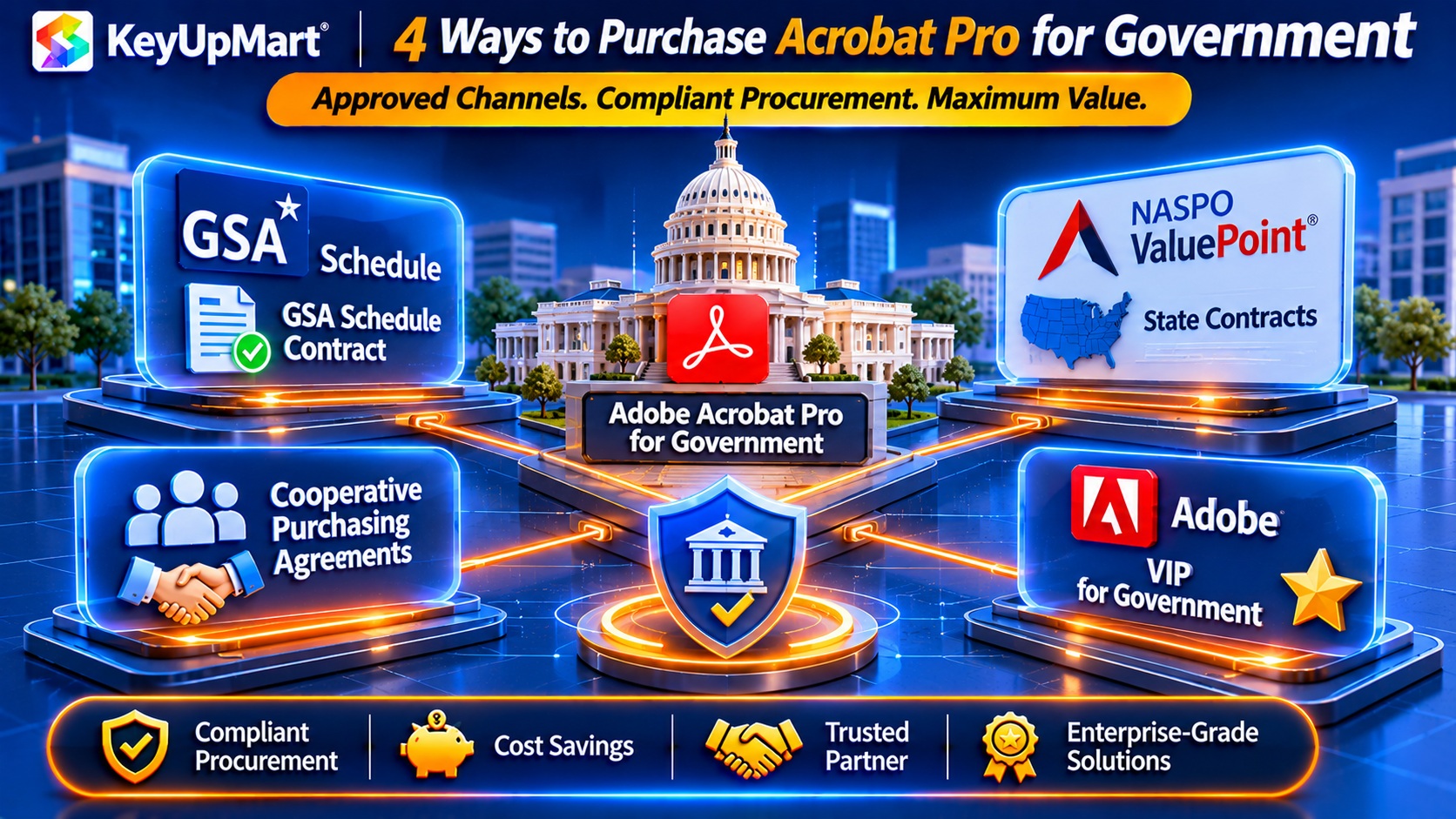
Compliance requirement: Government agencies must purchase through authorized channels (GSA, NASPO, or Adobe VIP for Government).
FedRAMP Compliance Requirements
What is FedRAMP?
- Federal Risk and Authorization Management Program
- Security standard for cloud services used by government
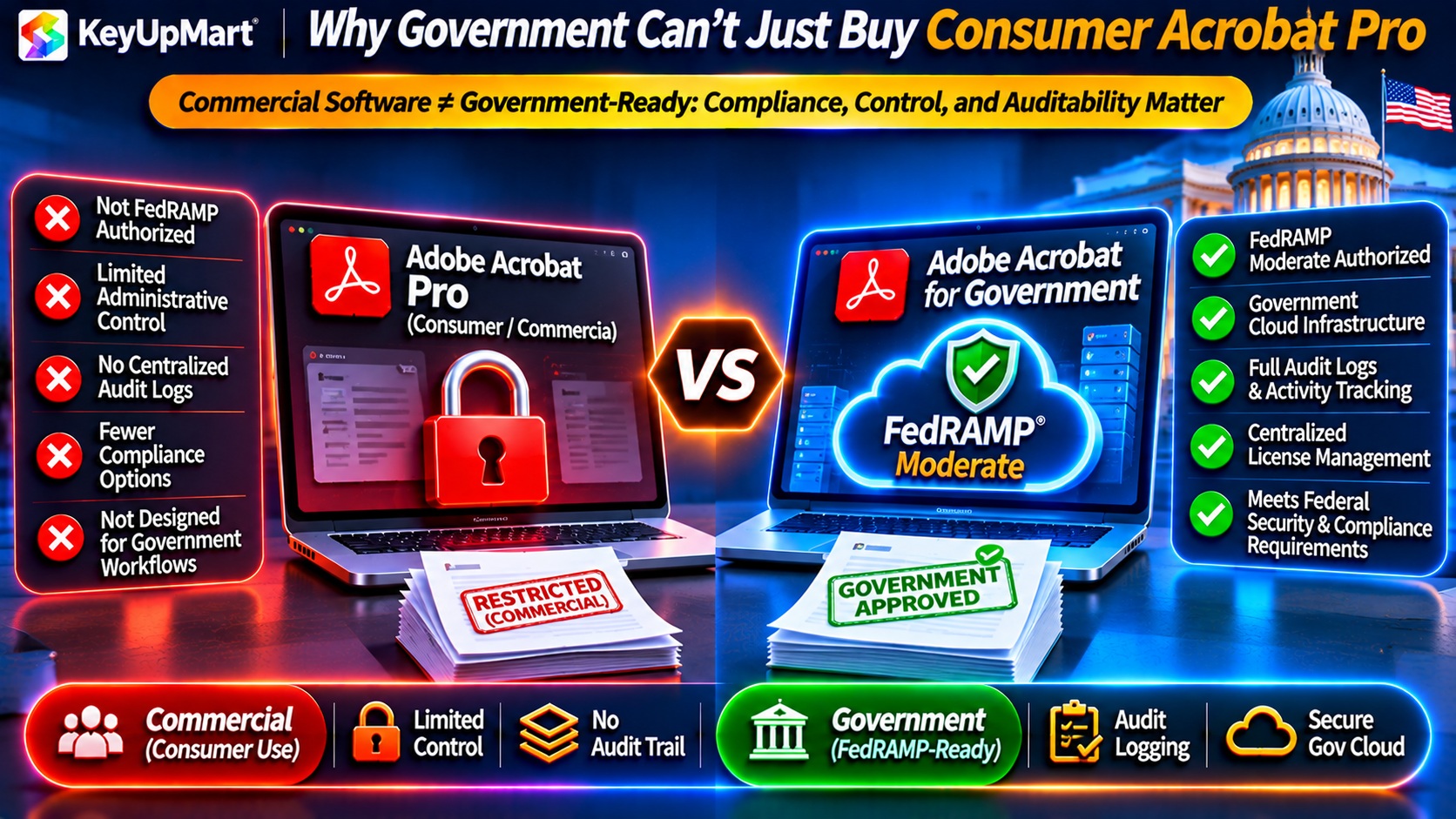
Consumer Acrobat Pro DC:
- Uses commercial Document Cloud (not FedRAMP authorized)
- Data stored in multi-tenant environment (mixed with non-government)
- No audit logs for security monitoring
Government Acrobat Pro DC:
- FedRAMP Moderate authorization (JAB P-ATO)
- Government-only cloud infrastructure
- Full audit trails (who accessed what, when)
- Data residency controls (US-only servers)
Penalty for non-compliance: Using non-FedRAMP software violates OMB Memorandum M-19-03—can result in agency CIO termination, budget cuts.
Section 508 Accessibility Requirements
Legal requirement: Section 508 of Rehabilitation Act mandates accessible PDFs for government documents.
Consumer vs Government Acrobat:
- Both create accessible PDFs
- Government version includes Accessibility Checker compliance reports (required for Section 508 documentation)
- Government version has priority support for accessibility issues
Audit exposure: VA, DoD, and SSA have failed Section 508 audits due to incomplete accessibility documentation—government Acrobat version provides audit-ready reports.
Data Sovereignty & ITAR Compliance
Defense contractors & export-controlled data:
- ITAR (International Traffic in Arms Regulations) requires data stay in US
- Consumer Acrobat cloud may replicate data to international servers
Government Acrobat Pro:
- US-only data centers (GovCloud regions)
- No cross-border data replication
- Supports DoD IL4 and IL5 classification levels (with Adobe GovCloud)
4 Ways to Purchase Acrobat Pro for Government
Option 1: GSA Schedule (Federal Agencies)
Contract details:
- GSA Contract: GS-35F-0119Y (Adobe Federal Contract)
- Scope: Federal agencies, military, federally funded research
- Ordering methods: GSA Advantage, direct purchase order
Pricing tiers (FY 2026):
- 1-99 seats: $349/seat
- 100-499 seats: $310/seat
- 500-2,499 seats: $285/seat
- 2,500+ seats: $260/seat (enterprise agreement)
Included features:
- Acrobat Pro DC for Government (FedRAMP Moderate)
- Adobe Sign for Government (unlimited e-signatures)
- 100GB Document Cloud storage per user
- Priority government support (48-hour SLA)
How to buy:
- Search GSA Advantage for “Adobe Acrobat Pro Government”
- Add to cart using agency credit card or purchase order
- Adobe provisions licenses within 48-72 hours
- Deploy via admin console (centralized management)
POC: GSA IT Schedule 70 Contracting Officers at your agency.
Option 2: NASPO ValuePoint (State/Local)
Contract details:
- Lead state: Arkansas
- Contract: AR2472 (Adobe Master Agreement)
- Participating states: All 50 states + territories
Pricing (varies by state volume):
- Small agencies (<100 seats): $320-340/seat
- Medium agencies (100-500): $290-310/seat
- Large agencies (500+): $265-285/seat
State-specific contacts:
- Contact your state’s IT procurement office
- Reference NASPO AR2472 contract
- Negotiate additional discounts based on total state spend
Advantages:
- No need for competitive bidding (pre-competed contract)
- Faster procurement (30-45 days vs 6-12 months RFP)
- Pooled purchasing power (better pricing than agency-by-agency)
Example: California DGS leverages NASPO for 15,000+ Acrobat Pro licenses statewide at $272/seat.
Option 3: Cooperative Purchasing Contracts
Sourcewell (formerly NJPA):
- Contract: #031021-ADO
- Eligibility: Schools, cities, counties, special districts
- Price range: $275-320/seat (depending on volume)
OMNIA Partners:
- Contract: #R191902
- Includes: Acrobat Pro + Creative Cloud bundles
- Best for: Agencies needing multiple Adobe products
PEPPM (Public Education Purchasing Program):
- Eligibility: K-12 schools, community colleges
- Education pricing: 60% discount (as low as $180/seat)
How to use:
- Verify your agency is eligible (check cooperative’s member list)
- Contact Adobe or authorized reseller (CDW-G, SHI, Carahsoft)
- Reference cooperative contract number
- Place order (no RFP required)
Option 4: Adobe VIP for Government
What is VIP?
- Volume Incentive Program (Adobe’s direct volume licensing)
- Requires 10+ licenses minimum
- Government-specific tier (separate from commercial VIP)
Pricing structure:
- VIP Marketplace: Self-service, 10-49 seats ($335/seat)
- VIP Select: 50-999 seats, 3-year commit ($295/seat)
- VIP Enterprise: 1,000+ seats, custom pricing ($240-265/seat)
Advantages:
- Flexibility to add/remove seats quarterly
- Admin console for centralized management
- Combined billing (Acrobat + Creative Cloud + Adobe Sign)
Best for: Mid-size agencies (50-500 seats) not ready for enterprise agreement.
How to enroll:
- Contact Adobe Government sales: 1-800-833-6687
- Or authorized reseller (CDW-G: 800-808-4239)
Government Acrobat Pro Pricing Breakdown (FY 2026)
Key takeaway: Government channels save 15-40% vs commercial pricing, with added compliance features.
FedRAMP Compliance: What It Means for Acrobat Pro
FedRAMP Moderate Authorization
Adobe Acrobat DC for Government received FedRAMP Moderate Joint Authorization Board (JAB) Provisional Authority to Operate (P-ATO) in 2024.
What this covers:
- Document Cloud storage and sync
- Adobe Sign for Government
- Acrobat Pro DC desktop app (when used with government cloud)
What’s NOT covered by FedRAMP:
- Consumer Acrobat Pro DC (commercial cloud)
- On-premises perpetual licenses (Acrobat Pro 2024—no cloud component to certify)
Security controls (FedRAMP Moderate = 325 controls):
- Multi-factor authentication (required for all users)
- Encryption at rest (AES-256)
- Encryption in transit (TLS 1.3)
- Continuous monitoring and incident response
- Annual penetration testing
- Quarterly vulnerability scans
FedRAMP High Authorization (Adobe GovCloud)
For DoD and Intelligence Community:
- Adobe GovCloud = separate FedRAMP High environment
- Supports DoD IL4/IL5 (Controlled Unclassified Information)
- Required for defense contractors with CUI
Pricing: 30-50% premium over FedRAMP Moderate (starts at $450/seat).
When required:
- Department of Defense agencies
- Intelligence Community (IC)
- Contractors handling CUI or classified data (up to Secret level)
Section 508 Accessibility Features (Government Requirement)
Legal Background
Section 508: Amendment to Rehabilitation Act requiring federal agencies to make electronic content accessible to people with disabilities.
Applies to: All PDFs published by federal agencies (forms, reports, public notices).
Penalty: Lawsuits, consent decrees (VA settled for $20M in 2024 over inaccessible PDFs).
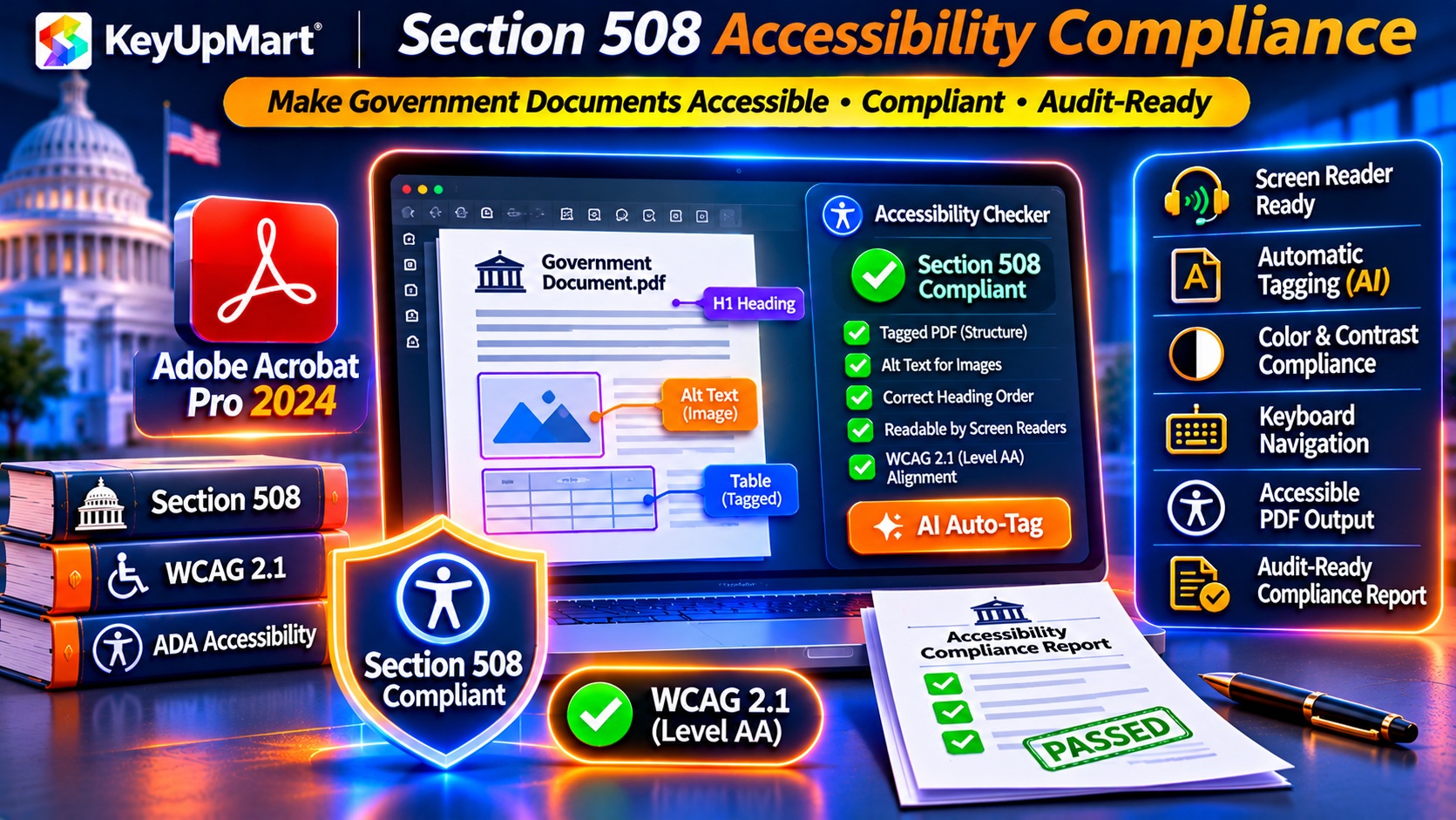
Acrobat Pro Government Edition Accessibility Tools
- Auto-Tag with AI (Pro DC 2025 feature):
- Automatically adds structural tags (headings, lists, tables)
- 98% accuracy (vs 60% in older versions)
- Reduces manual tagging time from 30 min to 5 min per document
- Accessibility Checker:
- Scans PDFs for 508 compliance issues
- Generates audit-ready report (required for Section 508 documentation)
- Fixes common issues automatically (missing alt text, improper heading hierarchy)
- Read Out Loud (testing tool):
- Simulates screen reader experience
- Helps creators verify proper reading order
- Export Accessibility Report:
- Government version includes detailed compliance report
- Maps to WCAG 2.1 AA and PDF/UA standards
- Required for agency 508 compliance audits
Training resources:
- Adobe Government Accessibility Webinars (monthly)
- Section 508 Best Practices Guide (download from Adobe.gov)
Government Volume Licensing: How It Works
Licensing Models
- Device-Based Licensing:
- One license per workstation (Windows or Mac)
- Users can rotate (hot-desking scenarios)
- Best for: Shared computers, kiosk environments
- Named User Licensing:
- One license per employee
- Can install on 2 devices (desktop + laptop)
- Follows user across devices
- Best for: Remote workers, BYOD policies
- Shared Device Licensing:
- Multiple users share one license on one device
- Requires Adobe admin console + user authentication
- Best for: Shift work, 24/7 operations centers
License Management
Adobe Admin Console (government version):
- Centralized license provisioning (add/remove users)
- Usage reporting (track which users actively use Acrobat)
- Security controls (enforce MFA, restrict cloud features)
- Integration with Azure AD, Okta for SSO
Annual True-Up Process:
- Adobe audits license usage annually
- Agencies must reconcile seats purchased vs deployed
- Overdeployment penalties: $100/seat/year
Best practice: Conduct quarterly self-audits to avoid surprises.
Deployment Options for Government Agencies
Option 1: Cloud-Connected (Standard)
How it works:
- Users install Acrobat Pro DC from Adobe servers
- Apps check in with Document Cloud for licensing
- Files can be synced to government cloud storage (optional)
Requirements:
- Internet access for license validation (every 30 days)
- FedRAMP-authorized Document Cloud (government version)
Best for: Most federal/state agencies (95% use case).
Option 2: Disconnected / Air-Gapped
How it works:
- Install Acrobat Pro 2024 (perpetual license, no cloud)
- Deploy via SCCM, Jamf, or group policy
- No internet required after activation
Limitations:
- No Document Cloud features (sync, mobile, Adobe Sign cloud)
- Can still use certificate-based signatures (offline)
Best for: Classified networks (SIPRNET, JWICS), secure facilities.
Licensing: Must purchase through GSA or NASPO as “perpetual government license.”
Option 3: Virtual Desktop Infrastructure (VDI)
How it works:
- Install Acrobat Pro on Citrix, VMware Horizon, or Windows Virtual Desktop
- Users access via thin clients or browser
- One license covers all users accessing that VDI instance (shared device licensing)
Cost advantage: 500 users sharing 100 VDI licenses = 80% cost reduction.
Technical requirement: Adobe VIP Select or Enterprise (VDI licensing not available on GSA Schedule without amendment).
Government-Specific Features Not in Consumer Acrobat
Audit Logging & eDiscovery
Government Acrobat Pro DC:
- Logs all document access (who opened, printed, downloaded)
- Retention: 7 years (compliance with federal records requirements)
- Export logs to SIEM (Splunk, ArcSight integration)
Consumer Acrobat: No centralized logging.
Use case: FOIA requests, litigation holds, security investigations.
Data Loss Prevention (DLP) Integration
Government version:
- Integrates with Microsoft Purview, Symantec DLP
- Prevents emailing PDFs with SSN, classified markings
- Auto-watermarks sensitive documents
Consumer version: No DLP connectors.
Digital Signature with PIV/CAC Cards
PIV (Personal Identity Verification): Smart cards used by federal employees.
Government Acrobat:
- Native support for PIV/CAC card signatures
- Validates against Federal PKI (FPKI) root certificates
- Displays “US Government” trust badge
Consumer Acrobat: Can use PIV cards, but lacks FPKI trust chain validation.
Classification Markings (DoD/IC)
Adobe GovCloud (FedRAMP High):
- Auto-applies classification banners (UNCLASSIFIED, CUI, SECRET)
- Enforces handling rules (no print for SECRET, watermark for CUI)
- Integrates with Titus, Boldon James classification tools
Consumer/Standard Government: No classification support.
Procurement Process: Step-by-Step
For Federal Agencies (GSA Schedule)
Step 1: Determine Requirements (Week 1)
- Number of users (current + 2-year growth)
- Device-based or named user licensing
- Need for Adobe Sign, Document Cloud storage
Step 2: Obtain Quotes (Week 2)
- Search GSA Advantage for Adobe Acrobat Pro Government
- Request quote from authorized resellers:
- Carahsoft: 888-662-2724
- CDW-G: 800-808-4239
- SHI Government: 888-744-4084
Step 3: Secure Funding (Week 3-4)
- Software typically purchased as COTS (Commercial Off-The-Shelf)
- Use SAP code for “Information Technology Software”
- Obligate funds via SF-182 or agency purchase card
Step 4: Issue Purchase Order (Week 5)
- Reference GSA Contract GS-35F-0119Y
- Specify SKU (e.g., “Acrobat Pro DC for Government – Named User”)
- Include delivery address for admin console provisioning
Step 5: Deployment (Week 6-8)
- Adobe provisions admin console access
- IT deploys via SCCM, Intune, or user self-service
- Train users on government-specific features (accessibility, PIV signatures)
Total timeline: 6-8 weeks (vs 6-12 months for full RFP).
For State/Local (NASPO ValuePoint)
Step 1: Verify Contract Participation
- Check if your state signed NASPO AR2472
- Contact state IT procurement office
Step 2: Request Piggyback Approval (if needed)
- Some states require local agency to file “piggyback authorization”
- Typically approved within 1-2 weeks
Step 3: Obtain Quote from Reseller
- CDW-G, SHI, Connection, or direct Adobe
- Reference NASPO AR2472 contract
Step 4: Issue PO
- Most states allow direct purchase (no additional RFP)
Total timeline: 3-5 weeks.
Common Mistakes Government Agencies Make
Mistake 1: Buying Consumer Acrobat for Government Use
What happens:
- License audit finding (Adobe audits government annually)
- Forced migration to government licenses (at full retail price)
- Fines for non-compliance ($50K-$500K)
How to avoid: Always purchase through GSA, NASPO, or VIP for Government.
Mistake 2: Under-Licensing (Not Counting Contractors)
Government licensing rule: Contractors working on government systems must use government licenses.
Example: VA has 10,000 employees + 3,000 contractors = need 13,000 licenses.
Audit risk: Adobe counts all users accessing government systems—contractor use without proper licenses = $100/user/year penalty.
Mistake 3: Using Non-FedRAMP Cloud Features
Scenario: Agency buys government Acrobat but users sync files to personal Dropbox.
Problem: Data leaves FedRAMP boundary (compliance violation).
Solution: Admin console settings → Disable non-approved cloud connectors.
Mistake 4: Ignoring Section 508 Training
Common failure: Buying Acrobat Pro but not training staff on accessibility tagging.
Result: PDFs fail 508 audits, agency sued (DOJ filed 47 accessibility lawsuits against federal agencies in 2025).
Fix: Require Adobe Accessibility Certification for all staff creating public-facing PDFs.
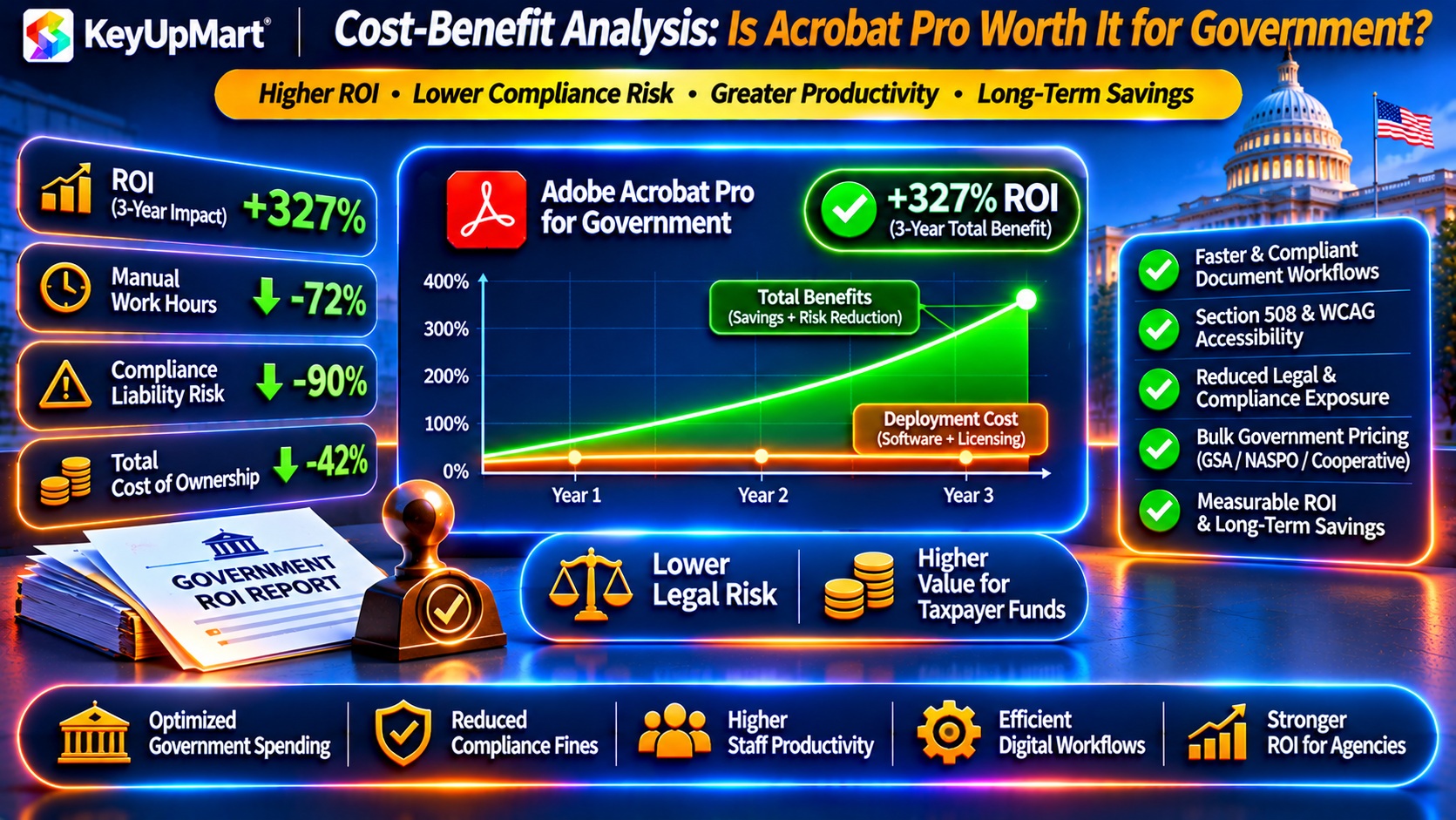
Cost-Benefit Analysis: Is Acrobat Pro Worth It for Government?
Alternative 1: Free PDF Tools (Inadequate)
Adobe Reader (free):
- ❌ Can’t edit PDFs
- ❌ No accessibility tagging
- ❌ No redaction (security risk)
Foxit Reader (free):
- ❌ Not FedRAMP authorized
- ❌ Licensing unclear for government use
Verdict: Free tools don’t meet government requirements.
Alternative 2: Open-Source (LibreOffice, Ghostscript)
Pros: Free, no licensing issues
Cons:
- ❌ No Section 508 compliance tools
- ❌ Poor PDF/A output (federal records requirement)
- ❌ No support contracts (risky for critical operations)
Use case: Acceptable for internal drafts only (not public-facing documents).
Alternative 3: Competing Commercial Tools
Foxit PDF Editor ($179/seat):
- ✅ Cheaper than Acrobat
- ❌ Not FedRAMP authorized (can’t use Document Cloud)
- ❌ Weaker Section 508 tools
Nitro Pro ($199/seat):
- ❌ Windows-only (excludes Mac users)
- ❌ No government pricing programs
Bluebeam Revu ($349/seat):
- ✅ Good for CAD workflows (architecture/engineering agencies)
- ❌ More expensive than Acrobat government pricing
- ❌ Overkill for general office use
Verdict: Acrobat Pro is the government standard—better pricing via government channels, full compliance support.
ROI Calculation for Government Agencies
Time Savings from Automation
Manual PDF workflows (without Acrobat Pro):
- Create accessible form: 4 hours
- Redact sensitive documents: 20 min per page
- Combine 50 files for FOIA response: 2 hours
With Acrobat Pro:
- Auto-tag form for accessibility: 15 minutes
- Redact with search patterns: 2 minutes per page
- Combine files: 5 minutes
Annual time saved (for 100-person agency):
- 100 users × 5 hours/month = 500 hours/month
- 500 hours × $50/hr (average GS-9 rate) = $25,000/month
- Annual savings: $300,000
Acrobat Pro cost (100 seats via GSA): $31,000/year
ROI: 9.7x return on investment.
Compliance Risk Mitigation
Cost of Section 508 lawsuit: $500K-$5M (settlements + attorney fees)
Acrobat Pro investment: $31,000/year
Risk reduction: Proper accessibility tools reduce lawsuit probability by 80%+.
Expected value: 80% × $2.5M (average settlement) = $2M risk avoided for $31K investment.
Frequently Asked Questions
Can we use commercial Acrobat Pro if we keep data offline?
No—licensing violation regardless of data location. Government agencies must use government-licensed software even for offline use.
Do we need FedRAMP if we only use desktop app (no cloud)?
Depends:
- Acrobat Pro 2024 (perpetual, no cloud) = No FedRAMP needed
- Acrobat Pro DC (subscription with Document Cloud) = FedRAMP required
Recommendation: State/local can use perpetual if they don’t need cloud; federal should use DC with FedRAMP.
Can contractors use our government licenses?
Yes, if contractors are working on government systems under your direction.
No, if contractors are using it for their own business (must buy their own commercial licenses).
What happens if we get audited by Adobe?
Process:
- Adobe sends audit notice (30 days to respond)
- Agency provides license purchase records + user deployment list
- Adobe compares purchases vs actual usage
- Overdeployment charged at $100/seat/year
Best practice: Conduct self-audits quarterly using admin console usage reports.
Is there educational pricing for government training facilities?
Yes—government training centers, community colleges qualify for education pricing (60% off).
Verify eligibility through Adobe Government Education team: REPLACE-WITH-EMAIL
Final Recommendation
For Federal Agencies:
- ✅ Purchase via GSA Schedule GS-35F-0119Y
- ✅ Use named user licensing for remote workers
- ✅ Deploy via admin console with MFA enforced
- ✅ Train all staff on Section 508 accessibility
For State/Local Agencies:
- ✅ Leverage NASPO ValuePoint AR2472
- ✅ Pool purchasing with other departments for better pricing
- ✅ Consider perpetual licenses if cloud isn’t needed (lower long-term cost)
For Defense/IC:
- ✅ Use Adobe GovCloud (FedRAMP High)
- ✅ Deploy on classified networks via perpetual licenses
- ✅ Integrate with PIV/CAC for signatures
About KeyUpMart: We serve commercial customers only—government agencies should purchase through GSA, NASPO, or Adobe VIP for Government to ensure compliance. For commercial business use, we offer Acrobat Pro 2024 at $99.99 with instant delivery.
Related posts:
 Buy Adobe Acrobat Pro for Consultants: Client Proposal & Contract Management Guide (2026)
 Adobe Acrobat Pro Lifetime License vs Subscription: 5-Year Cost Comparison Calculator
 Adobe Acrobat Pro Discount Codes 2026: Where to Find Genuine Savings
