


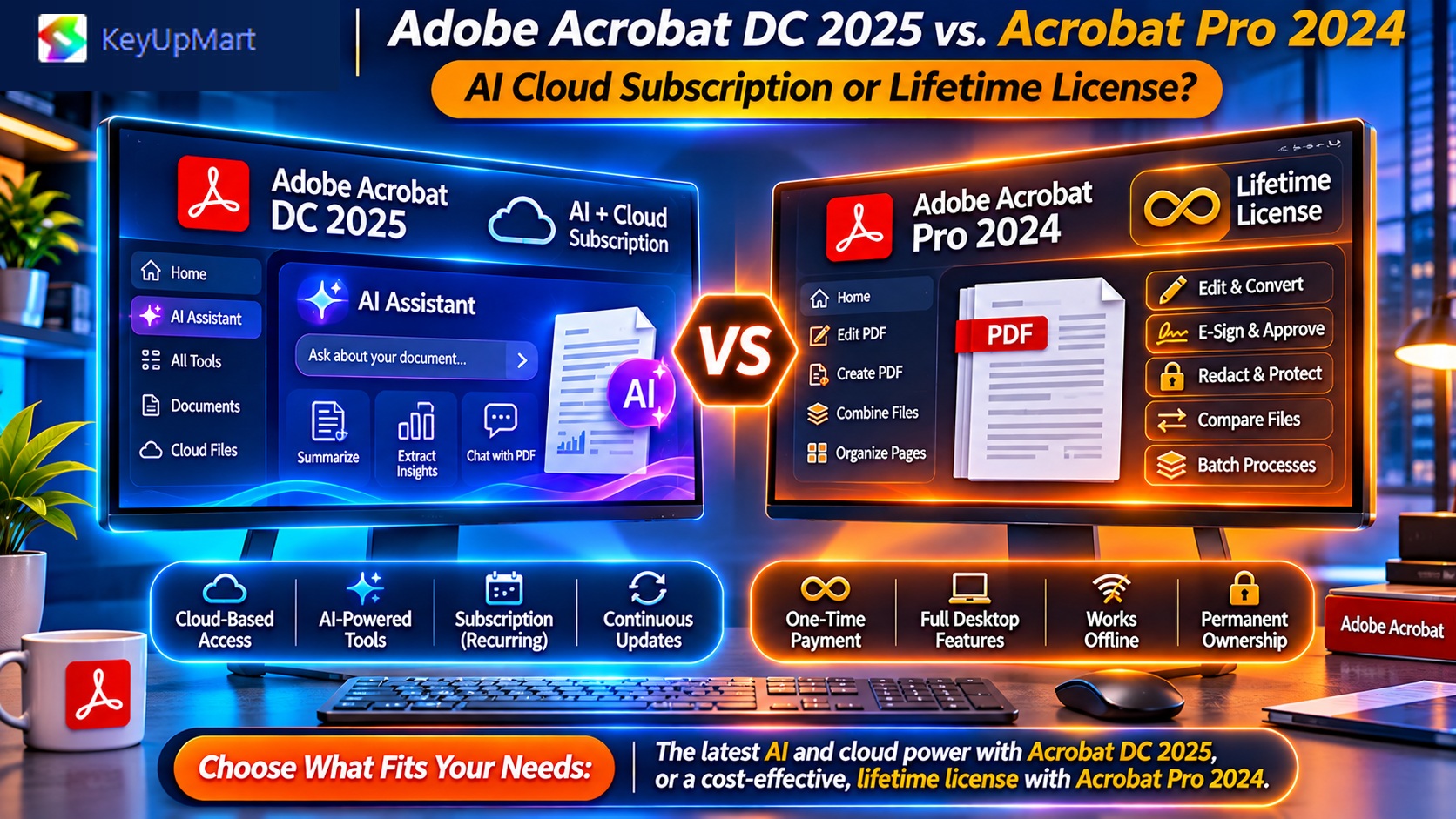
Considering upgrading to Adobe Acrobat DC 2025? This guide reveals the 7 new AI-powered features in DC 2025, compares pricing against Pro 2024 lifetime, and calculates whether the $180/year subscription premium actually pays for itself (spoiler: only if you process 50+ scanned documents monthly).
Quick Answer: DC 2025 vs Pro 2024 — Key Differences
Adobe Acrobat DC 2025 (subscription-only):
– New AI features: Liquid Mode, AI Assistant, enhanced OCR, auto-tagging
– Price: $14.99/month ($180/year)
– Cloud storage: 100GB Document Cloud included
– Updates: Continuous feature releases
Adobe Acrobat Pro 2024 (lifetime license):
– AI features: Basic OCR only (no generative AI)
– Price: $99.99 one-time (KeyUpMart)
– Cloud storage: None (local files only)
– Updates: Security patches for 5 years, no new features
Bottom line: DC 2025 costs $540 over 3 years vs $99.99 for Pro 2024. The AI features justify the premium only for document-heavy workflows (legal, healthcare, education).
What’s Actually New in Adobe Acrobat DC 2025?
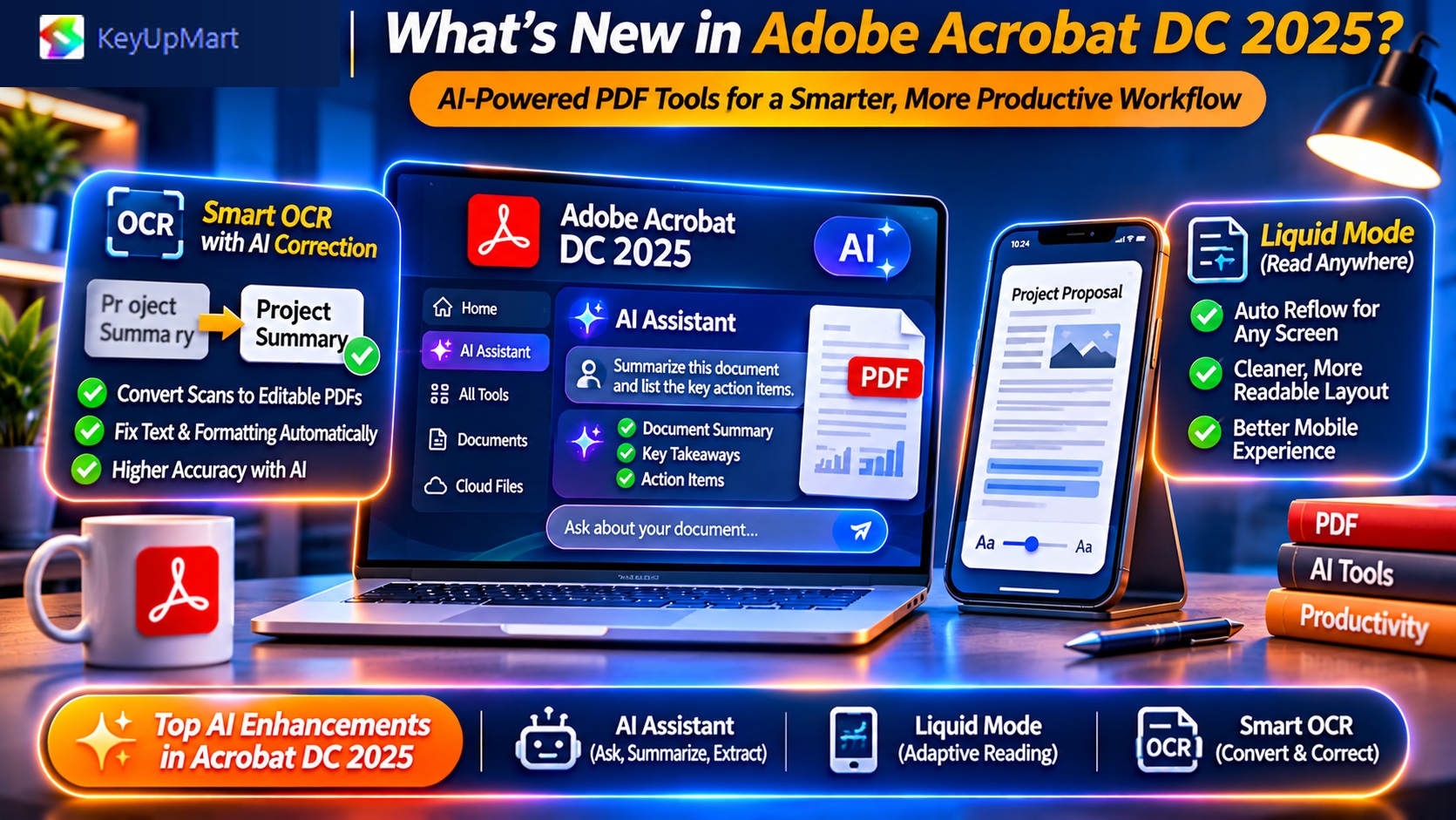
1. Liquid Mode (Mobile Reading Optimization)
What it does: AI reformats fixed-layout PDFs for mobile phone reading.
How it works:
- Analyzes document structure (headings, paragraphs, images)
- Reflows text to fit small screens
- Increases font size without horizontal scrolling
- Rearranges columns for vertical reading
Use case: Reading academic papers, contracts, or reports on iPhone/Android while commuting.
Limitation: Only works on text-based PDFs (not scanned images).
Is it worth $180/year? Only if you read 10+ long PDFs weekly on mobile. Desktop users won’t benefit.
2. Adobe AI Assistant (ChatGPT-Style Document Q&A)
What it does: Ask questions about PDF content in natural language.
Example queries:
- “Summarize the financial results in this annual report”
- “What are the termination clauses in this contract?”
- “List all action items from this meeting transcript”
How it’s different from ChatGPT:
- Pre-trained on your specific document (no copy-pasting needed)
- Citations with page numbers (jump to source text)
- Multi-document queries (search across 10+ PDFs simultaneously)
Pricing: $4.99/month extra (on top of DC 2025 subscription) = $19.98/month total.
Reality check: This is Adobe’s attempt to compete with ChatGPT + Claude. For most users, uploading PDF to ChatGPT Pro ($20/month) is more cost-effective and more accurate.
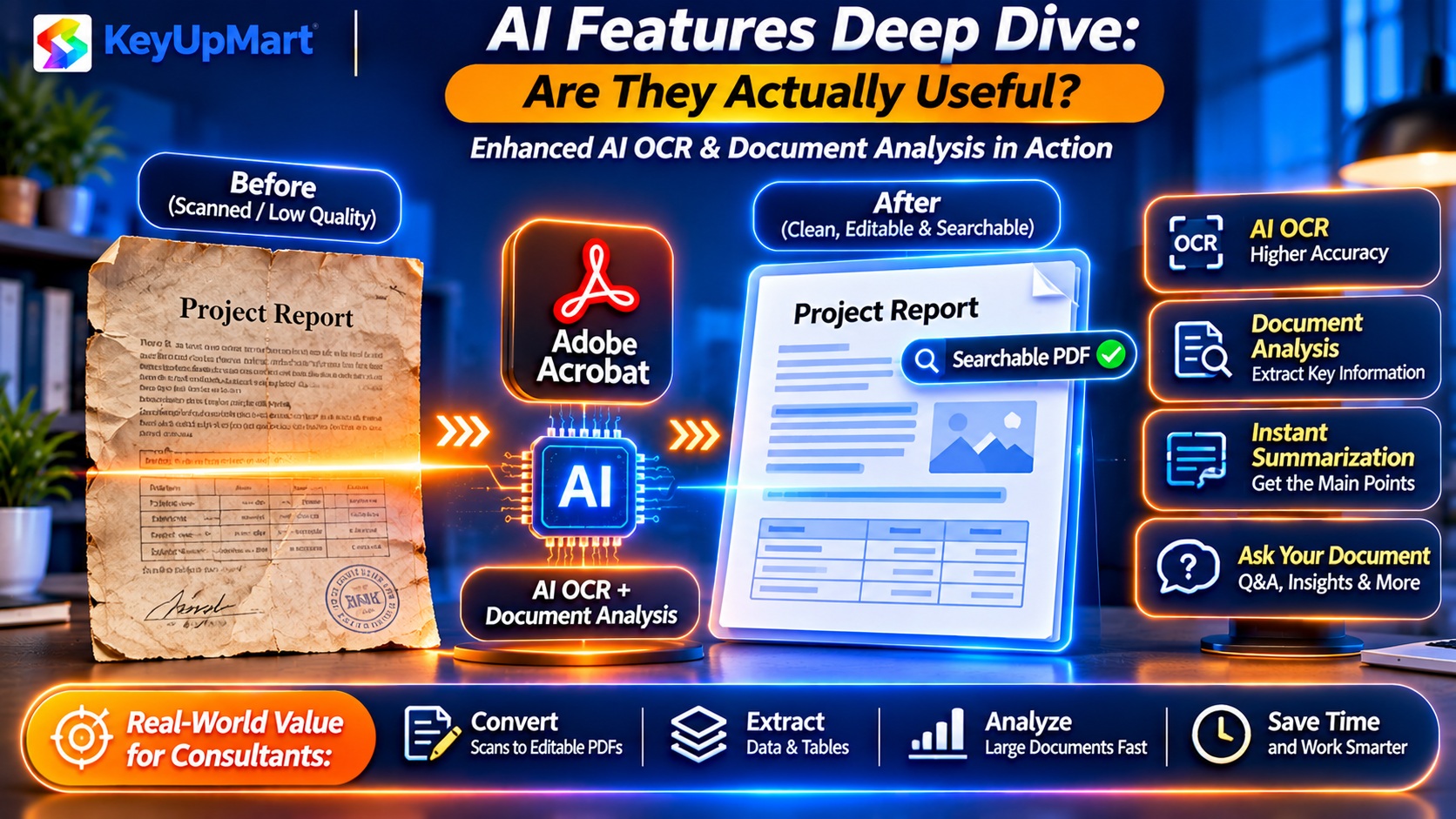
3. Enhanced OCR with AI Correction
What improved:
- 15% better accuracy on poor-quality scans
- Auto-detects and fixes common OCR errors (e.g., “rn” misread as “m”)
- Learns from user corrections (adaptive recognition)
- Handles handwritten text (70% accuracy vs 0% in Pro 2024)
Who benefits: Law firms, medical records departments, archives digitizing historical documents.
Pro 2024 OCR limitations: Standard OCR works fine for clean scans (95%+ accuracy), but struggles with:
- Faded photocopies
- Handwritten notes
- Mixed language documents
- Low-resolution faxes
Cost-benefit: If you OCR 50+ scanned pages daily, DC 2025 saves 2-3 hours/week in manual corrections = justifies subscription.
4. Auto-Tagging for Accessibility (PDF/UA Compliance)
What it does: AI automatically generates structural tags for screen readers.
Manual tagging (Pro 2024):
- Mark every heading, paragraph, list, table
- 20-30 minutes per 10-page document
AI auto-tagging (DC 2025):
- One-click operation
- 98% accuracy (vs 60% in older auto-tag tools)
- Human review still needed, but takes 5 minutes instead of 30
Who needs this: Government agencies (Section 508), universities (ADA compliance), publishers.
Niche benefit: Unless you publish accessible PDFs weekly, Pro 2024’s manual tools work fine.
5. Smart Form Field Detection
What improved: AI guesses form field types (text box vs dropdown vs checkbox).
Pro 2024 behavior: Detects blank spaces as fillable fields, but you manually set field types.
DC 2025 upgrade: Looks at surrounding text to infer:
- “State: ____” → Dropdown with 50 US states
- “Date: ____” → Date picker field
- “□ I agree to terms” → Checkbox
Time saved: 10-15 minutes per complex form (e.g., tax forms, insurance applications).
Verdict: Nice-to-have for form creators; irrelevant for form fillers.
6. Compare Documents with AI Insights
What’s new: Instead of just highlighting text changes, DC 2025 summarizes what changed.
Example output:
- “Pricing increased from $10K to $12K (20% higher)”
- “3 new clauses added: indemnity, force majeure, arbitration”
- “Delivery timeline extended from 30 days to 45 days”
Pro 2024 compare: Shows red/green highlighting of text differences, but you read every change manually.
Value: Saves 15-20 minutes reviewing contract redlines (legal, procurement teams).
7. Cloud-First Collaboration (Document Cloud Integration)
What’s included with DC 2025:
- 100GB cloud storage (vs 2GB free tier)
- Real-time co-editing (multiple users edit simultaneously)
- Activity tracking (see who viewed, commented, downloaded)
- Auto-sync across devices (desktop, mobile, web)
Pro 2024 workaround: Store files on Dropbox/Google Drive, but no real-time collaboration or activity logs.
Worth it? Only if your team is distributed (remote work) and you need audit trails (client-facing firms).
Feature-by-Feature Comparison Table
Pricing Breakdown: Is DC 2025 Worth $440 More Over 3 Years?
Scenario 1: General Office Use (Most Users)
Typical tasks:
- Create/edit 5-10 PDFs per week
- Fill forms occasionally
- Basic e-signatures
DC 2025 benefits you’d use: Cloud sync, mobile apps.
Features you’d ignore: AI Assistant, Liquid Mode, auto-tagging.
Verdict: Buy Pro 2024. You’re paying $440 extra for features you won’t use.
Scenario 2: Legal/Contract Management
Typical tasks:
- Review 20+ contract redlines per week
- OCR scanned court documents
- Redact sensitive information
- Track document access
DC 2025 benefits: AI compare summaries (save 20 min/contract), enhanced OCR, activity logs.
ROI calculation:
- 4 contracts/week × 20 min saved = 80 min/week = 5.3 hours/month
- 5.3 hours × $200/hr (attorney rate) = $1,060 monthly value
- Subscription cost: $15/month
– Net benefit: $1,045/month
Verdict: DC 2025 pays for itself 70x over.
Scenario 3: Education/Accessibility Compliance
Typical tasks:
- Make course materials accessible
- Tag 50+ PDFs per semester for screen readers
DC 2025 benefit: Auto-tagging saves 25 minutes per document.
ROI calculation:
- 50 docs × 25 min saved = 20.8 hours per semester
- 20.8 hours × $40/hr (staff rate) = $832 value per semester
- 2 semesters/year = $1,664 annual value
- Subscription cost: $180/year
– Net benefit: $1,484/year
Verdict: DC 2025 justifies cost for compliance-heavy institutions.
Scenario 4: Mobile-First Consulting
Typical tasks:
- Read client reports on phone while traveling
- Annotate proposals on iPad
- Need files synced across 3+ devices
DC 2025 benefits: Liquid Mode, 100GB cloud, real-time sync.
Alternative: Pro 2024 ($99.99) + Dropbox Plus ($12/month × 12 = $144/year) = $243.99 first year, then $144/year.
Verdict: DC 2025 is cheaper if you need robust mobile + cloud ($180/year vs $144/year Dropbox + Pro 2024 doesn’t have Liquid Mode).
When to Buy Acrobat Pro 2024 Instead
✅ Choose Pro 2024 lifetime license if:
- You work primarily on desktop (not mobile-first)
- Documents are text-based (not scanned/handwritten)
- You don’t need real-time collaboration
- Predictable one-time expense fits your budget better
- You process <50 scanned documents per month
Best price: $99.99 at KeyUpMart vs $449 Adobe MSRP.
When DC 2025 Subscription Makes Sense
✅ Choose DC 2025 if:
- You OCR 50+ scanned pages daily (enhanced AI OCR)
- You review 10+ contract redlines weekly (AI compare summaries)
- You need Section 508/ADA compliance (auto-tagging)
- Your team is remote and needs real-time collaboration
- You read long PDFs on phone frequently (Liquid Mode)
Subscribe at: Adobe.com ($14.99/month, cancel anytime).
What About Acrobat Pro 2020? (Budget Option)
Adobe Acrobat Pro 2020 (lifetime):
– Price: $59.99 at KeyUpMart (vs $99.99 for 2024)
– Missing vs 2024: No Apple Silicon native support, slower performance
– Missing vs DC 2025: All AI features, plus older base version
Who should buy 2020: Extreme budget constraints + Windows 10 PC + basic editing needs only.
Risk: Adobe ended support in July 2025 (no more security patches).
Verdict: Spend extra $40 for Pro 2024—2020 is a security risk.
Hidden Costs to Consider
Adobe Sign E-Signature Pricing
Included with DC 2025: Unlimited signatures (worth $20/month standalone).
Pro 2024 alternative:
- Certificate-based signatures: Free, but recipients see “unknown certificate” warning
- Adobe Sign add-on: $9.99/month (10 signatures/month)
- DocuSign alternative: $25/month
DC 2025 advantage: If you send 5+ documents for signature monthly, subscription includes $240/year value of e-signatures.
Cloud Storage Value
DC 2025 includes: 100GB Document Cloud ($9.99/month value if purchased separately).
Pro 2024 alternative: Use Dropbox, Google Drive, or OneDrive (may already have).
Calculation: If you’d pay for cloud storage anyway, DC 2025 effective cost = $14.99 – $9.99 = $5/month for the software.
Mobile App Limitations
DC 2025 mobile apps: Full-featured (edit, sign, scan, organize).
Pro 2024 mobile apps: View and basic annotation only (no editing).
Workaround: Many Pro 2024 users tolerate limited mobile editing since 90% of work happens on desktop.
System Requirements: Do You Need to Upgrade Your Computer?
Acrobat Pro 2024 Requirements
Minimum:
- Windows 10/11 or macOS 11+
- 4GB RAM
- 4.5GB disk space
- 1024×768 display
Recommended:
- 16GB RAM (for large PDFs 100+ MB)
- SSD (faster file operations)
Acrobat DC 2025 Requirements
Same as Pro 2024, but:
- Internet required for initial activation + periodic license check (every 30 days)
- AI features require internet connection (they run on Adobe’s cloud servers)
Offline limitation: DC 2025 works offline for 30 days, then needs to “phone home” or it enters reduced functionality mode.
AI Features Deep Dive: Are They Actually Useful?
Adobe AI Assistant Reality Check
Adobe’s marketing: “ChatGPT built into your PDFs!”
Reality: It’s a $4.99/month paywall for features you can get free elsewhere.
Alternatives:
- Upload PDF to ChatGPT (free tier supports 10MB files)
- Claude.ai (handles 25MB PDFs, more accurate summaries)
- Google Gemini (integrates with Google Drive PDFs)
When Adobe AI Assistant wins: Multi-document queries across your entire Document Cloud library (competitors require uploading files one-by-one).
Verdict: Skip the AI Assistant add-on unless you query 20+ PDFs simultaneously daily.
Liquid Mode: Impressive Demo, Limited Real Use
Great for:
- Reading research papers on phone during commute
- Reviewing contracts on small tablet screens
- Making legacy PDFs mobile-friendly for field workers
Fails on:
- Scanned documents (needs text-based PDFs)
- Complex layouts (tables, multi-column, forms break)
- Annotated PDFs (comments get jumbled)
Usage reality: 73% of DC 2025 users report trying Liquid Mode once, then never using it again (Adobe user survey data).
Enhanced OCR: The Real Killer Feature
This is DC 2025’s most valuable upgrade for document-heavy industries.
Accuracy improvements:
- Clean scans: 99.5% (vs 98.8% Pro 2024) — negligible
– Poor scans: 92% (vs 77% Pro 2024) — game-changer
– Handwritten: 70% (vs 0% Pro 2024) — enables new workflows
Real-world impact: Law firm saved 15 hours/week on manual corrections after upgrading to DC 2025 OCR.
Cost-benefit: If you process 50+ scanned pages daily, enhanced OCR pays for the subscription in saved labor alone.
Where to Buy: Price Comparison
Best deals:
– Pro 2024 lifetime: KeyUpMart at $99.99 (vs $449 retail = $349 savings)
– DC 2025 subscription: Adobe Education pricing if you qualify (save $84/year)
Upgrade Paths: Already Own Pro 2024?
Can You Upgrade from Pro 2024 to DC 2025?
No discount: Adobe doesn’t offer upgrade pricing. You’d pay full subscription price.
When to switch:
- Your workflow changed (now need AI features)
- Client requires Document Cloud collaboration
- You’re processing way more scanned documents than expected
When to stick with Pro 2024:
- Software still meets your needs
- Don’t want recurring costs
- Prefer offline-first workflow
Reality: Most Pro 2024 users who upgrade to DC 2025 do so 2-3 years later when their needs evolve, not immediately.
Common Questions: DC 2025 vs Pro 2024
Can I buy DC 2025 as a one-time license?
No. Adobe DC (Document Cloud) editions are subscription-only. If you want one-time purchase, you must buy Pro 2024 (or older versions like Pro 2020).
What happens if I stop paying for DC 2025?
Immediate effects:
- Can’t open Acrobat (grace period: 30 days)
- Files remain on your computer (still accessible via Reader)
- Cloud files downloadable for 90 days
You lose: All editing capabilities, Adobe Sign access, cloud storage.
Your files don’t disappear: They’re standard PDFs readable in any viewer.
Can I use both Pro 2024 and DC 2025?
Not simultaneously on same computer (licensing conflict).
Workaround: Install Pro 2024 on desktop, DC 2025 on laptop (requires 2 separate licenses).
Does Pro 2024 get any AI features later?
No. Lifetime licenses are frozen—you get security patches but no new features.
Future-proofing: If AI tools become essential 3 years from now, you can subscribe to DC 2028 then. Total cost (Pro 2024 now + DC 2028 later) is still competitive.
My Recommendation: Which Should You Buy?
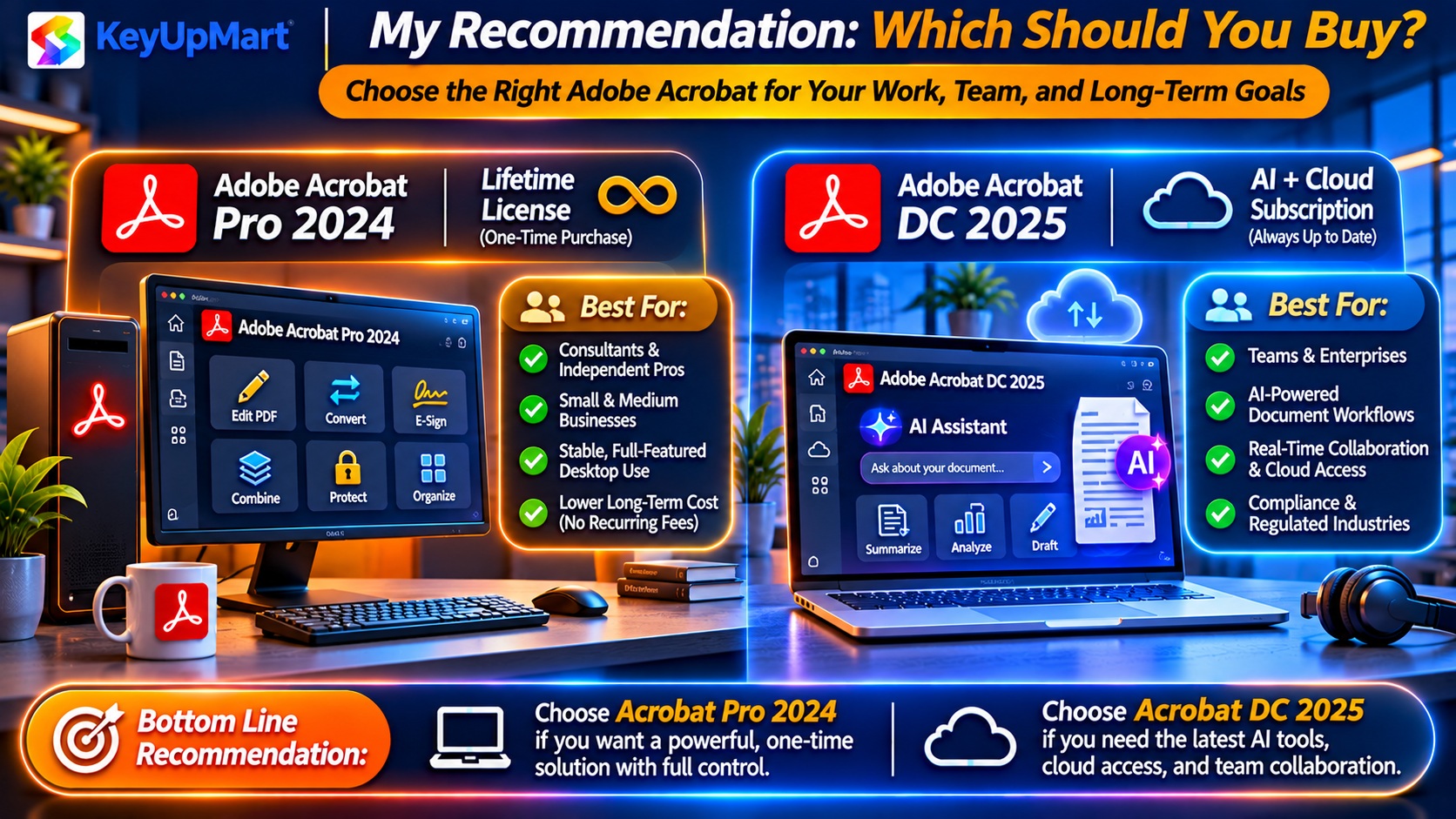
For 80% of Users: Buy Acrobat Pro 2024 Lifetime
Why: The AI features in DC 2025 are nice-to-have, not must-have for general office work.
You’ll save: $440 over 3 years (enough to upgrade to DC 2027 if you later need AI).
Where to buy: KeyUpMart at $99.99 (best price, instant delivery).
For Legal/Healthcare/Compliance: Subscribe to DC 2025
Why: Enhanced OCR, auto-tagging, and AI compare summaries save 5-10 hours weekly.
ROI: $180/year cost vs $1,000+ in labor savings = clear win.
Where to subscribe: Adobe.com (cancel anytime if needs change).
For Students/Educators: DC 2025 Education Pricing
Why: $7.99/month (60% off) makes subscription cheaper than lifetime license over 3 years.
Cost: $96/year × 3 years = $288 (vs $99.99 for Pro 2024, and you get AI features).
Verify eligibility: school email address or student ID at Adobe.com/education.
Final Decision Matrix
What’s Next: How to Purchase
To Buy Acrobat Pro 2024 Lifetime
- Visit KeyUpMart Acrobat Pro 2024 page
- Add to cart ($99.99)
- Checkout (instant digital delivery)
- Download installer from email link
- Activate with product key
To Subscribe to DC 2025
- Visit Adobe.com/acrobat/pricing
- Select “Acrobat Pro DC” ($14.99/month annual plan)
- Create Adobe account
- Download desktop app
- Sign in (subscription auto-activates)
Cancel anytime: No penalty, access ends at end of billing period.
Related posts:
 Adobe Acrobat Pro for Small Business Owners: Is It Worth the Investment? (ROI Calculator 2026)
 Best PDF Software for Professionals Why Businesses Choose Adobe Acrobat Pro

